From ArcGIS and QGIS to SAGA GIS, JUMP GIS, MapInfo Pro, and Atlasco — choosing the right GIS software can feel overwhelming with so many options out there. But don’t stress. We’ve explored the most popular GIS mapping tools used across the industry.
After testing dozens of them, we’re giving you a clear look at the top 33 GIS software solutions you should know — from the most powerful to the most user-friendly.
When you want to understand locations, satellite maps, or anything that involves places on Earth, GIS Software becomes your best friend. This kind of software helps you collect, see, and use map data in a way that makes sense. People use it to make smart choices—like where to build a road, how to protect nature, or even how to track delivery routes. Whether you’re just learning or already know a bit about maps, GIS Software is a powerful tool that helps make big ideas simple.
Some GIS tools can cost a lot of money, especially those made for big companies or governments. But you don’t always need to pay to get great tools. In fact, many free mapping GIS programs today are strong enough to handle complex work while still being easy to use. That means more people—like students, small businesses, teachers, or hobbyists—can access smart tools without spending anything.
Even if you’re just starting out or if you’re someone who’s been using mapping tools for a while, there’s a right choice out there for you. That’s why this guide is here—to help you find the best GIS software applications, including both paid and free mapping GIS programs that work well. You’ll learn which tools are simple and which are full of features, so you can pick the one that fits your needs just right.
Whether you’re trying to make a colorful map, measure land areas, or study climate changes, the right software makes all the difference. Let’s explore your options together and help you find something that’s not just powerful—but easy to use and made for you.
How XRTech Group Helps GIS Software and Companies Seeking GIS Software and GIS Data
XRTech Group is a trusted partner for GIS software companies and professionals who need reliable Digital Elevation Models (DEM) and Satellite Imagery for their projects. Here’s how XRTech Group makes a difference:
1. High-Resolution DEM and Satellite Imagery for Precise Mapping
XRTech Group offers DEM data with 2–10 meter resolution and high-quality satellite imagery, enabling GIS software to create highly accurate maps for tasks like terrain modeling, urban planning, and land classification.
2. Seamless Integration with Major GIS Platforms
Whether you’re using ArcGIS, QGIS, MapInfo, or other tools, XRTech’s DEM and satellite imagery are provided in GIS-ready formats such as GeoTIFF, JPEG2000, or SHAPE, making integration easy and efficient.
3. Custom GIS Data for Industry-Specific Use
From civil engineering to environmental monitoring, XRTech customizes its elevation and imagery datasets for each sector, helping companies address specific challenges like site selection, disaster management, and crop health monitoring.
4. Supports 2D and 3D GIS Applications
With detailed elevation data and up-to-date satellite images, XRTech enables advanced 2D and 3D GIS visualizations, including 3D terrain models, contour mapping, and real-world simulations for better planning and analysis.
5. Global Coverage for International GIS Projects
XRTech Group’s global DEM and satellite coverage allows companies to scale up their GIS solutions without geographical limits — perfect for telecom, utilities, transportation, or environmental impact analysis.
6. Fast Delivery and Easy Access
Companies save time and money with XRTech’s direct request system, fast delivery of data, and expert support. No more delays waiting for satellite providers or cleaning raw elevation files.
7. Enhanced Decision-Making with Fresh Imagery
Up-to-date satellite imagery from XRTech helps businesses detect changes, plan infrastructure, or monitor resources in near real time — making GIS software more powerful and insightful.
📌 Looking for the Best DEM Data and Satellite Imagery?
XRTech Group is your one-stop solution for high-resolution Digital Elevation Models and Satellite Imagery with global coverage, tailored for all industries. Whether you’re a GIS software provider, urban planner, or environmental consultant — we deliver fast, accurate, and GIS-ready data.
👉 Get in touch with XRTech Group today to request your custom DEM and satellite imagery package!
What is GIS Software and Why Do We Need One and What Are Their Industry Applications
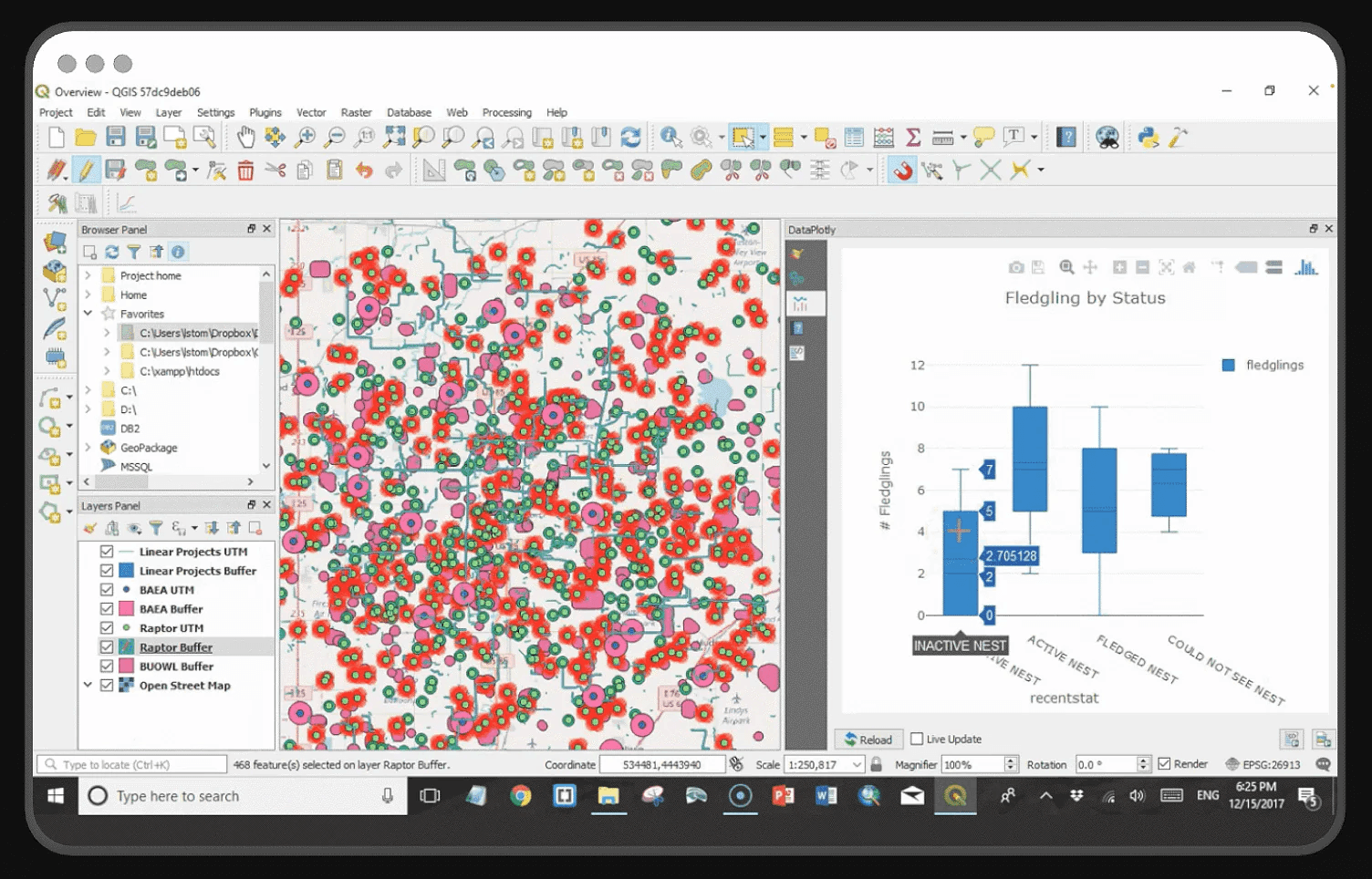
GIS Software, which stands for Geographic Information System software, is a tool that helps you see and understand data connected to real-world places. Imagine you have a map. Now, imagine you can add extra information to that map—like where people live, where roads go, or where trees grow. That’s what GIS Software lets you do. It turns basic maps into smart maps filled with layers of information that help us learn, plan, and solve problems.
We need GIS Software because looking at data on a regular chart or spreadsheet doesn’t always tell the full story. But when that same data is placed on a map, it becomes clearer and easier to understand. This kind of software lets people see patterns—like where traffic accidents happen often or which areas have poor internet access. It helps us make better decisions because we’re not just guessing—we’re seeing the truth on a map.
One of the biggest reasons people love GIS is that it can be used in so many different industries. Each one uses GIS Software to fix problems, save time, and make smarter choices. Here are just a few ways it’s used in the real world:
In city planning, experts use it to decide where new schools, hospitals, or parks should go. It helps make cities safer and easier to live in.
In farming, it shows which parts of a field need more water or fertilizer, which helps grow better crops and saves resources.
In emergency response, it helps firefighters, police, and rescue teams know where help is needed the most.
In business, it can show where customers live or which store locations are performing best.
In environment and wildlife, researchers use GIS to track animals, study climate change, or protect forests and oceans.
In transportation, it helps plan better routes for buses, delivery trucks, and airplanes to save time and fuel.
Even schools, scientists, and conservation groups use free mapping GIS programs to study the land, explore nature, and understand how the world is changing. The great thing is, with the rise of powerful yet simple GIS Software, more people can take part in solving big problems using maps—even if they’re just starting out.
Whether you are building something, protecting nature, or simply learning about your neighborhood, GIS Software gives you the tools to do it smarter. And when it comes with no cost—thanks to free mapping GIS programs—it’s even better because anyone can use it.
What Type of Analysis GIS Software Does and Their Features
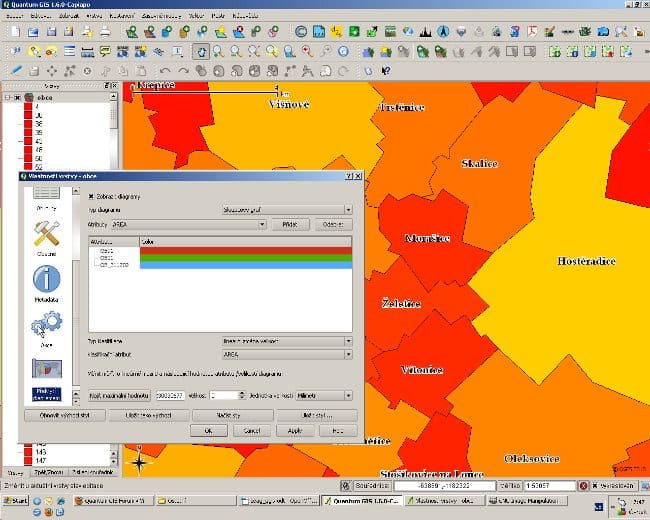
GIS Software is more than just a tool to look at maps. It can actually help you find answers, spot patterns, and solve real problems by analyzing the data that’s linked to places. This kind of software takes simple information and turns it into smart insights by doing different types of analysis.
Let’s explore some of the most common things GIS Software can do:
1. Spatial Analysis
This is one of the most powerful things GIS can do. It means the software looks at the location of things and compares them. For example, it can show how close one place is to another. This is useful for choosing a location for a new store, hospital, or school. It helps you see where something is happening and how it relates to everything around it.
2. Layer Mapping
With GIS Software, you can layer different types of information on top of each other. Let’s say you want to see where trees grow, where rivers flow, and where people live—all on the same map. GIS can stack these layers so you can see how everything connects. This is helpful for planning roads, managing forests, or checking flood risk areas.
3. Data Visualization
When you use free mapping GIS programs, you can turn plain numbers into colorful maps. For example, you can show population growth by color—blue for low, red for high. It helps people understand data quickly and clearly, even if they’re not experts.
4. Distance and Area Measurement
Whether you want to measure the size of a park or the distance between two cities, GIS Software can do that. It gives you accurate measurements which are helpful for construction, farming, land use planning, or even hiking routes.
5. Terrain and Elevation Analysis
Some maps show not just flat land but also hills, valleys, and mountains. GIS can help you see how steep a hill is or how high a mountain rises. This type of analysis is great for building roads, planning water flow, or even planning drone flights.
6. Change Over Time (Time-Series Mapping)
Many GIS Software programs can show how a place has changed over the years. This is helpful for things like tracking deforestation, urban growth, or temperature changes in an area. You can compare the past with the present to plan better for the future.
Key Features You Can Expect in Good GIS Software
Whether you choose a paid tool or one of the many powerful free mapping GIS programs, here are some features you’ll often find:
Interactive maps that let you zoom, move around, and explore in detail
Easy-to-use tools for drawing, labeling, and editing maps
Support for satellite images and drone footage
Import and export options for working with spreadsheets, shapefiles, and GPS data
Cloud storage and sharing, so you can work with others or show your work online
Custom map styling, which lets you choose colors, symbols, and labels to make your map clear and beautiful
From helping farmers grow better crops to allowing cities to plan smarter streets, GIS Software offers simple yet powerful tools to understand our world. Even beginners can do smart analysis with the help of these features, especially when they use user-friendly and free mapping GIS programs.
List of 33 Best GIS Software
1. ArcGIS Pro –
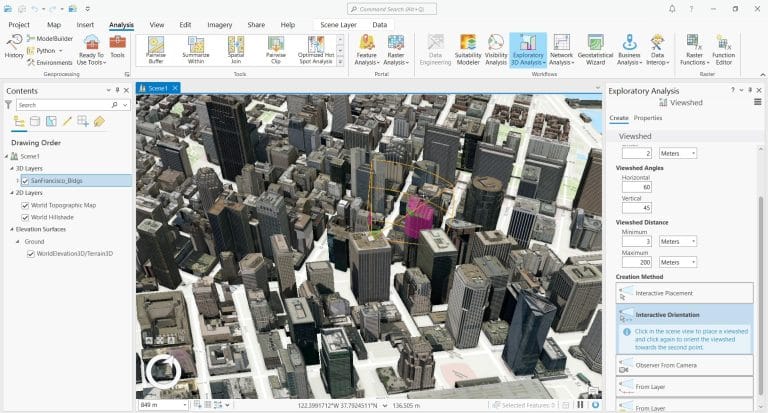
ArcGIS Pro is one of the most advanced and trusted GIS Software tools available today. It’s developed by Esri, a company known around the world for its mapping technology. This software brings a modern, clean design with a ribbon-style interface that’s easy to navigate once you get the hang of it. It’s built for speed, smart mapping, and powerful spatial analysis.
One of the biggest strengths of ArcGIS Pro is how it brings 2D and 3D maps together in one place. You can work on both types of maps side by side, which is helpful for city planning, disaster response, and infrastructure projects. Whether you’re designing detailed maps or studying the impact of real-world changes, ArcGIS Pro gives you everything you need.
It works on 64-bit systems, which means it can handle large datasets quickly without slowing down your computer too much. And because it’s deeply connected with ArcGIS Online, you can save, share, and collaborate on your work in the cloud.
Even though it’s not one of the free mapping GIS programs, professionals choose ArcGIS Pro because of its precision and deep range of features. It has over 1,500 tools built into 35 toolboxes, making it ideal for complex projects that need deep analysis.
What Makes ArcGIS Pro Special
You can create beautiful maps with smart labels, custom colors, and detailed layers
The software allows you to edit data directly on the map in real time
You can use 3D views to explore cities, landscapes, or buildings from different angles
It includes geoprocessing tools that help you analyze data and find patterns easily
With its link to ArcGIS Online, it becomes easy to share your work or access global data
Things You May Need to Consider
While ArcGIS Pro is powerful, it’s not perfect for everyone. It can take time to learn, especially if you’re new to GIS Software. Also, the license comes at a higher cost compared to some free mapping GIS programs, and the size of project files can get large. If you’re switching from older Esri tools like ArcMap, not everything transfers over perfectly.
- Best For: Professionals, city planners, researchers, and GIS experts who need in-depth tools
- Platform: Windows
- Pricing: Paid license (not free)
ArcGIS Pro stands out as the top choice when you need high-quality tools for mapping, editing, and analyzing geographic data. It’s not just about making maps—it’s about making smart decisions using spatial information. While it may not be ideal for beginners or casual users, it remains a go-to solution for serious GIS projects.
2. QGIS 3
– Best Free Mapping GIS Program for Everyone
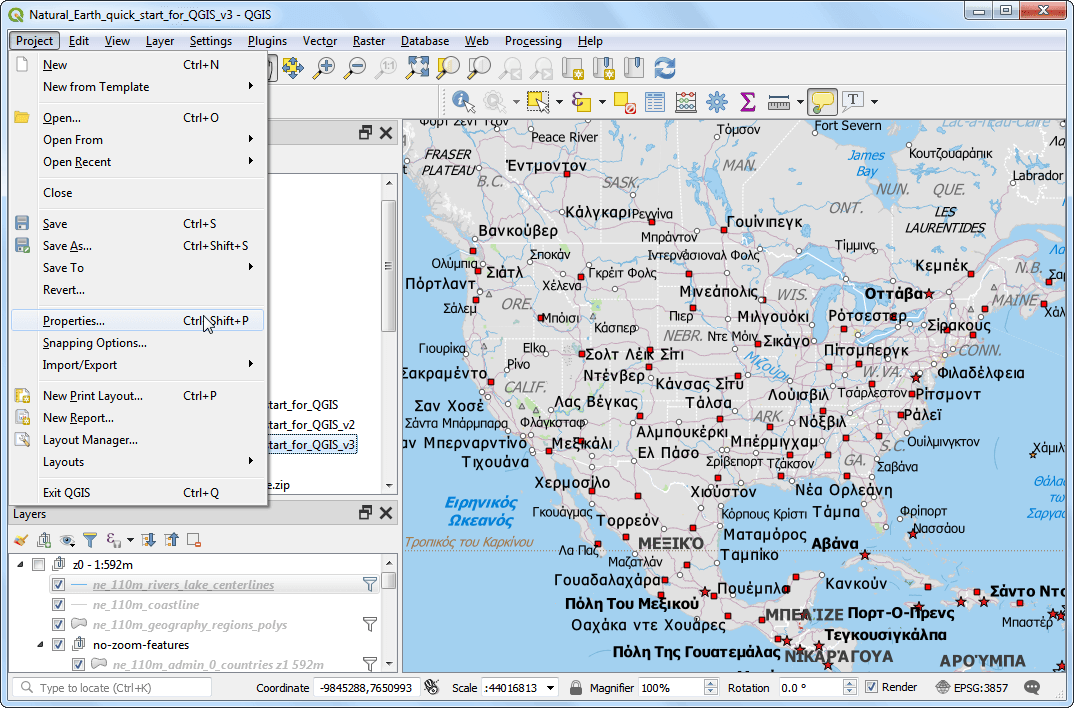
QGIS 3 is one of the most popular free mapping GIS programs available today. It’s an open-source GIS Software built by a passionate community of developers and users from around the world. That means you don’t have to pay anything to download or use it, and it still gives you many powerful tools that are often only found in paid software.
QGIS 3 is designed to handle all the important parts of working with maps—like viewing, editing, analyzing, and even creating stunning visual maps. One of the best things about it is that it supports 3D mapping right out of the box. You can zoom, rotate, and explore your map data from different angles, which is super useful when working with buildings, terrain, or large areas.
The software also works with a wide variety of file types, so you can import data from different sources without much hassle. And if you ever feel like something is missing, you can install extra tools called “plugins” to make it do even more. With over 900 tools and 25 built-in toolboxes, QGIS gives you everything from simple measurements to complex spatial analysis.
What Makes QGIS 3 Great
It’s completely free to use—perfect for students, hobbyists, or organizations on a budget
3D maps come built-in, helping you visualize your data better
You can customize the software with plugins to add new tools and features
A huge community of users and developers helps fix bugs, offer support, and keep it updated
Great for map editing, with options for layers, labels, and colorful symbology
Things to Think About
Even though QGIS is free, it does take some time to learn—especially for beginners. It may not have some of the advanced features found in paid GIS Software, like real-time tracking or detailed machine learning tools. Web mapping features are limited, and some users feel it needs more built-in design styles. Still, for most uses, QGIS handles mapping and data analysis very well.
- Best For: Beginners, researchers, educators, and anyone looking for a free but full-featured GIS tool
- Platform: Windows, macOS, Linux
- Pricing: Free and open-source
QGIS 3 is a reliable choice if you’re looking for free mapping GIS programs that don’t cut corners. With a bit of learning and curiosity, it can help you do everything from creating maps for school projects to planning large-scale developments. It proves that high-quality GIS Software doesn’t always have to come with a price tag.
3. Atlas.co
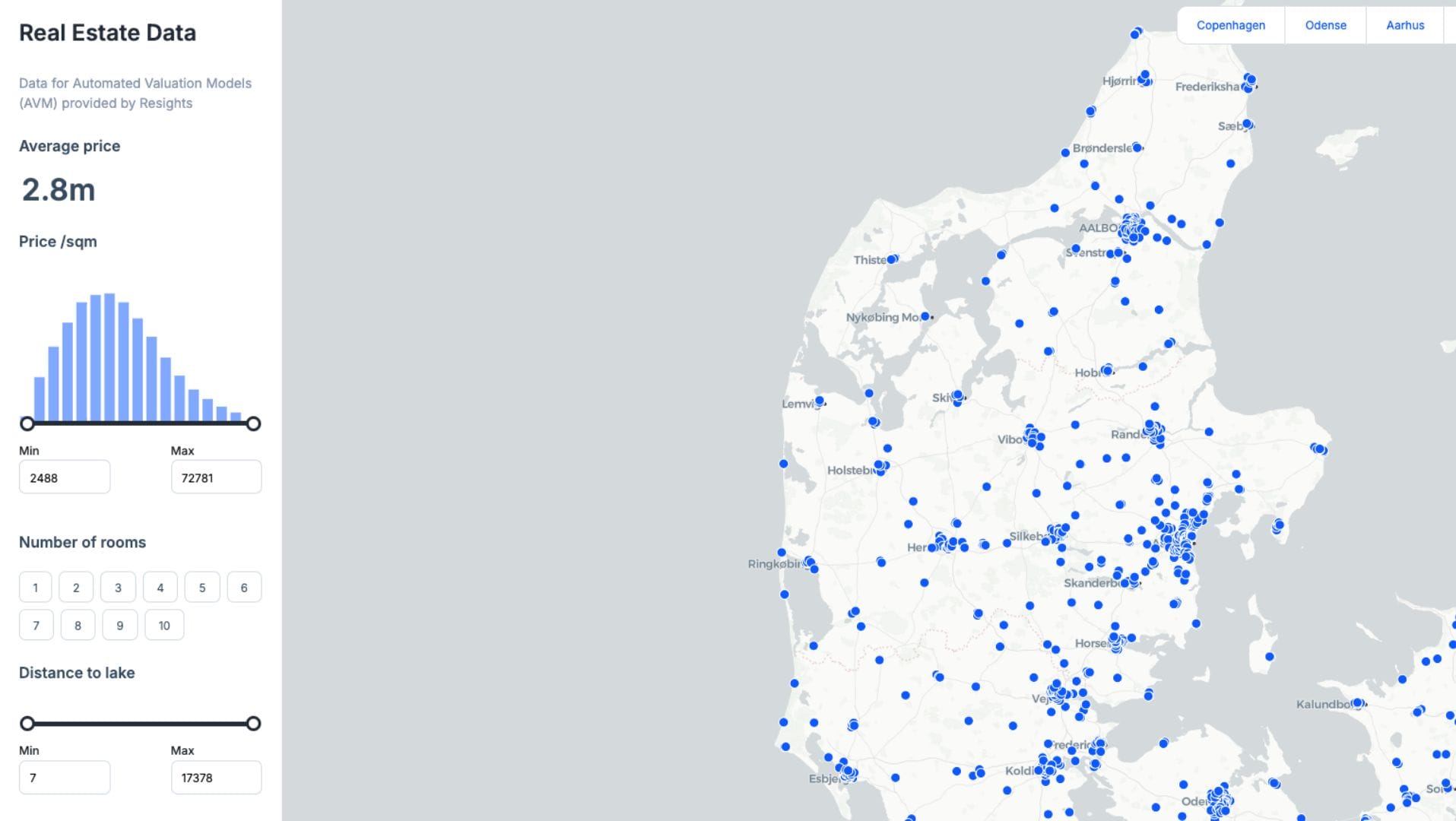
– Easy and Collaborative Browser-Based GIS Software
Atlas.co is a fresh and modern GIS Software that runs completely in your web browser. You don’t have to download or install anything. It’s designed for people who want to create, share, and explore maps without needing a lot of technical knowledge. What makes Atlas.co different is how simple and smooth it is to use—even for beginners.
It comes with a generous free plan, which makes it a great choice if you’re looking for free mapping GIS programs that still pack a punch. Whether you’re a student, a small business owner, or someone who just loves maps, Atlas.co makes it easy to turn data into visual stories.
With this tool, you can upload different types of data, analyze patterns, and build interactive maps. Everything works in real-time, which means you and your team can edit or comment on maps together. This makes it super helpful for school projects, community planning, or even creating maps for blog content.
What Makes Atlas.co Special
It lets you visualize and edit spatial data directly in your browser
You can analyze maps together with your team using real-time collaboration
It supports multiple data formats, making it easy to bring in outside files
The platform is clean and beginner-friendly, so you won’t feel overwhelmed
Maps can be shared online, so others can view or interact with them
Things You May Need to Consider
Atlas.co is strong in everyday mapping and easy data exploration, but it may not be the best fit if you need very specific or advanced spatial tools. Some of the deeper analytical features that you find in other high-end GIS Software are not available here. But for quick mapping and sharing, it’s more than capable.
- Best For: Beginners, educators, small teams, and content creators
- Platform: Web-based (no download needed)
- Pricing: Free plan available
Atlas.co makes mapping simple and enjoyable. If you’re searching for a user-friendly GIS Software that’s built for collaboration and fast sharing, this tool delivers. It brings together design, analysis, and teamwork in one clean space—all without needing any technical background.
4. Google Earth Pro
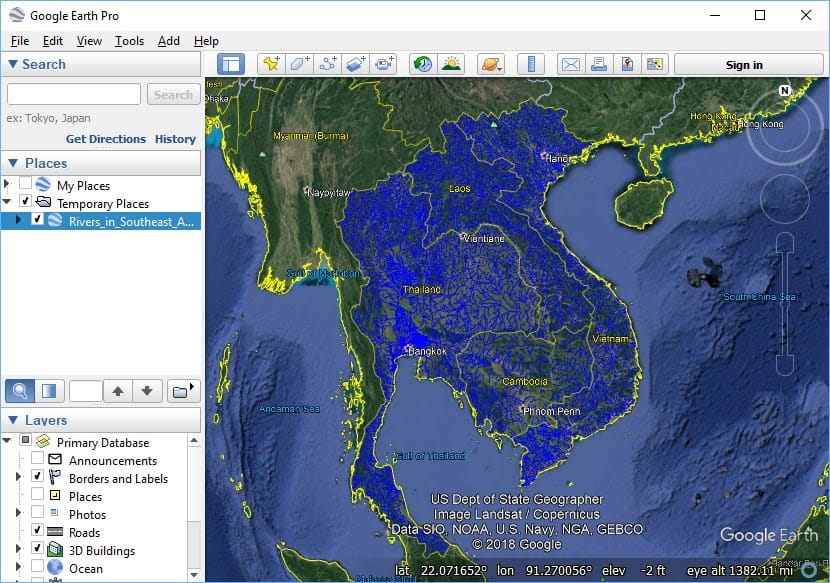
– Simple and Free Mapping GIS Program for Visualization
Google Earth Pro is one of the most well-known GIS Software tools, especially for people who want to explore and visualize locations without needing advanced skills. It’s completely free to use, and it works well for beginners, students, and anyone who wants to see the world in detail from their computer.
This program gives you access to high-quality satellite images, street views, and 3D maps of buildings and landscapes. You can fly over cities, zoom into streets, and even go back in time to see how places have changed using its historical imagery feature.
While it’s not built for deep analysis like professional GIS Software, Google Earth Pro still allows you to import and export GIS data (like shapefiles or KML/KMZ files). This means you can use it to create basic maps, draw routes, mark places, and share your work with others.
What Makes Google Earth Pro Special
You get access to 3D building views and full globe exploration from your desktop
The tool lets you draw lines, shapes, and add custom markers anywhere in the world
You can measure distances and areas easily with simple built-in tools
It allows you to import spreadsheets or GIS data to create your own custom map layers
With historical imagery, you can track changes over time, like new roads or forest loss
Things You May Need to Consider
While it’s great for visual tasks, Google Earth Pro doesn’t include many advanced mapping or analysis tools. If you’re looking to do deep data analysis or create complex maps, it may not be enough. However, it’s perfect for basic projects, presentations, or just exploring the world.
- Best For: Beginners, educators, researchers, and those who need visual mapping
- Platform: Windows, macOS
- Pricing: Free
Google Earth Pro is an excellent free mapping GIS program when your main goal is to explore, visualize, and present location-based information. It brings powerful visuals and simple tools together in a way that anyone can use. Even if you’re not a GIS expert, you can still do a lot with it.
5. Hexagon GeoMedia
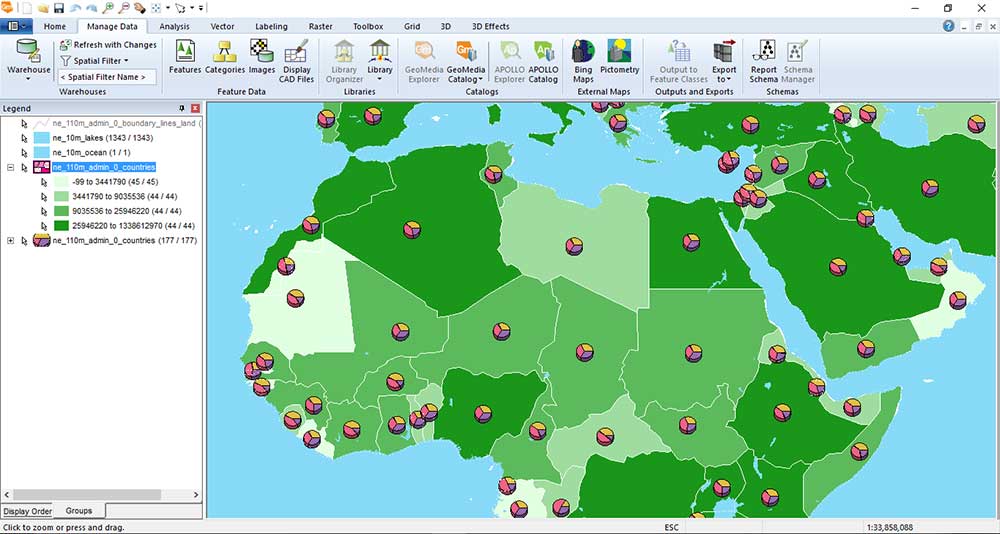
– Smart GIS Software for Mapping and Remote Sensing
Hexagon GeoMedia is one of those GIS Software tools that has been trusted for a long time. With more than 40 years of history, it’s known for strong mapping, smart data analysis, and detailed map editing. Over the years, it’s been widely used in city planning, land records, transportation, and other fields where spatial data matters.
One of GeoMedia’s biggest strengths is how it works together with ERDAS Imagine, a well-known software used for remote sensing. When combined, they create a powerful team for handling satellite images, aerial photos, and land mapping. This is especially helpful when you need to track changes on the land over time or manage natural resources.
GeoMedia helps you build smart, multi-layered maps with clear charts and labels. You can analyze large data sets and create reports quickly. It also lets you use multiple map layouts in a single project, which is perfect for professionals working on complex maps.
Even though GeoMedia is not one of the free mapping GIS programs, it still has great value for users who need accurate tools and strong image analysis options.
What Makes GeoMedia Useful
You can analyze data quickly and build smart reports with charts
It supports detailed map layouts, which are good for presentations or planning
You get great labeling tools, so your maps look neat and easy to read
When used with ERDAS Imagine, it turns into a strong tool for remote sensing
It includes smart editing tools like snap-to-point, which helps make precise changes
What You Should Know Before Using It
GeoMedia comes with some challenges. The license types can be a little confusing when you’re trying to choose the right version. Also, the software doesn’t allow simple drag-and-drop of files, which can slow things down. It may not work smoothly with every other GIS format, and sometimes it takes time to connect with databases.
- Best For: Remote sensing professionals, land surveyors, and those who work with aerial imagery
- Platform: Windows
- Pricing: Paid license (not a free GIS program)
GeoMedia stands out for people who need a powerful mapping tool that connects well with imagery tools. When paired with ERDAS Imagine, it becomes a complete solution for viewing and analyzing land from above. Even though it’s not as easy for beginners, experienced users will appreciate its depth and accuracy.
6. MapInfo Professional
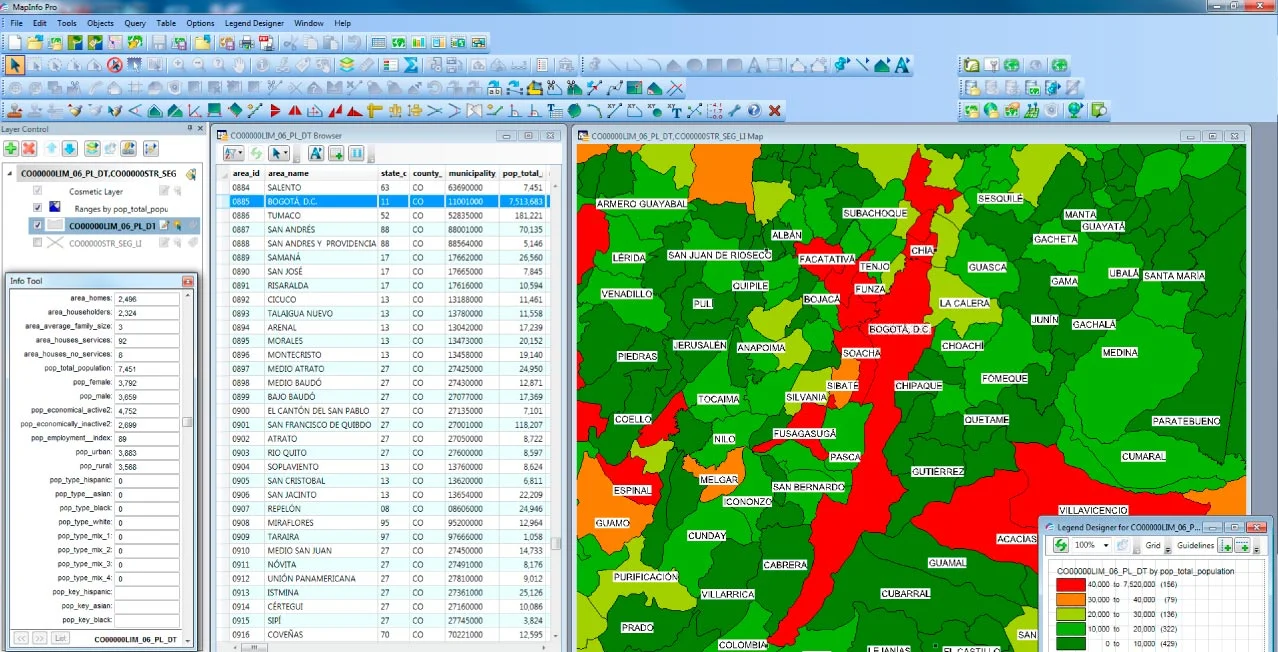
– Business-Focused GIS Software for Smarter Decisions
MapInfo Professional is a well-known GIS Software that focuses on helping businesses understand location-based data. It’s designed for people who need to make smart decisions using maps, especially in industries like retail, banking, telecommunications, and insurance. While it’s not as widely used as it once was, it’s still a strong and reliable tool that delivers real value—especially when it comes to business intelligence.
This software is great if you want to work with maps, addresses, and business data all at once. It’s built for fast performance using 64-bit processing, which helps you work with large files without delays. One of the best things about MapInfo is how easy it is to explore your data. You can compare maps side by side, manage your data in simple tables, and use powerful tools to find trends in your location data.
The design of the software uses a ribbon-style interface, which is similar to Microsoft Office. This makes it easier to find the tools you need without digging through menus. The software also includes strong geocoding tools, so you can quickly match addresses to map locations and run targeted analysis.
Why MapInfo Professional Stands Out
Built for business users who rely on location-based insights
Includes address matching and geocoding tools that make mapping easier
Allows you to work with multiple maps at once to compare data visually
Offers strong data management tools to keep your tables clean and easy to read
Designed with a smart interface that’s friendly for beginners and fast for pros
A Few Things to Consider
MapInfo Professional isn’t perfect for every kind of GIS user. It doesn’t support as many file formats as some other tools, which makes it harder to work with data from different sources. Also, it doesn’t offer cloud access, which means your projects can’t be easily shared or edited online. While it does well with business mapping, it’s not a strong choice for working with satellite images or advanced scientific analysis.
- Best For: Business analysts, planners, and teams looking for location intelligence
- Platform: Windows
- Pricing: Paid license (not a free mapping GIS program)
If your work involves business decisions that rely on maps and addresses, MapInfo Professional could be a great fit. It helps you look at data in a smarter way, so you can spot patterns, understand trends, and make decisions faster. Even though it’s not free and lacks some web features, it’s a trusted solution in the business world.
7. Global Mapper
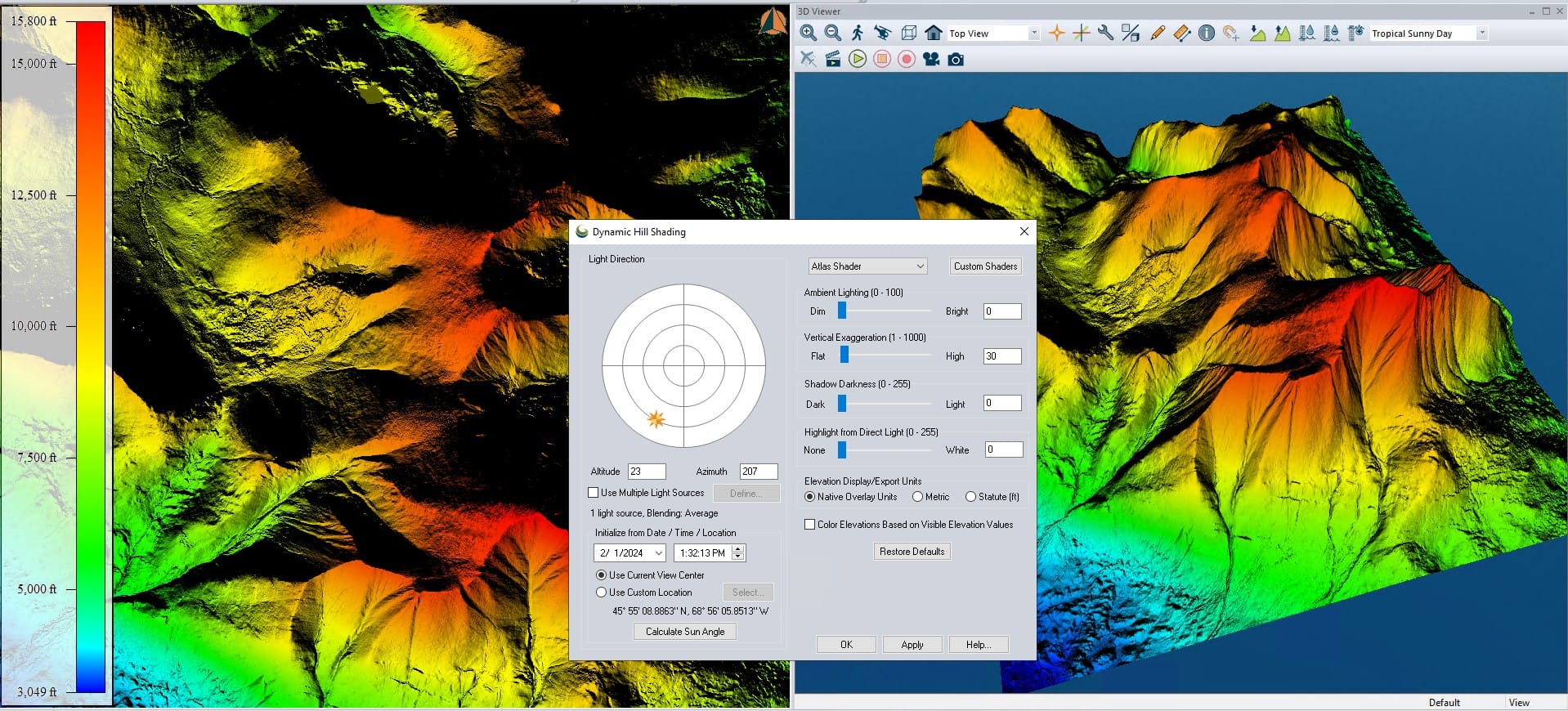
– Best GIS Software for Terrain and Elevation Data
Global Mapper is one of the most reliable GIS Software tools when it comes to working with elevation and terrain data. It is an amazing tool for mapping—easy enough for beginners to use but powerful enough for experts who need detailed analysis. It’s designed to make hard tasks feel simple, especially when dealing with 3D landscapes, hills, valleys, or even LiDAR data.
This software runs on a 64-bit system, which helps it handle big projects quickly. One of its biggest strengths is how it displays and processes LiDAR (light detection and ranging) data. That means you can create very detailed elevation models, measure terrain changes, or analyze slopes and watersheds with just a few clicks.
Even though it’s not part of the free mapping GIS programs, many users still find it cost-effective for the value it offers. It also supports tons of file formats, so importing and exporting data is smooth and simple.
What Makes Global Mapper Stand Out
Strong LiDAR tools help you work with point cloud data and elevation models
It supports a wide range of file formats, making it easy to use with other GIS tools
You can use it for terrain modeling, creating 3D views and analyzing ground surfaces
It has simple tools for map publishing with MangoMap integration
The user interface is clean and beginner-friendly, even for first-time users
Things to Keep in Mind
While Global Mapper is great for elevation work, it falls short in some other areas. It doesn’t offer strong editing tools, and the map printing and styling features are not as polished. It also doesn’t support building full web apps or use newer GIS technologies like AI-powered mapping. And since it’s a paid tool, it might not be the first choice for those only looking for free mapping GIS programs.
- Best For: Users focused on terrain, LiDAR, and elevation analysis
- Platform: Windows
- Pricing: Paid license (not open-source)
Global Mapper shines when your project needs strong tools for analyzing the earth’s surface. Whether you’re looking at mountains, creating flood maps, or checking elevation levels, it gives you the tools to see the land in a new way. It’s great for engineers, surveyors, and anyone working with terrain—even if they’re just starting out.
8. Cadcorp
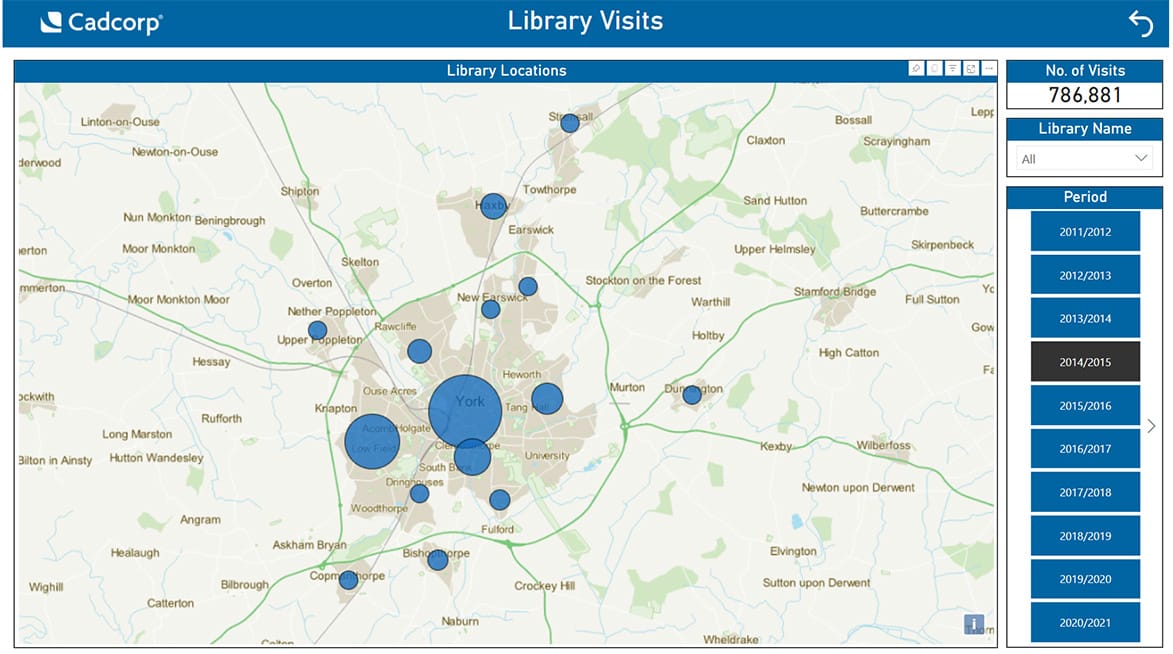
– A Smart Blend of GIS and CAD in One Software
Cadcorp is a powerful yet underrated GIS Software that combines the strengths of GIS and CAD into one easy-to-use platform. If you’re someone who works with maps and designs, this blend can save you a lot of time and effort. Unlike many tools that focus only on maps or only on design, Cadcorp gives you both in a single place.
What makes Cadcorp really stand out is how smooth and intuitive it feels, thanks to its ribbon-style interface. It’s clean, simple to navigate, and packed with features that support everything from basic mapping to web-based applications. You can use it for drawing, editing, analyzing, and even sharing your work online.
With Cadcorp, you can build and host web maps, making it easier to collaborate with others or share your data publicly or privately. It also offers cloud support, so you can access your work from anywhere. For businesses or city projects that need web apps or data sharing, Cadcorp becomes a smart solution.
And here’s the good part: while the full version of Cadcorp is paid, there’s a free mapping GIS program called Cadcorp SIS Express, which is a read-only version. This means you can still view and explore GIS data without any cost.
What Makes Cadcorp Special
Combines both mapping tools and design tools in one system
Features a user-friendly ribbon interface that feels modern and smooth
Supports building and sharing web-based GIS maps
Offers cloud hosting to make data more accessible and easier to manage
Comes with developer tools to help create custom applications
The free Cadcorp SIS Express lets users explore data without editing
Things You May Need to Consider
Cadcorp is packed with useful features, but it may not be as widely known or supported as bigger GIS platforms. If you’re just getting started, the range of options might feel overwhelming. Also, the full version isn’t free, so businesses will need to invest if they want the editing and advanced tools.
- Best For: Users who need both CAD and GIS in one place, and teams who want web-based GIS sharing
- Platform: Windows
- Pricing: Paid (with free read-only version available)
Cadcorp is a hidden gem in the world of GIS Software. It’s great for those who want flexibility, cloud tools, and the power to create or host web maps. While it’s not as famous as other platforms, it gives users the tools they need to do serious mapping and design work—plus, it offers a free option to get started.
9. GRASS GIS
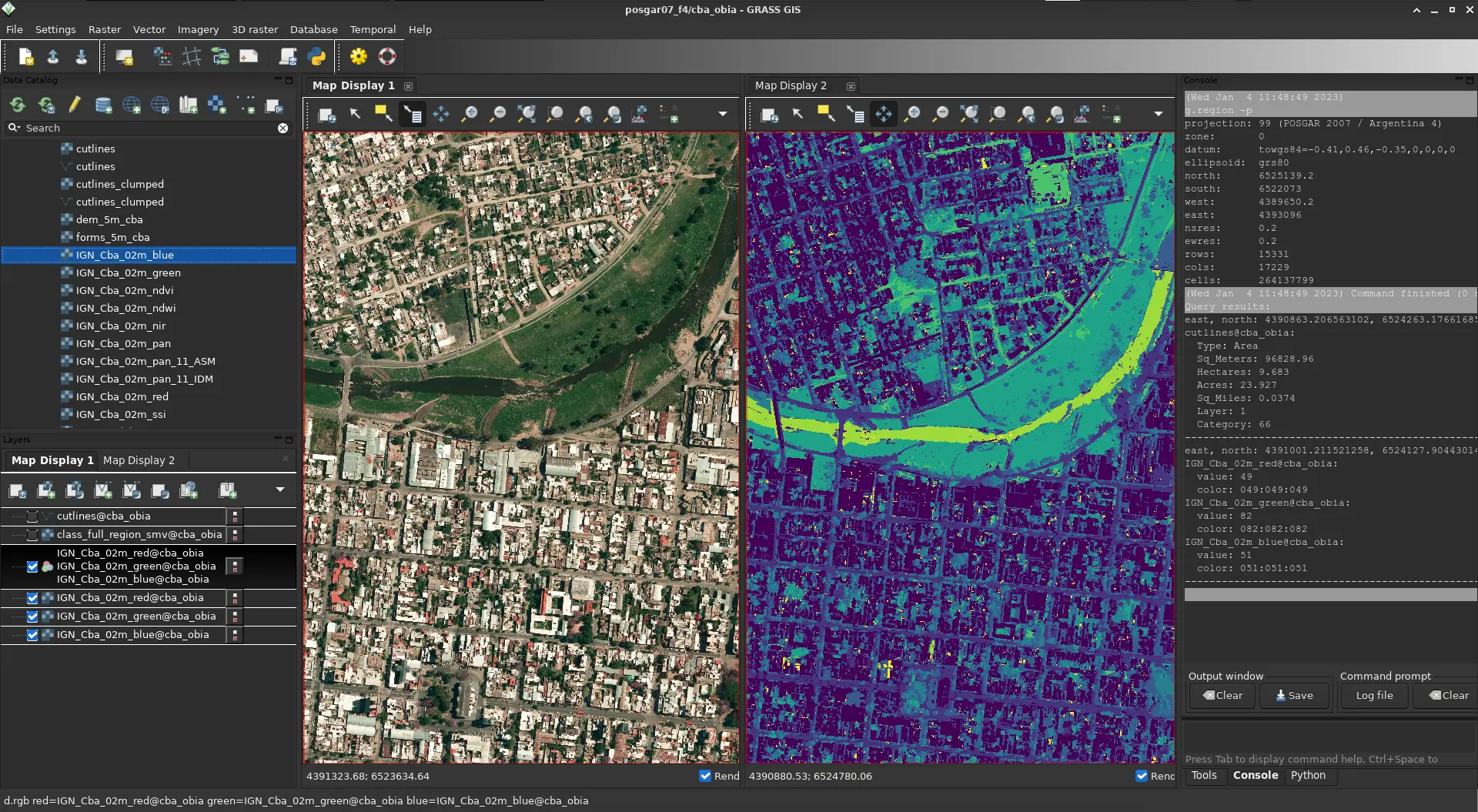
– Free GIS Software Packed with Pro Tools
GRASS GIS is a powerful and free GIS Software that’s packed with deep analysis tools. It’s one of the oldest open-source GIS programs still going strong, and it’s known for how much it can do once you learn how to use it. If you’re looking for a tool that does serious data crunching, this one is a strong option.
This software is great for advanced users who want full control over their data. It includes more than 350 modules for things like raster processing, 3D analysis, LiDAR, and satellite imagery. It also works really well with other free mapping GIS programs like QGIS—in fact, many people run GRASS right inside QGIS to get the best of both worlds.
Even though it’s free, GRASS offers features that rival some of the most expensive GIS Software out there. It supports raster, vector, imagery, and time-based data, and it’s great for users who want to work with remote sensing or complex geoprocessing.
What Makes GRASS GIS Stand Out
You get access to powerful analysis tools without paying a cent
It can work with LiDAR data, satellite images, and large datasets
The software has strong 3D rendering tools for visualizing landscapes and terrain
It’s open-source, so the community keeps adding features and sharing updates
GRASS can run inside QGIS, giving you even more flexibility
What to Keep in Mind Before Using GRASS
The truth is, GRASS GIS can feel hard to use at first. The interface is not the easiest to navigate, and starting a new project means setting up projections, which can be confusing for beginners. Also, it’s not the best pick if your main goal is to make pretty maps—other tools like QGIS or ArcGIS Pro are better for cartography.
- Best For: Advanced users, analysts, researchers, and those who love open-source tools
- Platform: Windows, macOS, Linux
- Pricing: 100% Free
If you want full control over your spatial data and don’t mind a learning curve, GRASS GIS gives you a toolbox that’s deep and powerful. It may not be the easiest to use, but it’s one of the best free options out there for real spatial analysis and GIS research. And if you pair it with another program like QGIS, you’ll get the best of both worlds.
10. WhiteBox GAT
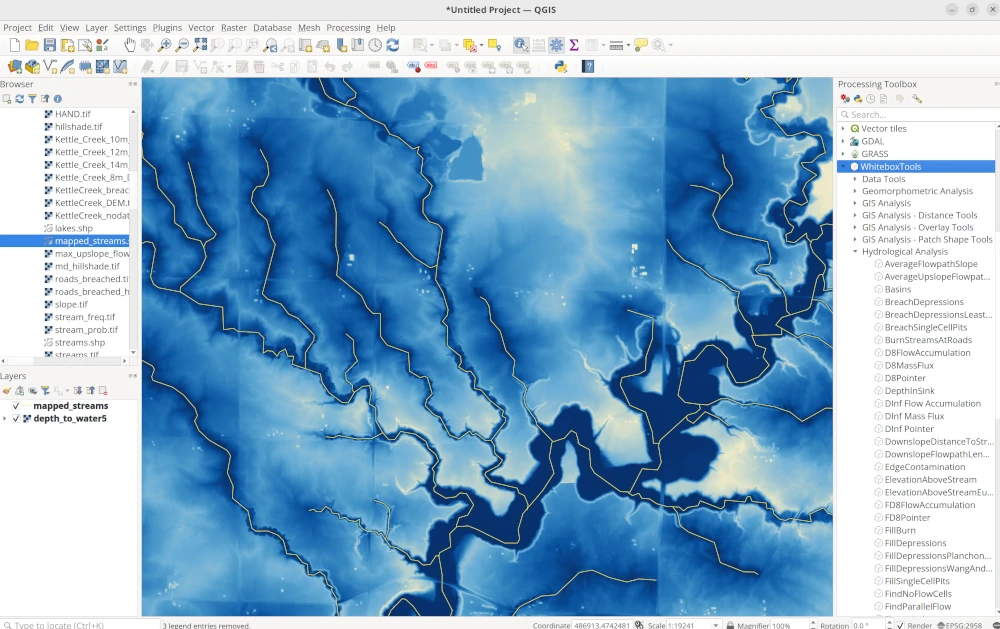
– A Hidden Gem for Terrain and Water Analysis
WhiteBox GAT is a unique and powerful open-source GIS Software made especially for those who work with terrain, water systems, and elevation data. If you’re focused on things like hydrology, LiDAR data, or land surface analysis, WhiteBox GAT is one of the best tools out there. It’s not the first name you hear when people talk about free mapping GIS programs, but it definitely deserves more attention.
The software includes over 450 tools and plugins that cover everything from watershed mapping to slope and surface modeling. It’s fast, too, thanks to parallel processing, which helps it handle big tasks without slowing down. WhiteBox GAT also supports scripting with Python, which gives advanced users the option to automate tasks or build their own tools.
While it shines in technical analysis, it’s not really built for making fancy maps or working with layers like some of the other GIS tools. You won’t find a lot of cartography tools, editing options, or easy symbol placement here. But what it lacks in visual design, it makes up for in deep analytical power.
What Makes WhiteBox GAT Stand Out
It offers incredible hydrology and terrain analysis, perfect for studying rivers, flood zones, or slopes
You can use it with LiDAR data to study elevation and ground surfaces with precision
It supports over 450 tools and scripts that help process geospatial data quickly
Built-in support for Python lets you customize your workflow
It can connect with ArcGIS, QGIS, and other WhiteBox tools for more flexibility
A Few Limitations to Keep in Mind
WhiteBox GAT isn’t great for creating maps for presentations or reports. It doesn’t support a full cartography setup, and editing tools are very limited. You won’t get base maps, advanced labels, or an easy catalog to organize your data. So, while it’s a powerful engine for analysis, it’s not a complete all-in-one mapping tool.
- Best For: Terrain modeling, hydrological studies, and LiDAR processing
- Platform: Windows, macOS, Linux
- Pricing: Free and open-source GIS software
WhiteBox GAT is one of the top free mapping GIS programs when your project involves analyzing landscapes, water flow, or ground features. It’s perfect for researchers, students, and GIS users who care more about data analysis than visuals. Even though it’s not made for map-making, its powerful tools make it a must-have in any GIS toolbox.
11. gvSIG
– Free GIS Software with Field and Desktop Tools
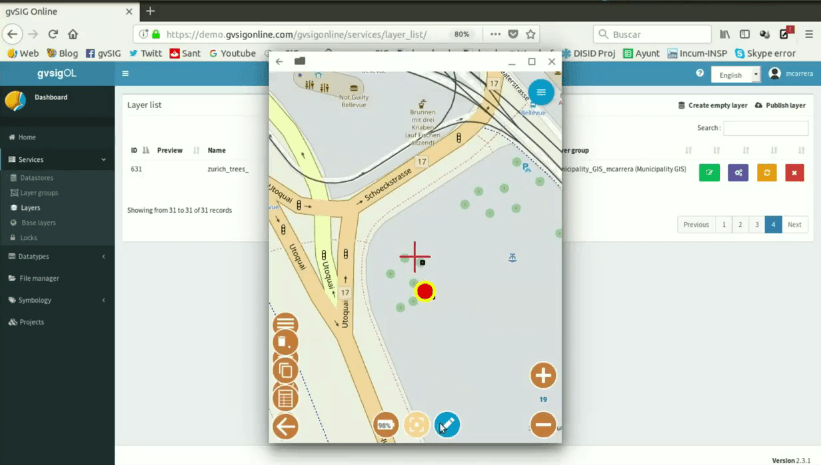
gvSIG is a powerful free mapping GIS program made for people who truly enjoy working with spatial data. It’s an open-source GIS software that combines desktop mapping, field data collection, and 3D tools, all in one easy-to-use platform. While it may not be as well-known as some paid options, gvSIG brings a lot to the table—especially for those looking for free, flexible tools.
This software includes a field-ready mobile app, which lets you collect and update data on the go. It also offers a desktop app that supports both 2D and 3D mapping. Even though its 3D engine uses older technology, it still gives users a good way to explore spatial data in different views. And if you’re someone who enjoys editing data like in CAD tools, gvSIG includes drawing and editing features that feel familiar.
One of gvSIG’s biggest strengths is that it’s open-source. This means it’s free to use and always improving with help from the GIS community. You can download updates, join forums, and even suggest features to make the software better. That kind of open collaboration is what makes gvSIG special among other GIS software tools.
What Makes gvSIG Great
You can collect data in the field using its mobile app, which is helpful for surveys or inspections
The desktop app offers tools for drawing, editing, and exploring geographic data
It includes NavTable, a handy way to look through and manage your data easily
You get CAD-like features, perfect for designing shapes, paths, and custom map elements
It’s backed by an active open-source community that’s constantly building new features
Things to Keep in Mind
gvSIG has some areas where it still needs growth. For example, documentation in English is limited, which can make learning harder for some users. Its 3D features are based on older engines, and support for LiDAR data isn’t fully there yet. If you’re looking for advanced mapping symbols or smooth 3D views, you might find it a bit dated. Also, it doesn’t offer multi-platform mobile tools, which might matter for teams working across devices.
- Best For: Open-source GIS users, field workers, educators, and students on a budget
- Platform: Windows, Linux
- Pricing: Free and open source
gvSIG is a solid choice when you’re looking for a free mapping GIS program that offers both desktop and field features. It’s especially useful for people who need flexibility, mobile access, and tools that don’t require a paid license. Even with a few limitations, gvSIG gives you the freedom to explore, create, and share maps with confidence.
12. GE Smallworld
– Trusted GIS Software for Utility Networks
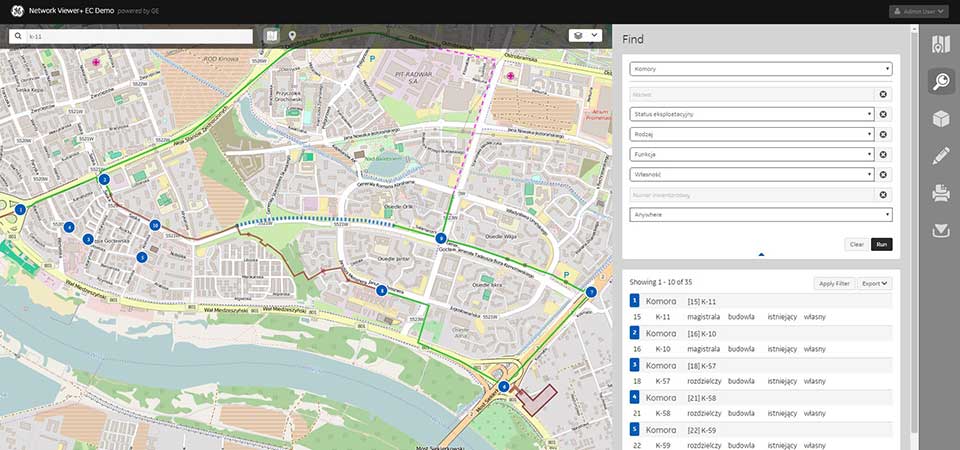
GE Smallworld is a specialized GIS Software built especially for utility industries like electricity, gas, water, and telecom. If your job involves managing large, complex networks of infrastructure, this software was made for you. GE acquired Smallworld years ago, and since then, it has become one of the leading tools for managing network assets in the utility sector.
What makes GE Smallworld different is how it handles data. It lets each object in your network (like a power line or pipe) have multiple types of geometry. That means you can track how something looks, where it is, and even how it connects with other systems—all in one place. This kind of detailed tracking helps companies avoid mistakes and make better decisions.
Another big plus is version control. If someone makes changes, you can always go back to a previous version. This is great for safety, planning, and keeping long-term records.
While it’s not part of the free mapping GIS programs, GE Smallworld is considered a top pick for industries that need precision and long-term asset management. It’s built for serious use, especially in companies that manage large utility grids and need reliable, stable tools that can handle big systems.
What Makes GE Smallworld Special
Designed specifically for utility companies managing networked assets
Allows one object to have multiple geometry types, giving more control
Built-in versioning system keeps track of changes over time
Helps manage the lifecycle of assets, from design to maintenance
Includes detailed help files inside the program to guide users
Known for its success in real-world utility projects
Things You May Need to Consider
GE Smallworld is powerful but can be challenging to use if you’re new to GIS Software. Its interface feels outdated, and exporting files isn’t always straightforward. The license and upkeep costs are also high, which means it’s best suited for large companies rather than individuals or small teams. Customizing the software can be limited too, so you’ll need to work within the tools provided.
- Best For: Utility companies, telecom providers, energy networks
- Platform: Windows
- Pricing: High-cost licensed software (not free)
GE Smallworld is trusted for a reason. It’s made for managing real-world networks where accuracy and safety matter. While it may not offer the flexibility of some free mapping GIS programs, its focus on asset management makes it a smart choice for companies that need reliable GIS tools every day.
13. Manifold GIS
– Fast and Affordable GIS Software
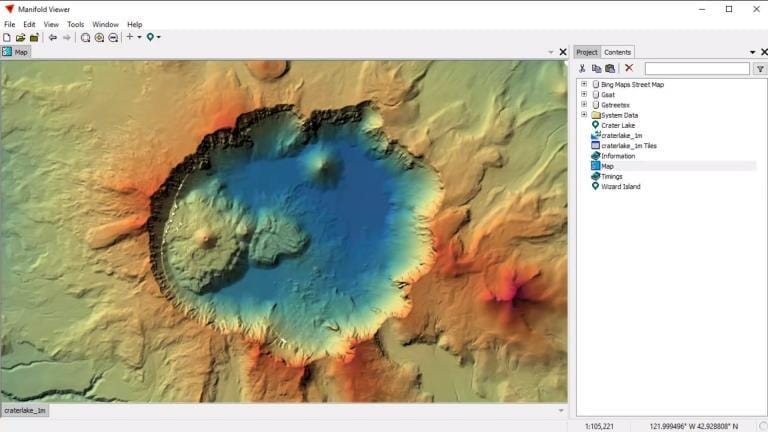
Manifold GIS is known for one big thing—speed. If you need GIS Software that runs fast, even with large data files, Manifold is a solid option. It’s built to take full advantage of your computer’s CPU and GPU, which means it can process and display data really fast. Whether you’re loading maps or running analysis, everything works smoothly without long wait times.
One great part about Manifold GIS is that it runs on 64-bit processing right out of the box. It doesn’t slow down when working with big layers or multiple maps. It also has a clean and easy-to-use interface that doesn’t take much time to learn. Even if you’re new to mapping or data analysis, you’ll find the layout simple and direct.
Manifold GIS may not be one of the free mapping GIS programs, but it’s much more affordable compared to high-end tools like ArcGIS Pro. It gives you access to a wide range of useful features without making things complicated or expensive.
What Makes Manifold GIS Special
Built for speed and performance, using both CPU and GPU power
Offers a simple, stable interface that’s easy to get used to
Designed to handle large datasets quickly without crashing
Fully supports 64-bit systems, helping you work faster
Includes good documentation to help users understand each feature
Things You May Need to Consider
While Manifold GIS is fast and affordable, it’s not packed with fancy map design tools. If you need detailed cartography or advanced web-based mapping, this may not be the best match. Also, the user community is small, so finding help or shared templates might take more time. Though cheaper than most, it’s still not free, and you’ll need to choose the right file types carefully when adding your data.
- Best For: Users who need fast data processing and a simple tool for GIS analysis
- Platform: Windows
- Pricing: Budget-friendly license (not free)
Manifold GIS is all about getting your GIS work done quickly and without headaches. It’s best suited for people who want great speed, a low learning curve, and enough features to analyze maps and data efficiently. While it might not be the most artistic tool for beautiful maps, it definitely shines where performance matters most.
14. Maptitude
– Budget-Friendly GIS Software for Business and Planning
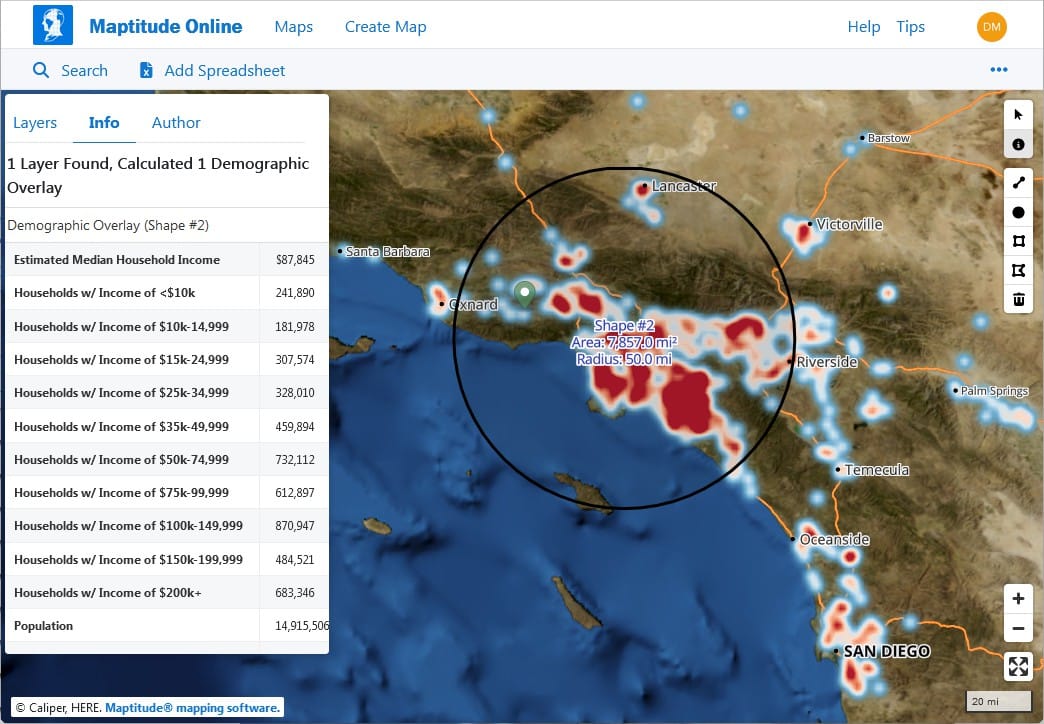
Maptitude is a smart pick for anyone who needs powerful GIS Software without spending a lot of money. It’s known for being one of the most affordable all-in-one mapping platforms on the market. Even though it’s a budget tool, it still offers many professional features that are useful for business planning, routing, and location analysis.
This software works well for users who want to analyze data on a map to make better decisions, especially in areas like marketing, transportation, and logistics. With its simple layout and user-friendly tools, it’s easy for beginners to learn, even if you’ve never used GIS Software before.
Maptitude also includes tools like TransCAD and TransModeler, which help with transportation planning and traffic simulation. That’s a big bonus for companies working in delivery, road planning, or traffic management.
Even though it’s not one of the free mapping GIS programs, it’s still very cost-effective for businesses, nonprofits, or small government teams that want serious mapping features without a huge price tag.
What Makes Maptitude Special
You can optimize delivery routes to save time and fuel
There are lots of thematic map options, like heat maps and demographic overlays
It includes tools for transportation planning, useful for road and traffic analysis
The learning curve is smooth, so you don’t need to be a GIS expert
Helpful customer support and product guides are available to walk you through
Things You May Need to Consider
If you’re looking for deep scientific tools or high-level analysis features like LiDAR, remote sensing, or raster processing, Maptitude might feel a bit limited. Also, its online version—Maptitude for the Web—is still basic compared to other web-based GIS Software platforms. So, while it’s great for planning and business use, it’s not the best fit for heavy-duty GIS or research-based projects.
- Best For: Small businesses, planners, and users who want affordable mapping tools
- Platform: Windows
- Pricing: Paid license (lower cost than most commercial GIS tools)
Maptitude is a great example of how GIS Software can be both affordable and powerful. It helps people see and understand data in a visual way, which makes planning and decision-making much easier. It might not offer the advanced features that scientists or developers need, but it’s more than enough for most day-to-day mapping tasks.
15. TatukGIS
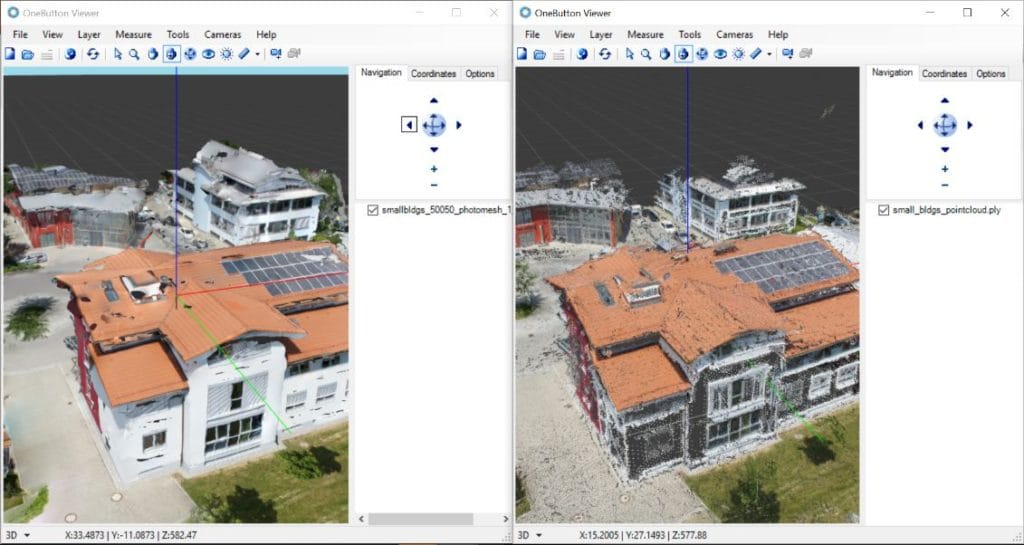
– A Reliable GIS Software for Cross-Platform Use
TatukGIS is a reliable and flexible GIS Software solution that offers a solid set of features for users who need strong editing capabilities and cross-platform compatibility. It works well on Windows, Linux, and macOS servers, making it a versatile tool for businesses and government agencies that use different operating systems.
One cool fact is that the name TatukGIS comes from Tatuk Lake in British Columbia, Canada, which shows its unique origin. What makes this software different is how simple it feels while still offering professional-grade tools. While it may not be as flashy as some other platforms, it still handles many important GIS tasks with ease.
TatukGIS gives you tools to edit spatial data, create high-quality maps, and develop custom GIS solutions. For those who know a bit of scripting, the built-in scripting environment offers more control and customization, which is great for building tailored GIS applications.
There’s also a free TatukGIS Viewer and Coordinate Calculator, which are perfect for users who want to try out the software or need basic tools without paying. Although TatukGIS isn’t one of the most well-known free mapping GIS programs, it provides great value and flexibility for those looking for a solid commercial option.
What Makes TatukGIS Special
Strong tools to edit and manage GIS data across many formats
Offers a scripting interface, letting users customize workflows and automate tasks
High-quality cartographic output for creating polished maps
Great for building mobile-friendly web maps
Includes free tools like a viewer and coordinate calculator
Things You May Need to Consider
TatukGIS does its job well, but the design of the interface feels a bit old-fashioned compared to newer software. While it is affordable for commercial use, it’s not entirely free. Also, the community around it isn’t as large or active, so finding help online may be slower. It also lacks some of the newer tech features that other GIS tools are starting to include.
- Best For: Users who need cross-platform support, custom scripting, or mid-level GIS functions
- Platform: Windows, macOS, Linux (Server-side)
- Pricing: Paid license (Viewer is free)
TatukGIS is a smart choice for those looking for a GIS Software that works across different systems and gets the job done without being overwhelming. It may not have the biggest toolbox, but it’s stable, flexible, and trusted by many in the mapping world. Whether you’re working on local planning, data conversion, or mobile map access, TatukGIS offers dependable tools to help you every step of the way.
16. AutoCAD Map 3D
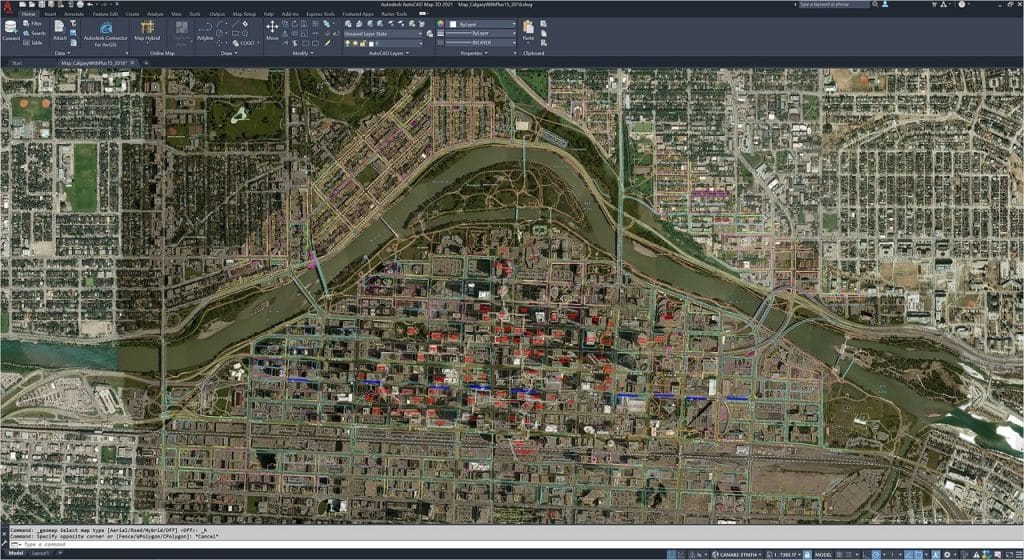
– Bridging CAD and GIS Software Together
AutoCAD Map 3D is a unique type of GIS Software that brings together two powerful tools: CAD (Computer-Aided Design) and GIS (Geographic Information Systems). If you’ve used Autodesk products before, you’ll notice that Map 3D feels very familiar. It’s built with the same ribbon-style interface and workflow, which makes it easier for designers and engineers to get started.
What makes AutoCAD Map 3D special is how it connects CAD drawings with spatial GIS data. That means you can work on engineering designs and maps at the same time. This is helpful for professionals who need both—such as utility planners, architects, or city developers.
While it’s not part of the free mapping GIS programs, it’s still popular because it’s packed with editing features, support for topography, and even tools to handle LiDAR data and surfaces. You can also build mapbooks and generate thematic maps that highlight patterns or trends in your data.
What Makes AutoCAD Map 3D Stand Out
Combines the design power of CAD with the data-rich analysis of GIS
Great for creating precise layouts, infrastructure designs, and utility maps
Comes with tools to handle surface models and LiDAR point clouds
Users can edit topologies, manage data layers, and run coordinate geometry (COGO) functions
Smooth ribbon interface helps users organize tools in one place for easier access
Things to Think About Before Using
While AutoCAD Map 3D is a great tool, it has a few things to keep in mind. It requires a license, which can be costly for small teams or beginners. Also, if you’re not already familiar with Autodesk software, the learning curve can be steep. And when it comes to making fancy or visually polished maps, this software doesn’t offer as many cartography options as others.
- Best For: Engineers, utility planners, architects, and professionals who use CAD
- Platform: Windows
- Pricing: Paid license (Autodesk subscription required)
AutoCAD Map 3D is a powerful pick for those who work in industries that blend mapping and design. It’s not the go-to for everyone, especially if you’re looking for free mapping GIS programs, but if you’re already part of the Autodesk world, it’s a smart and seamless upgrade. It helps you do more with your maps—by giving them design-level precision and structure.
17. Golden Software Surfer
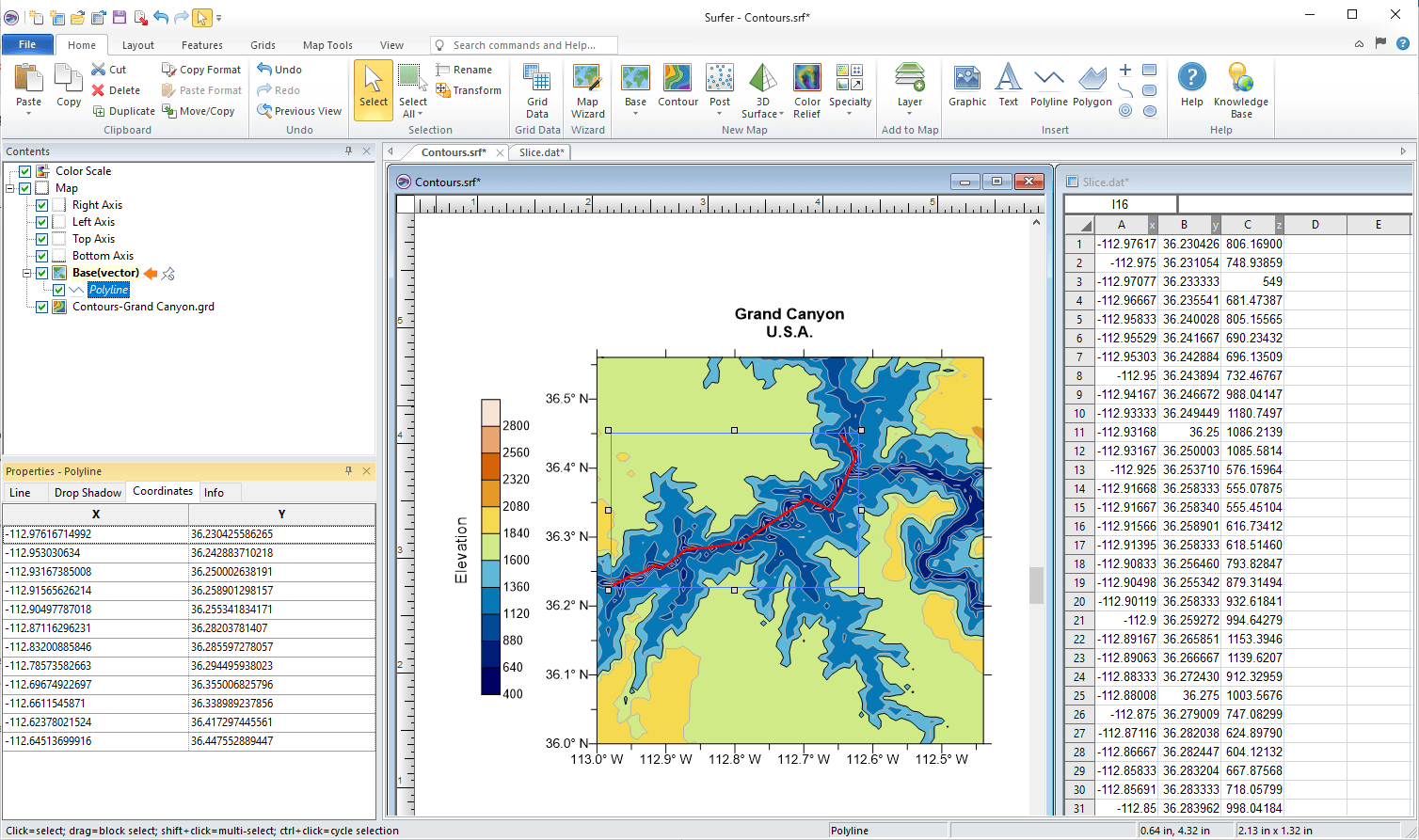
– Powerful 3D Mapping GIS Software
Golden Software Surfer is a specialized GIS Software that’s well-known for its high-quality 3D maps and geotechnical data visualization. If you’re working with surface data, such as elevation points or underground features, Surfer gives you powerful tools to turn raw data into clear, professional maps. It’s often used in fields like geology, engineering, mining, and environmental studies.
Surfer is part of the Golden Software family, which includes other tools like Voxler (for 3D modeling), Strater (for well log visualization), and Grapher (for scientific graphs). Together, they create a full suite for professionals who need more than just basic mapping. However, even on its own, Surfer stands out because of how well it handles surface modeling and contour mapping.
You can import XYZ data and build beautiful contour maps, 3D surfaces, heat maps, and grid-based models. This makes it easy to see patterns and trends, especially when dealing with terrain or underground features. Surfer also supports geocoding using census-based street data, which helps link spatial data with real-world locations.
What Makes Surfer Stand Out
It focuses on data visualization, especially in 3D
You can create detailed thematic maps that show changes in elevation or depth
The software allows you to work with XYZ point data, which is great for surveys or geophysical work
Its interface is clean and beginner-friendly, so even if you’re new to mapping, you can learn quickly
Surfer also includes geocoding tools, so you can place data on maps based on real-world addresses or coordinates
Things to Think About
Surfer is not one of the free mapping GIS programs, but it’s more affordable than some larger GIS tools. It’s best suited for specific tasks like 3D mapping and surface analysis, so it might not be the right choice for general-purpose GIS work. It also lacks strong tools for web publishing or advanced editing.
- Best For: Geologists, environmental scientists, and engineers who need to visualize surfaces or subsurface data
- Platform: Windows
- Pricing: Paid license (more affordable than larger GIS suites)
If your work involves any kind of surface or geotechnical analysis, Golden Software Surfer gives you the tools to do it clearly and professionally. It’s designed to make complex data easy to understand and helps turn numbers into insights. While it’s not as versatile as some full-scale GIS platforms, it’s perfect for those who need high-quality visual results without a steep learning curve.
18. ILWIS
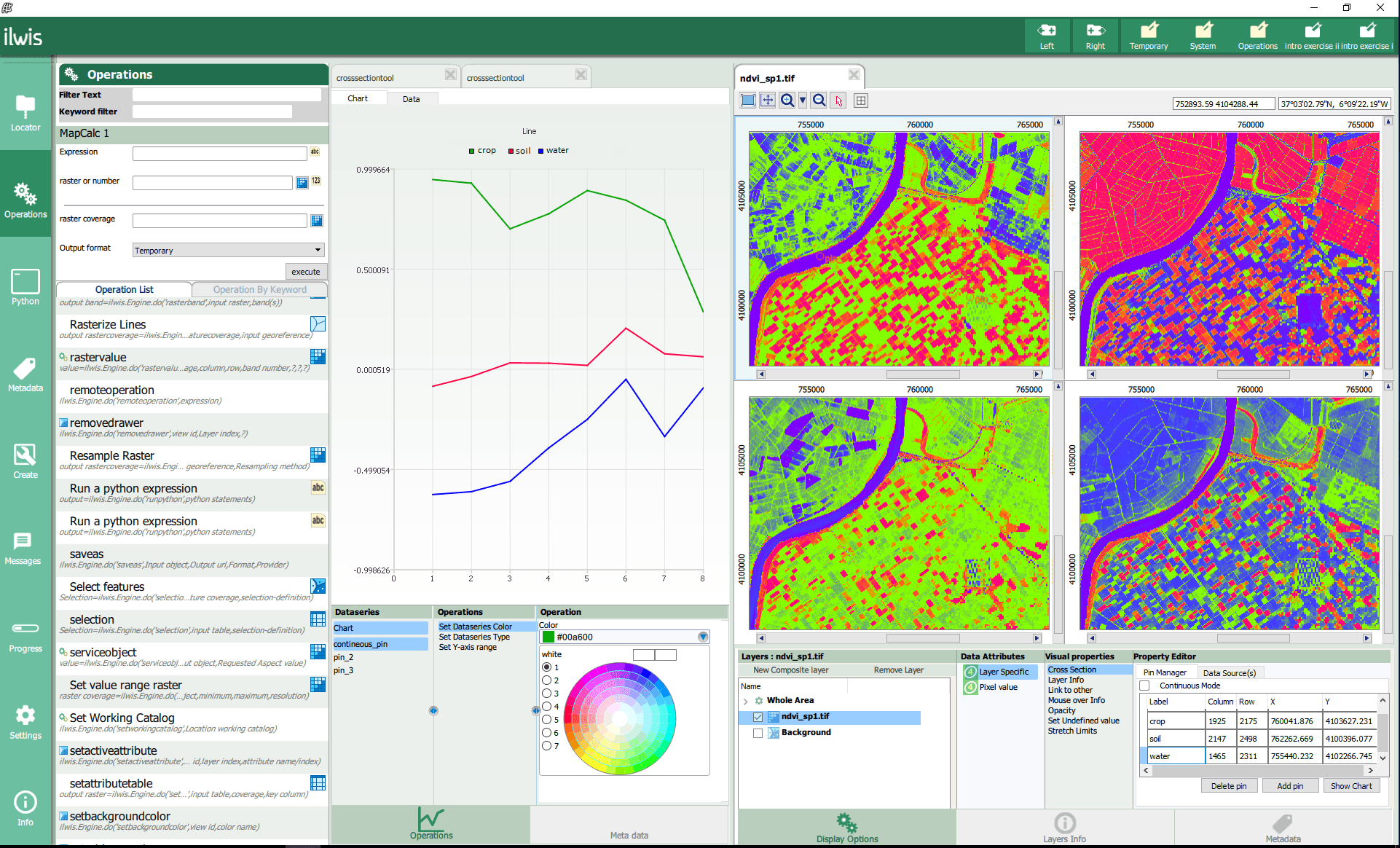
– Free GIS Software for Remote Sensing and Earth Monitoring
ILWIS (Integrated Land and Water Information System) is a free and open-source GIS Software that has been around for a long time. It may not look as modern as some newer tools, but it still has unique strengths, especially for remote sensing and environmental modeling.
ILWIS was originally created for researchers who needed tools to watch and study how land changes over time. Today, it remains a smart choice for users interested in tracking things like forests, water bodies, or urban growth. This makes ILWIS helpful for environmental scientists, students, or any organization working with satellite data.
Even though it doesn’t have the flashiest design, ILWIS still offers powerful tools. You can create 2D and 3D maps, run image classification, and even model changes in land or vegetation using time series. It’s especially strong in image processing tasks, which helps you turn satellite images into useful maps and reports.
What Makes ILWIS Stand Out
It supports remote sensing, so you can analyze satellite images in detail
You can create 3D visualizations to understand terrain or land use changes
The software includes land change modeling to track how areas develop over time
It offers object-based classification, helping you spot patterns in natural areas
It’s completely free to use, making it one of the best free mapping GIS programs available
Things to Think About
ILWIS is not the easiest tool for beginners. It doesn’t have many tutorials or how-to guides, so learning how everything works can be a bit tricky. It also lacks some advanced map design tools that other GIS Software includes, and the online support community is quite small.
- Best For: Researchers, environmental planners, and anyone working with satellite or remote sensing data
- Platform: Windows
- Pricing: Free and open-source
ILWIS might feel a bit old-school, but it still delivers valuable tools for anyone working with remote sensing. If you want to explore land cover, study environmental changes, or build 3D visualizations—all without spending money—then ILWIS is worth checking out. It’s one of those free mapping GIS programs that continues to serve a specific need.
19. SAGA GIS
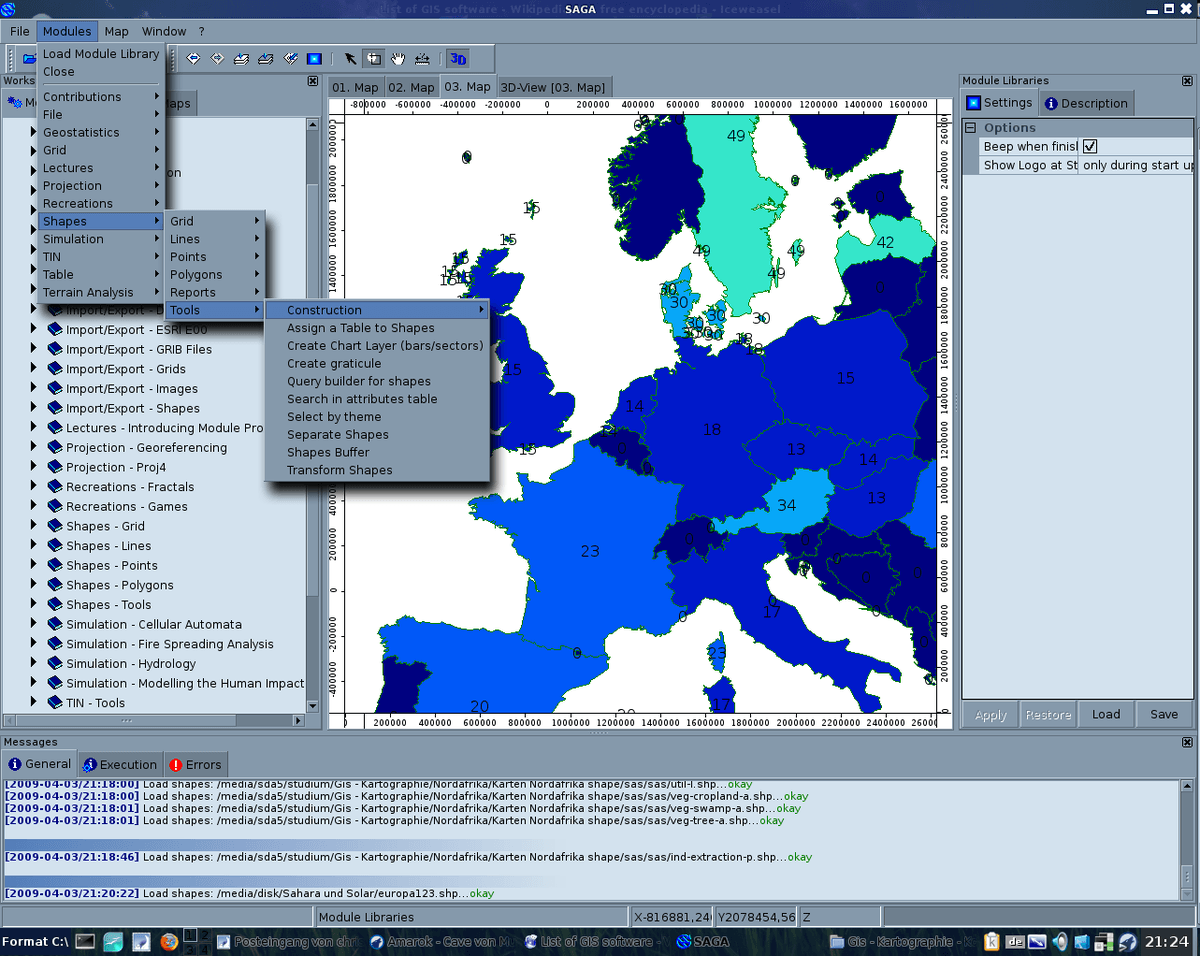
– A Free Mapping GIS Program Focused on Geoscience Analysis
SAGA GIS (which stands for System for Automated Geoscientific Analyses) is a powerful and free GIS Software used mainly for geoscientific studies. If you’re working with terrain data, watersheds, soil studies, or anything related to the earth’s surface, SAGA GIS can be an incredibly useful tool. It’s one of the best free mapping GIS programs for scientific analysis.
This software is completely open-source, which means anyone can download and use it without paying. It also means that people around the world can contribute to its development. While it might not look as polished as some other tools, what it offers under the hood is impressive—especially for those working in research or technical fields.
One of the strongest features of SAGA GIS is its specialized toolsets. These tools can help analyze things like rainfall, slope, elevation, and even temperature over different terrains. If you’re a researcher, student, or environmental planner, this could be a game-changer.
It’s especially powerful when dealing with raster data (which is a type of map made up of pixels, like satellite images). You can use tools like kriging (a method to predict missing data), 3D landscape modeling, or simulate flow of water on terrain. It also has a built-in command line interface for advanced users who prefer to automate tasks or run batch processes.
What Makes SAGA GIS Useful
Packed with rare and specialized tools for earth science and terrain analysis
Handles raster and elevation data like a pro
Offers 3D visualizations and support for geological mapping
Completely free to use under an open-source license (GPL)
Works on many operating systems and has good data format support
Things to Be Aware Of
SAGA GIS can feel overwhelming if you’re new to GIS. The interface is not as modern, and it lacks clear instructions for some tools. This means you might spend a bit of time figuring out what inputs to use and what kind of results to expect. Also, it doesn’t have advanced features for map design or sharing maps online, and tools for editing spatial data are limited.
- Best For: Geoscientists, environmental researchers, and anyone working with terrain data
- Platform: Windows, Linux
- Pricing: Free and open-source
SAGA GIS might not be the easiest software to learn, but it shines in its ability to do scientific analysis. It’s a solid option when your project involves studying natural landscapes, modeling water flow, or working with DEM digital elevation models. And since it’s one of the best free mapping GIS programs, it’s a valuable tool to keep in your GIS toolkit—especially when budget and scientific depth are your top priorities.
20. GeoDa
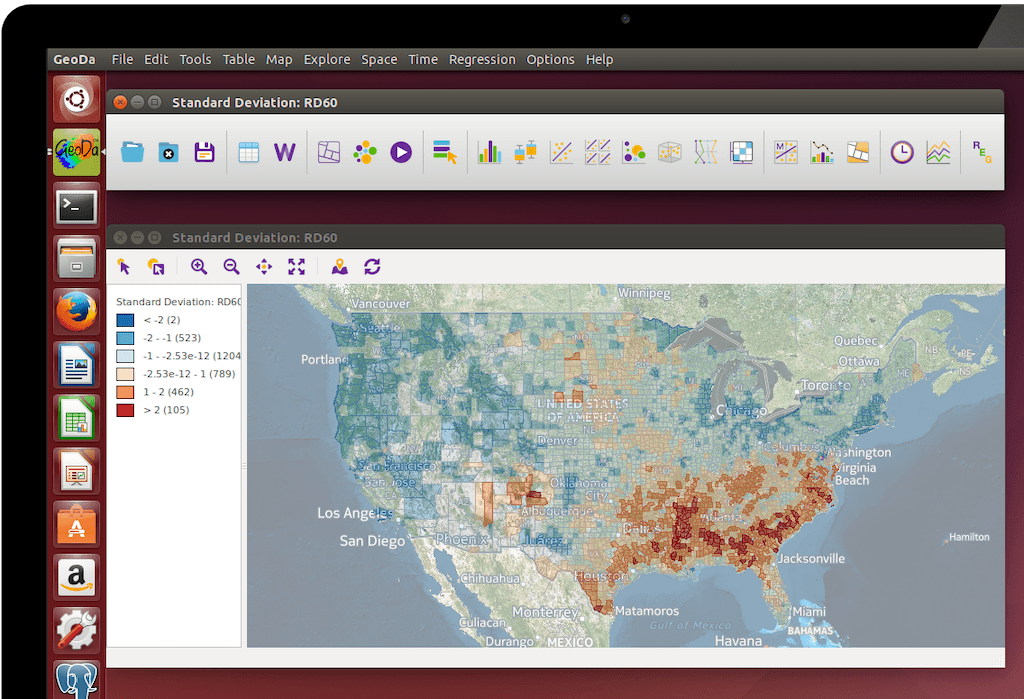
– A Smart GIS Software for Spatial Statistics and Visualization
GeoDa is a smart and simple-to-use GIS Software that focuses on spatial statistics. If you’re someone who wants to study patterns, relationships, or trends in location-based data, this tool is a great pick. It’s completely free, open source, and was built for users who need to dig deep into the numbers behind the map.
What makes GeoDa special is how it helps you visualize data in a meaningful way. You can use charts, plots, and maps side-by-side to spot trends, clusters, or patterns in your data. Even though it doesn’t come with traditional map editing tools like some free mapping GIS programs, it shines when it comes to statistical analysis.
This software is perfect for learning and teaching spatial analysis. Many universities and research groups use GeoDa because of its strong focus on geosimulation and data exploration. You can connect to different types of data—like shapefiles or spreadsheets—and explore relationships between areas using built-in tools.
What Makes GeoDa Stand Out
It offers a modern and clean interface that’s easy to get around
The software specializes in exploring data with maps and graphs
You can use geovisualization tools to spot patterns across locations
It supports spatial autocorrelation, which helps you understand if nearby areas are similar
The software is completely free and open source, which is perfect for students or small teams
Things to Keep in Mind
GeoDa is not a full mapping package. So, if you’re looking to create maps with labels, symbols, or layers, this may not be the best option. It’s also missing traditional tools like buffering, clipping, or snapping features. It’s best used alongside other GIS Software that offer more mapping functions.
- Best For: Researchers, students, analysts, and anyone studying location-based data
- Platform: Windows, macOS, Linux
- Pricing: 100% Free and Open Source
GeoDa may not give you everything a full GIS suite does, but it brings something unique to the table—powerful spatial statistics packed in a user-friendly interface. It’s a top choice if you want to analyze data and create smart visuals without paying a dime. This makes it a valuable tool in the list of free mapping GIS programs, especially for those who want to explore the “why” behind location data.
21. Bentley Map
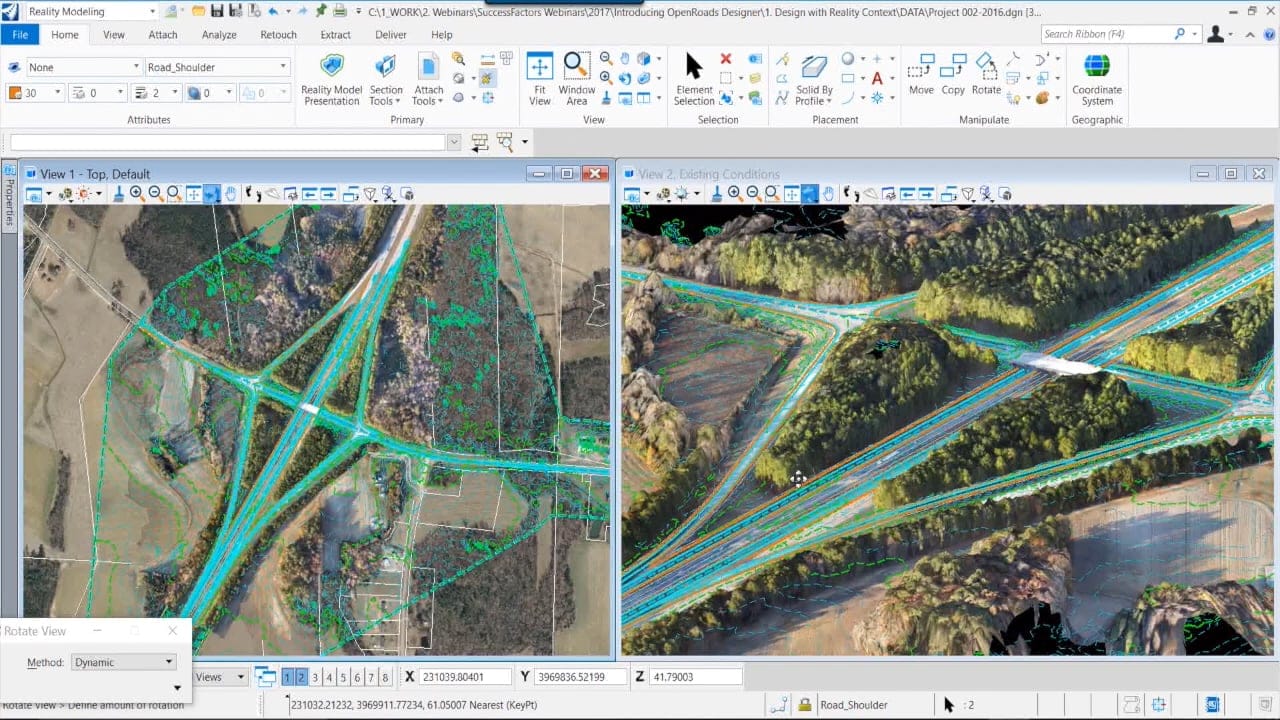
– A CAD-Focused GIS Software for Infrastructure Projects
Bentley Map is a unique GIS Software that blends mapping tools with powerful CAD (Computer-Aided Design) features. It’s mostly used by engineers, architects, and planners who work with infrastructure like roads, bridges, railways, and utilities. What makes Bentley Map special is that it brings together the best of both worlds—GIS and CAD—in one single platform.
With Bentley Map, you can do more than just draw on a map. You can explore your designs in 2D and 3D, run location-based analysis, and even simulate real-world conditions like sunlight, shadows, and movement through a 3D space. This makes it useful for city planning, construction projects, and site development.
Unlike some free mapping GIS programs, Bentley Map is focused more on technical projects and design-heavy workflows. It may not have the same wide range of analysis tools as other GIS platforms, but it makes up for that with detailed visualization and strong design accuracy.
What Makes Bentley Map Special
You get both GIS and CAD tools in one platform, which saves time when switching between software
It supports 3D viewing and can even simulate fly-throughs, sunlight direction, and shadows on buildings
The software works well with engineering files, making it ideal for construction and infrastructure
You can bring in data from other platforms easily, thanks to good interoperability support
Things You May Need to Consider
Bentley Map is built with professionals in mind, so it may not be a great fit for beginners or casual mappers. The interface isn’t as beginner-friendly, and it lacks some deeper GIS analysis features found in tools like ArcGIS Pro. It also doesn’t support common formats like KMZ or KML used by Google Earth, and the labeling tools are fairly basic. The software also comes with a high license cost, so it may not be the right pick if you’re looking for free mapping GIS programs.
- Best For: Engineers, infrastructure planners, CAD professionals
- Platform: Windows
- Pricing: Paid license (not free)
Bentley Map is a great choice if your work involves detailed design and infrastructure planning, especially when 3D and CAD integration is needed. It’s not just about mapping—it helps turn geographic data into real-world action plans and visualizations that bring projects to life.
22. IDRISI TerrSet
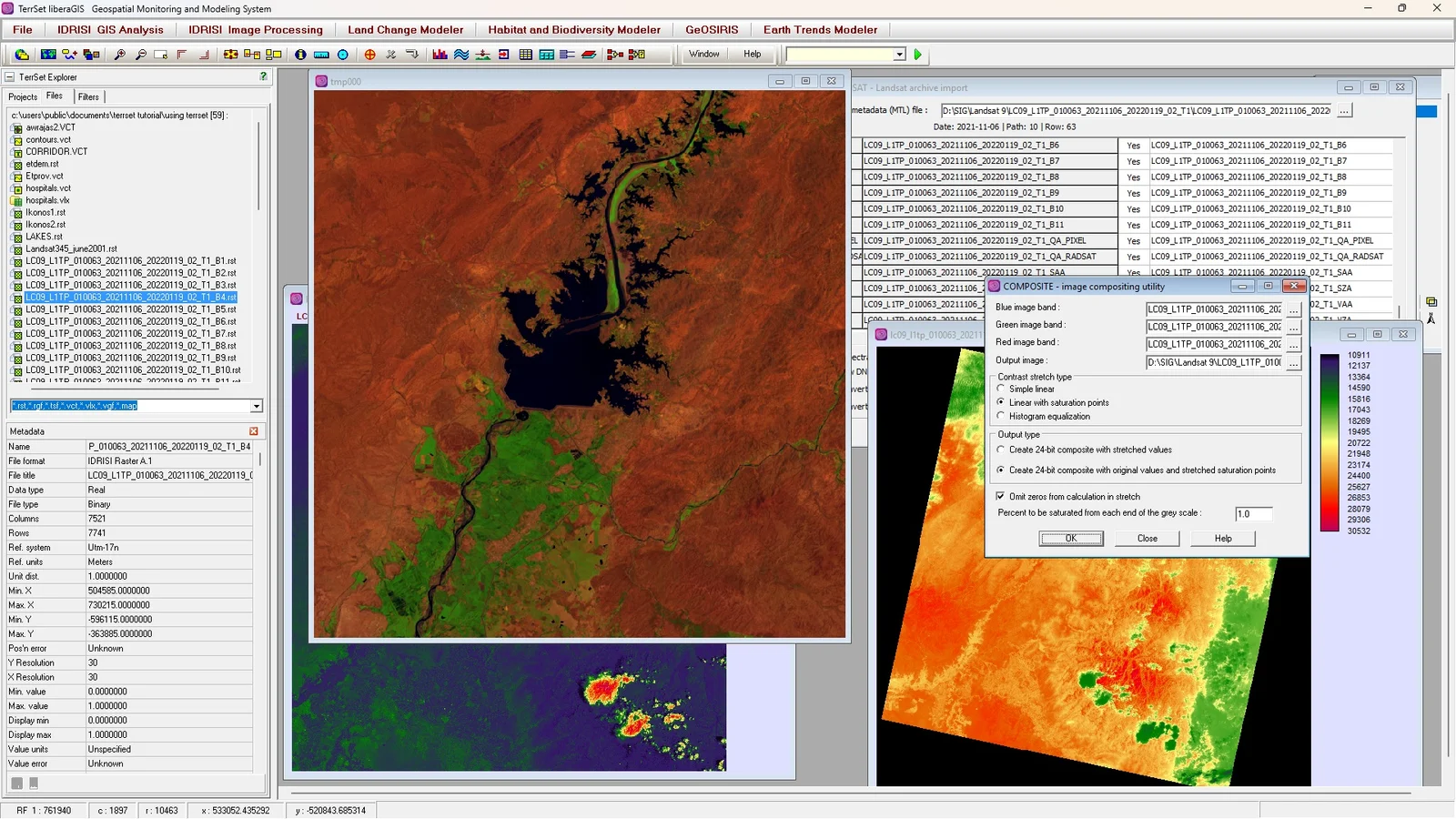
– Specialized GIS Software for Earth and Environmental Modeling
IDRISI TerrSet, created by Clark Labs, is a unique type of GIS Software that focuses mostly on the environment. Unlike other tools that do general mapping, TerrSet is designed for raster data analysis and Earth system modeling. It’s a great choice for users who want to study how our planet changes over time.
TerrSet stands out because of its deep focus on environmental applications. It’s packed with over 300 tools that help researchers and analysts look at land change, biodiversity, climate impact, and more. These tools allow you to understand patterns in satellite images, monitor forest loss, or predict how a city might grow in the future. You can also use it to study how global warming might affect certain regions.
What makes TerrSet different from other GIS Software is how it combines monitoring with modeling. So, you’re not just looking at past changes—you can actually predict future ones. This makes it especially useful for government agencies, scientists, and students in environmental science.
It supports both 2D and 3D views, and with its time series feature, you can view how the Earth has changed over days, months, or even years. That adds a powerful storytelling element to your projects.
What Makes TerrSet Useful
Strong in raster-based analysis, like satellite image processing
Includes tools for land change modeling, climate forecasting, and biodiversity studies
You can view your data in animated time series, helping to visualize changes clearly
Tools are built to support environmental projects such as deforestation tracking or urban sprawl mapping
Great for researchers and students who work with remote sensing and modeling
Things to Keep in Mind
While TerrSet is powerful for its purpose, it’s not a complete GIS Software for all types of users. The map-making tools are not as polished, and it lacks strong design features. Also, since the user community is small, it can be hard to find help or tutorials when you’re stuck. Some users also report that its documentation isn’t very detailed, which makes learning the software harder, especially for beginners.
- Best For: Environmental researchers, academic users, and those focused on Earth modeling
- Platform: Windows
- Pricing: Paid license (not part of free mapping GIS programs)
TerrSet is the right tool when your main goal is to monitor or predict changes in the Earth’s surface. It might not be for everyone, but for those in environmental work, it offers valuable insights. If your focus is more on climate, biodiversity, or land change, this could be one of the most helpful GIS Software applications out there.
23. TNT GIS
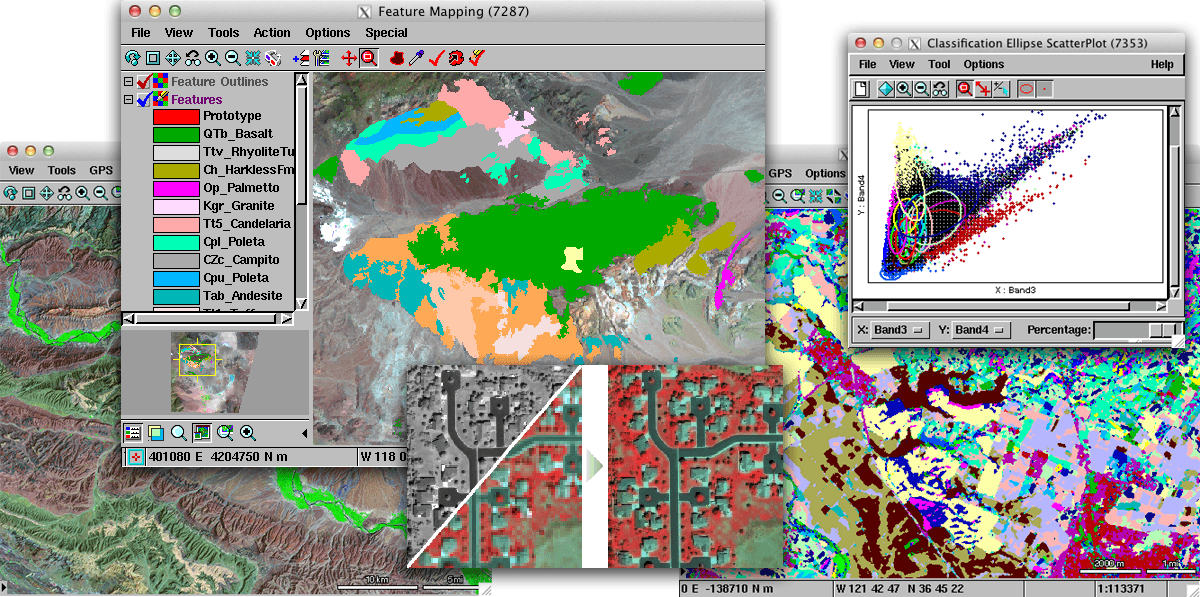
– Flexible GIS Software with Multi-Level Tools
TNT GIS by MicroImages is a flexible and layered GIS Software solution that offers tools for viewing, editing, analyzing, and customizing maps. It’s made up of several connected applications—TNTview, TNTedit, TNTmips, and TNTscript—each designed for a different level of use. Whether you’re just viewing data or performing deep spatial analysis, there’s a tool in this software family that fits your needs.
If you’re just starting out or only need to view maps and data, TNTview is available for free. It’s a great entry point if you want something simple. For users who want to go further with editing and analysis, TNTmips offers powerful features that support different types of spatial data like vector files, CAD, LIDAR, and terrain surfaces. These tools allow you to work with real-world elevation models and perform terrain modeling or surface analysis.
One of the strong points of TNT GIS is its ability to automate repetitive tasks using TNTscript. This means users can save time on large projects by setting up workflows that run automatically. It’s not often found in other free mapping GIS programs, which makes this software a valuable tool for users with technical projects.
What Makes TNT GIS Useful
It supports many data types like CAD drawings, vector files, and LIDAR
You can do terrain modeling and analyze surface features with real-world elevation
Image processing tools help enhance satellite or aerial images
You can customize and automate tasks using scripts, which saves time on big projects
It’s great for basic editing and analysis, especially for users who want more than just map viewing
Things to Think About
While TNT GIS offers useful tools, it does have a few things to keep in mind. The user interface can feel outdated compared to modern software, which might make it harder for beginners to navigate. Also, while TNTview is free, the more advanced tools like TNTmips and TNTscript require a license. There isn’t a large online support community, so finding tutorials or troubleshooting help may take more effort.
- Best For: Basic GIS users, educators, and organizations with moderate spatial needs
- Platform: Windows
- Pricing: Free viewer with paid licenses for editing and advanced tools
TNT GIS is a solid choice for those who need more control over their mapping projects but don’t want the complexity of high-end GIS platforms. It bridges the gap between free and professional tools by giving users a range of options based on their needs. While it may not have the flashiest interface, it’s still a dependable choice for many GIS tasks.
24. MapWindow GIS
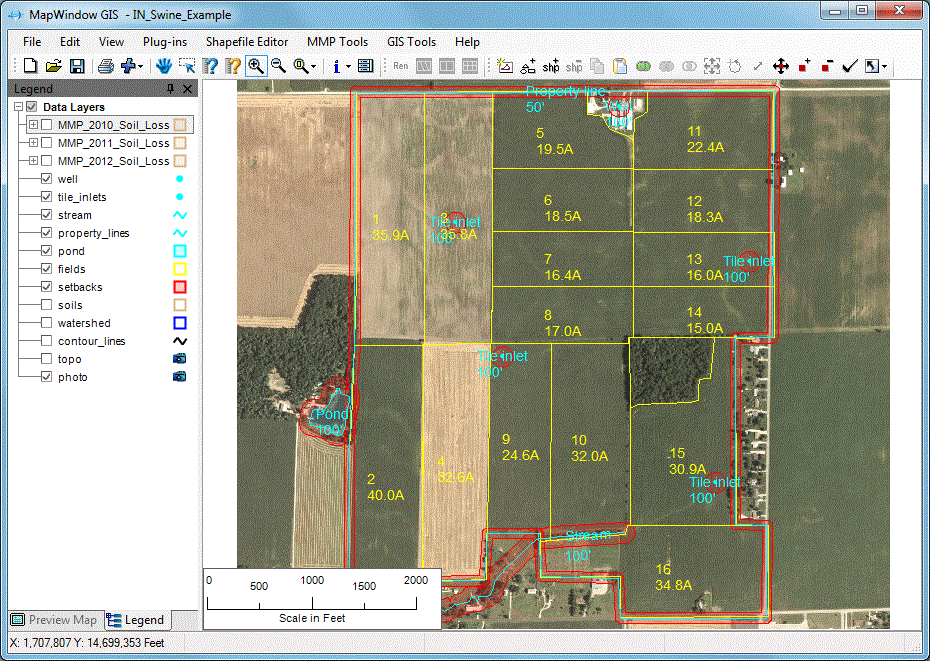
– Open Source GIS Software for Hydrology Projects
MapWindow GIS is a free and open-source GIS Software that focuses mainly on water-related projects. It’s designed for people who work in hydrology, which means studying water movement, rainfall, rivers, or drainage systems. If you’re looking for free mapping GIS programs for analyzing water flow or managing water resources, MapWindow is a solid starting point.
This tool doesn’t try to do everything. Instead, it focuses on giving users what they need most in hydrology—like tools for watershed analysis and modeling rainfall runoff. One of its well-known plugins is HydroDesktop, which makes it easier to work with hydrologic data and connect to water databases.
Even though it’s made by a volunteer team, MapWindow still covers about 90% of what most GIS users need for general mapping and analysis. It also offers a plugin system, so if you’re a developer or want to customize your tools, you can build or install add-ons to expand what the software can do.
What Makes MapWindow GIS Useful
It’s completely free to use and open to everyone
It’s especially good for hydrology and water flow modeling
It has an API and clear documentation for developers
You can use plugins to add more tools based on your project needs
A Few Limitations to Know
MapWindow does a good job with hydrology, but it’s not as strong in other areas like remote sensing or advanced map editing. Since it’s a community-built project, it doesn’t have as many users or updates as bigger software platforms. You might also find fewer tutorials or support groups when you’re stuck.
- Best For: Water resource projects, hydrology experts, environmental studies
- Platform: Windows
- Pricing: Free and open source
MapWindow GIS is one of the best free mapping GIS programs if your focus is on water data. It’s not built for everyone, but for those who need to study how water moves through the land, it’s a helpful and cost-free solution. Whether you’re a student, a researcher, or part of a small team, this software can help you run valuable hydrological analysis without spending a dime.
25. uDig
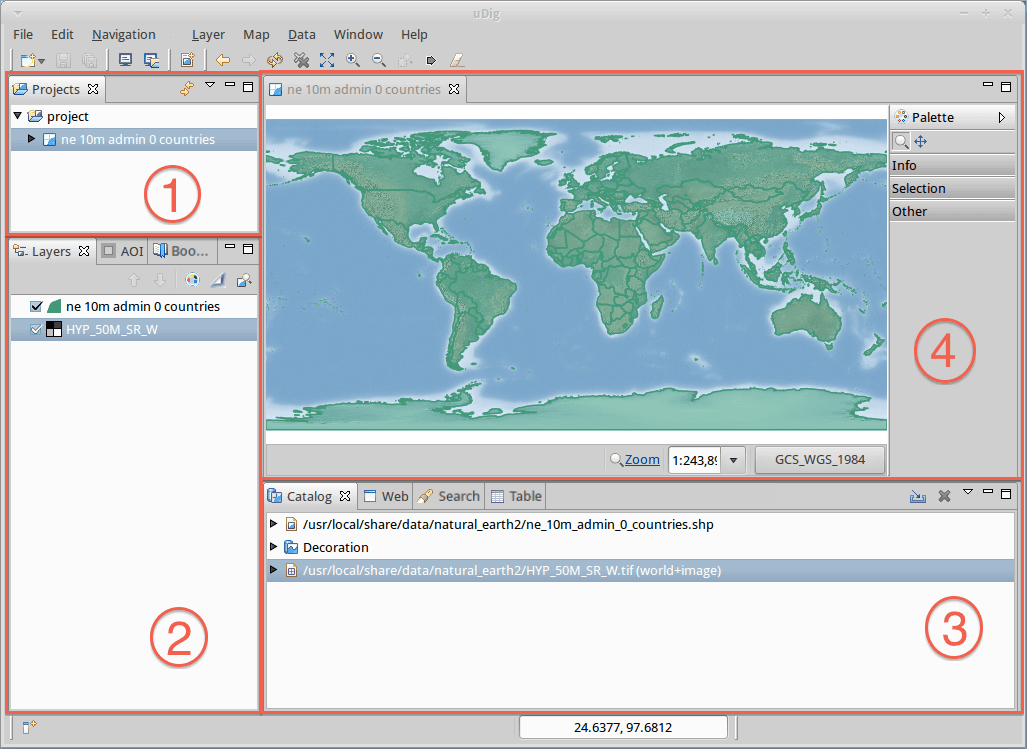
– Open Source GIS Software for Nature and Forest Projects
uDig (which stands for User-friendly Desktop Internet GIS) is a free and open source GIS Software created by developers and volunteers around the world. It’s mainly used for viewing and editing map data from databases, and it works well for special projects related to biodiversity and forest management.
Even though uDig doesn’t have a shiny new design like some newer tools, it still gets updates from time to time. Many environmental experts and researchers trust it for very specific tasks, especially when it comes to managing forest data or tracking wildlife habitats.
If you’re someone who needs simple tools without spending money, uDig is one of the better free mapping GIS programs you can try. It’s especially useful when working with local data or scientific research that requires accurate map analysis but not a lot of fancy styling.
What Makes uDig Special
It’s free to download and use, with no license fees at all
The software works well with databases, which helps when you need to view or edit lots of data
It’s designed with biodiversity and forest management in mind, so it’s a good fit for those types of projects
Clear and helpful documentation is available for users who want to learn how to use it
Things You May Need to Consider
uDig doesn’t offer the same advanced cartography tools as other professional GIS Software. The map styling and symbol features are basic, which can limit how much you can customize your maps. Also, the updates don’t come as often, and the community of users isn’t very active right now. So, getting support or new features can be slow.
- Best For: Forest management, biodiversity tracking, environmental researchers
- Platform: Windows, Linux
- Pricing: Free and open source
If you’re looking for a simple, no-cost solution that focuses on environmental or nature-related projects, uDig can be a solid option. It may not have all the bells and whistles, but for certain tasks, it gets the job done without any cost. It’s another great example of how free mapping GIS programs can support real-world research and planning.
26. Jump GIS
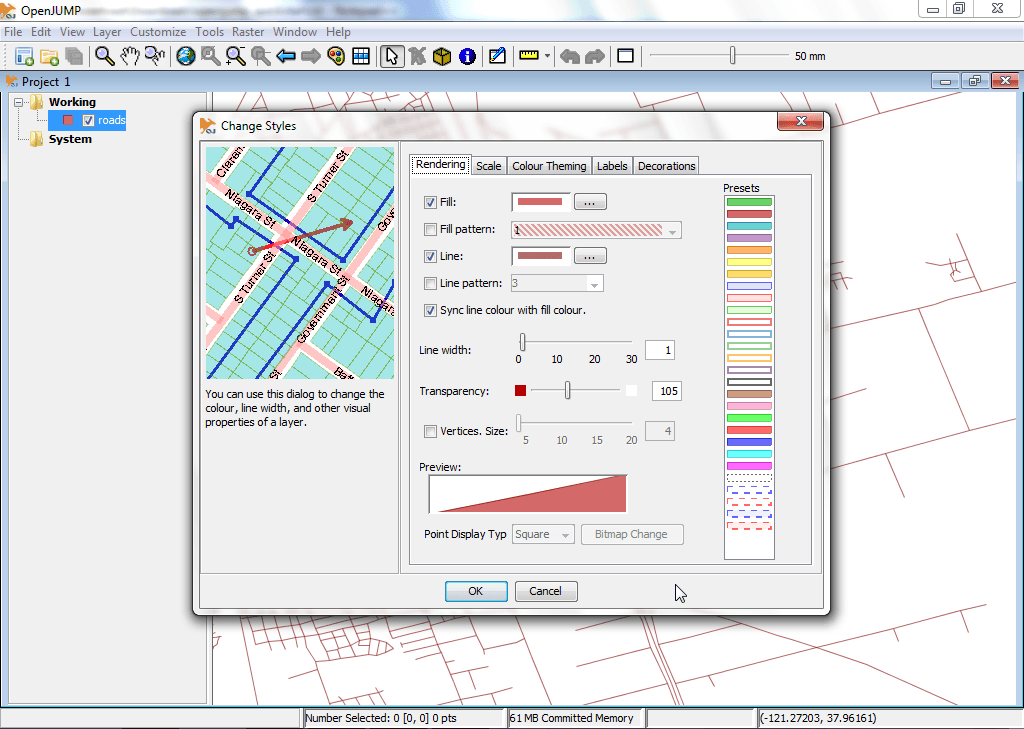
– A Simple, Open Source GIS Software for Everyday Use
Jump GIS, also known as OpenJUMP, is a lightweight and easy-to-use GIS Software that’s perfect for basic mapping and analysis tasks. It started out as a tool for data conflation, which means it helped match and combine different sets of geographic data. Over time, it grew into a small open-source project, with continued support from a dedicated developer community.
What makes Jump GIS stand out is how it focuses on simplicity. It’s not packed with fancy features like 3D mapping or real-time processing, but it does a great job when it comes to basic map creation, editing, and spatial analysis. It works well for users who want a free tool to manage spatial data without needing a heavy or complicated setup.
Even though it’s not the flashiest tool out there, Jump GIS is still one of the more reliable free mapping GIS programs for simple desktop mapping. If you’re just starting out or working with small projects, this could be a good fit.
What Makes Jump GIS Special
It supports WMS (Web Map Service) and database connections so you can load maps from online servers
You can use it with GPS data, which is helpful for tracking or outdoor mapping
There’s a helpful wiki with guides and tips, and a few plugins like Sextante to add more tools
Since it’s open-source, you can customize it freely if you have some coding skills
Things You May Need to Consider
Jump GIS does have its limits. Its interface looks old, and it doesn’t work well with raster data like satellite images. There aren’t many plugins available, and the updates come slowly. You also won’t find many advanced features like 3D views, modern cartography tools, or strong layout designs.
- Best For: Beginners, students, or users who need a basic open-source mapping tool
- Platform: Cross-platform (Java-based)
- Pricing: Free and open source
Jump GIS is not trying to compete with big-name tools like ArcGIS Pro or QGIS. Instead, it focuses on keeping things simple and useful for light GIS Software tasks. It’s a good option when you just need something that works and doesn’t overwhelm you with complex features. If you’re exploring free mapping GIS programs, this is a solid place to begin.
27. FalconView
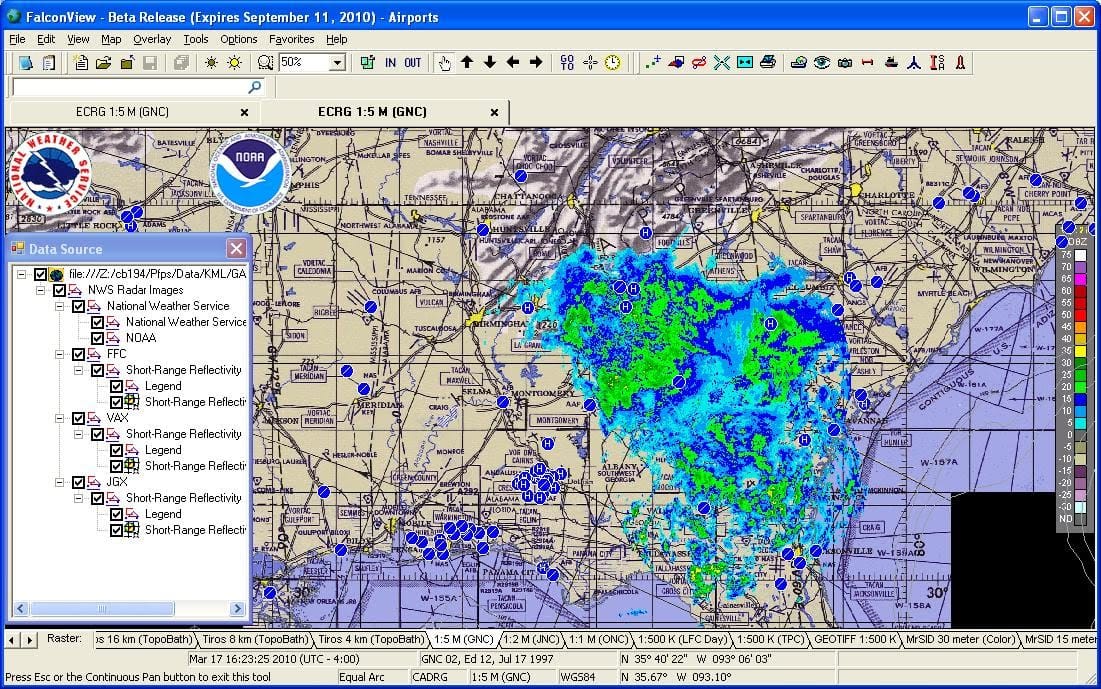
– Open-Source GIS Software for Flight Planning
FalconView is a unique type of GIS Software that’s designed mainly for flight planning and mission simulation. It was created by Georgia Tech, and while it’s different from traditional free mapping GIS programs, it still serves a very important purpose in the GIS world.
This software was built with pilots and aviation planners in mind. It allows users to do “fly-throughs,” which means you can simulate a flight path and see how it would look in real life. It works great with data like LiDAR and elevation, letting you view terrain and airspace in full 3D. While it’s not as focused on mapping roads or cities, FalconView shines when it comes to military or aviation use cases.
Because it supports formats like KMZ and MrSID, it can be used alongside other mapping tools. It even connects with online map services (WMS), so you can pull in extra layers and charts as needed. It’s a helpful tool when your work involves flying through, not just mapping over.
What Makes FalconView Special
Built for flight missions and aerial route planning
You can simulate fly-throughs to preview aerial paths
Supports 3D rendering of LiDAR and terrain elevation
Works with aviation and nautical charts
Offers basic integration with other map services using WMS
Things You May Need to Consider
FalconView is best when your work involves flying or aerial planning. It’s not the right tool for deep data analysis, urban mapping, or editing spatial data. The interface is focused more on mission setup than traditional GIS mapping, and it lacks some tools that are common in other GIS Software.
- Best For: Pilots, military planners, and users needing aerial mission simulation
- Platform: Windows
- Pricing: Free and open-source
FalconView may not be your typical free mapping GIS program, but for flight simulation and planning, it’s a solid choice. It’s especially useful when you need a lightweight, open-source tool for fly-through visuals. While it’s not packed with mapping tools, it fills a specific gap in the GIS world that other software doesn’t cover.
28. OrbisGIS
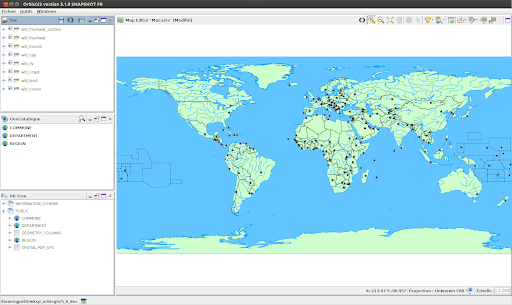
– Open Source GIS Software for Research and Analysis
OrbisGIS is a growing name in the world of GIS Software, especially for those involved in academic research and spatial studies. It’s a free mapping GIS program designed by researchers, which means it’s made for people who want to explore spatial data with flexibility and openness.
This software works across all major operating systems like Windows, Mac, and Linux, so you can use it no matter what kind of computer you have. Because it’s open-source, you don’t have to worry about paying license fees. That makes it a great choice for students, scientists, or anyone working on a tight budget.
OrbisGIS follows OGC standards, which means it plays nicely with other GIS systems and tools. This makes it easier to import and work with data from different sources without compatibility issues.
Even though it’s still being developed, and there are some features that might be missing compared to more polished software, OrbisGIS has potential. It’s lightweight, clean, and focused. The tools it does have are geared toward spatial analysis, data querying, and research-heavy work. You can perform spatial joins, run SQL queries, and view data in multiple formats.
What Makes OrbisGIS Special
Designed especially for scientific research and spatial data analysis
Fully open-source and free to use, with no restrictions
Supports all platforms – works on Linux, macOS, and Windows
Complies with OGC standards, which helps it work with other GIS data formats
Simple interface for data editing and spatial modeling
Things You May Need to Consider
OrbisGIS is still growing, so it may not have all the mapping or visual tools you find in bigger GIS platforms. If you’re someone who needs fancy cartographic tools, or if you’re new to GIS and need help, you might miss having a big support community or user forum. There isn’t a lot of documentation yet, so beginners may need patience.
- Best For: Researchers, scientists, and students who want a free and open GIS tool
- Platform: Windows, macOS, Linux
- Pricing: Free and open-source
While OrbisGIS may not be the most advanced or popular software on the list, it’s a fresh and promising GIS Software option. It gives researchers a place to work freely with spatial data, test new methods, and contribute to the growth of the software itself. If you’re looking for free mapping GIS programs with a research focus, OrbisGIS is worth checking out.
29. Diva GIS
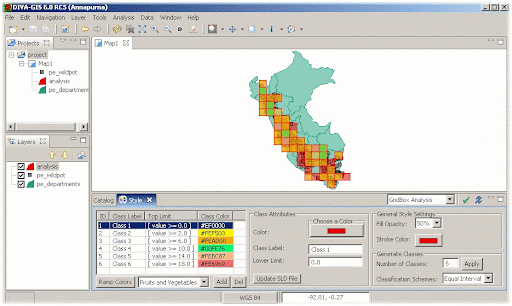
– Lightweight GIS Software for Biological Mapping
Diva GIS is a small and simple GIS Software that’s made mainly for people who study plants, animals, and nature. It’s open-source, which means it’s free to download and use. Many biologists and environmental researchers use Diva GIS to map the locations of species and study biodiversity, like where certain birds live or how plants grow in different regions.
Even though it doesn’t have as many features as other big-name software, Diva GIS does a great job when it comes to free mapping GIS programs in biology. If you’re working with species data or need to understand where something lives or grows, this tool helps you map that information quickly.
It also has access to built-in datasets, especially for climate and species distribution, which is helpful for people who don’t have their own data yet. Since it’s very lightweight, it runs well even on older computers, which makes it a good choice if you’re just starting or don’t have powerful hardware.
What Makes Diva GIS Stand Out
Best used for biological and environmental mapping
Includes ready-to-use data for species, climate, and elevation
Runs smoothly on most systems since it doesn’t use much memory
Fully open-source and free, so there are no license costs
Things You May Need to Consider
Diva GIS isn’t built for complex projects or advanced map making. It has a very simple look and feel, and the interface might feel old-fashioned. There aren’t many advanced features for cartography or spatial analysis. Also, there’s not a big user community, so finding tutorials or help can be tricky.
- Best For: Biologists, students, and researchers focusing on species and environmental data
- Platform: Windows, macOS
- Pricing: Free and open-source
Diva GIS is one of the most focused free mapping GIS programs out there. It’s not meant for everyone, but if your work or studies involve the natural world and you want a no-cost way to map and explore data, it’s a helpful and simple tool to have.
30. Mapbox
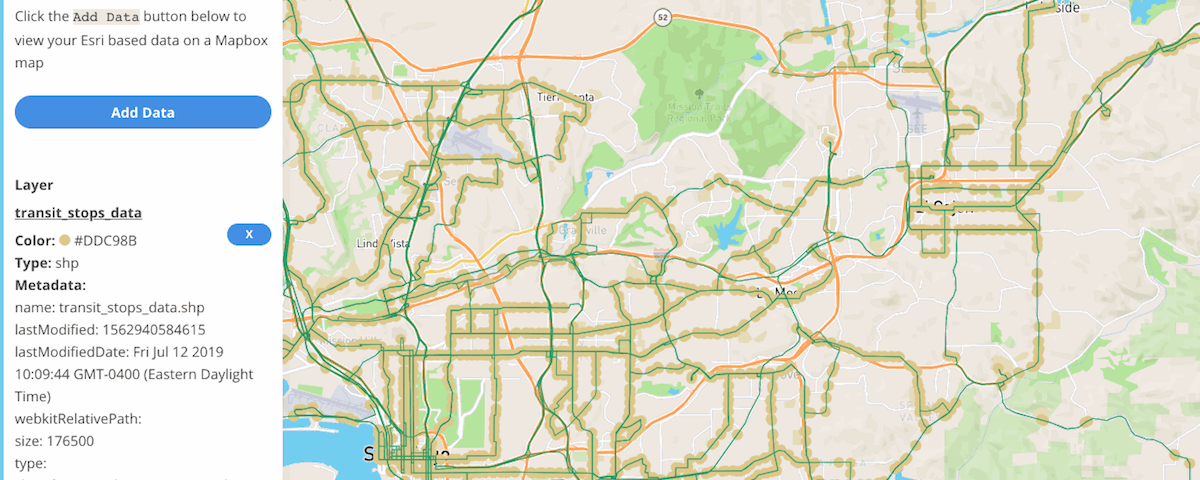
– Custom Mapping GIS Software for Developers and Designers
Mapbox is a modern and powerful GIS Software that’s made for people who want to create custom, interactive maps. It’s used by developers, designers, and even businesses that need to show real-time data on maps, like delivery tracking, weather layers, or fitness routes. Instead of using old, static maps, Mapbox lets you build dynamic and beautiful maps that respond in real time.
This platform is especially useful for web and mobile app development. You can use it to design map styles, add data layers, and create tools like pop-ups or animations. Many apps you use every day—like Snapchat or Strava—use Mapbox maps behind the scenes.
Although it’s not traditional desktop GIS software, Mapbox gives you lots of control and creativity if you’re working with map visuals online. It offers both free and paid plans depending on how many users or map views you have.
What Makes Mapbox Special
Great for building custom maps and location-based apps
Offers real-time data support for tracking, traffic, and movement
Lets you fully design the look and style of your maps
Free plan available, making it a good choice among free mapping GIS programs
Works with major platforms like iOS, Android, and websites
A Few Things to Keep in Mind
Mapbox is designed more for developers and businesses than for beginners. You’ll need to understand a bit of coding or work with someone who does. It’s also more focused on map styling and data display, not deep spatial analysis like some other GIS tools.
- Best For: Developers, designers, and businesses needing live, interactive maps
- Platform: Web, iOS, Android
- Pricing: Free plan available; paid plans based on usage
Mapbox gives you freedom to build maps that not only look amazing but also react to your data in real time. If you’re creating an app, website, or need an engaging map experience for users, this is one of the best GIS Software tools to start with. It’s flexible, powerful, and part of the new generation of mapping platforms.
31. CARTO
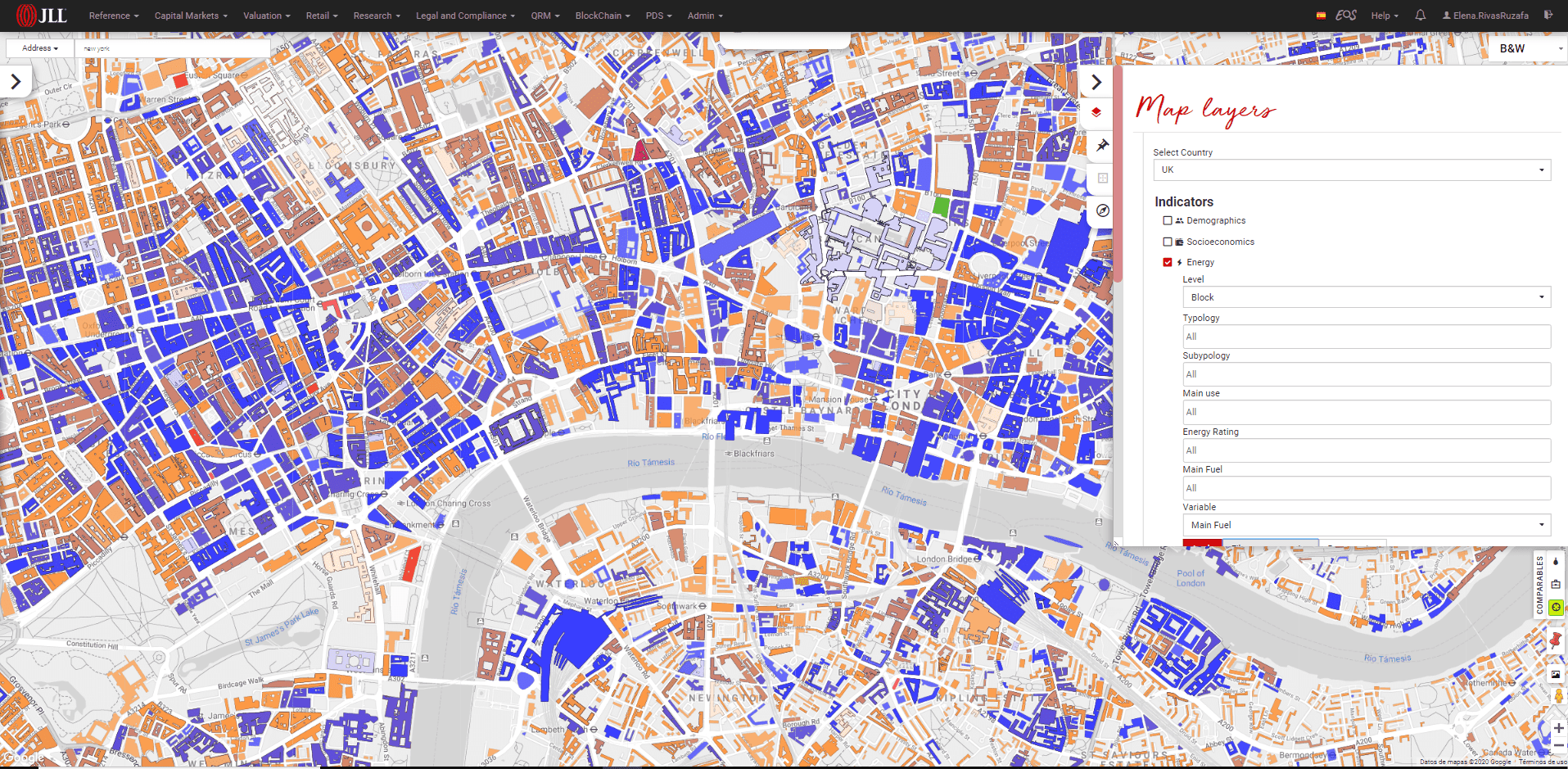
– Cloud-Based GIS Software for Location Intelligence
CARTO is a modern, cloud-based GIS Software that helps people turn location data into smart, easy-to-understand maps. What makes CARTO special is that you don’t need to install anything. You can do everything online. It’s great for businesses, city planners, or students who want to use maps to understand things like traffic, deliveries, weather, or customer patterns.
CARTO is designed to be simple, so even if you’re not an expert, you can still make beautiful maps and analyze data. You can drag and drop your files, add layers, and even use location data from your phone or business tools. It’s often used in retail, transportation, and urban planning.
If you’re looking for free mapping GIS programs, CARTO offers a free plan with limited features, which is perfect for learning or small projects. For more advanced needs, there are paid plans with extra tools and support.
What Makes CARTO Stand Out
Everything works in the cloud, no downloads needed
Clean and easy-to-use interface for beginners
Turns location data into smart maps and real-time insights
Great for business maps like delivery zones, store performance, or traffic flows
Offers integration with popular tools like Google Sheets, Excel, and databases
Things You May Need to Consider
CARTO’s free plan is limited, so you might need a paid plan if you’re working with large datasets or need more advanced features. It also relies on an internet connection, so it’s not ideal for offline work. While it’s easy to use, advanced users might miss having deeper control over data processing and map styling.
- Best For: Business users, data analysts, and urban planners
- Platform: Web-based (Cloud)
- Pricing: Free plan available with paid upgrades
CARTO is one of the most user-friendly GIS Software tools out there for making smart maps without needing to download or install anything. If you’re looking to visualize data for a project, business, or even school, it’s a great tool that helps bring your data to life in just a few clicks.
32. Datawrapper
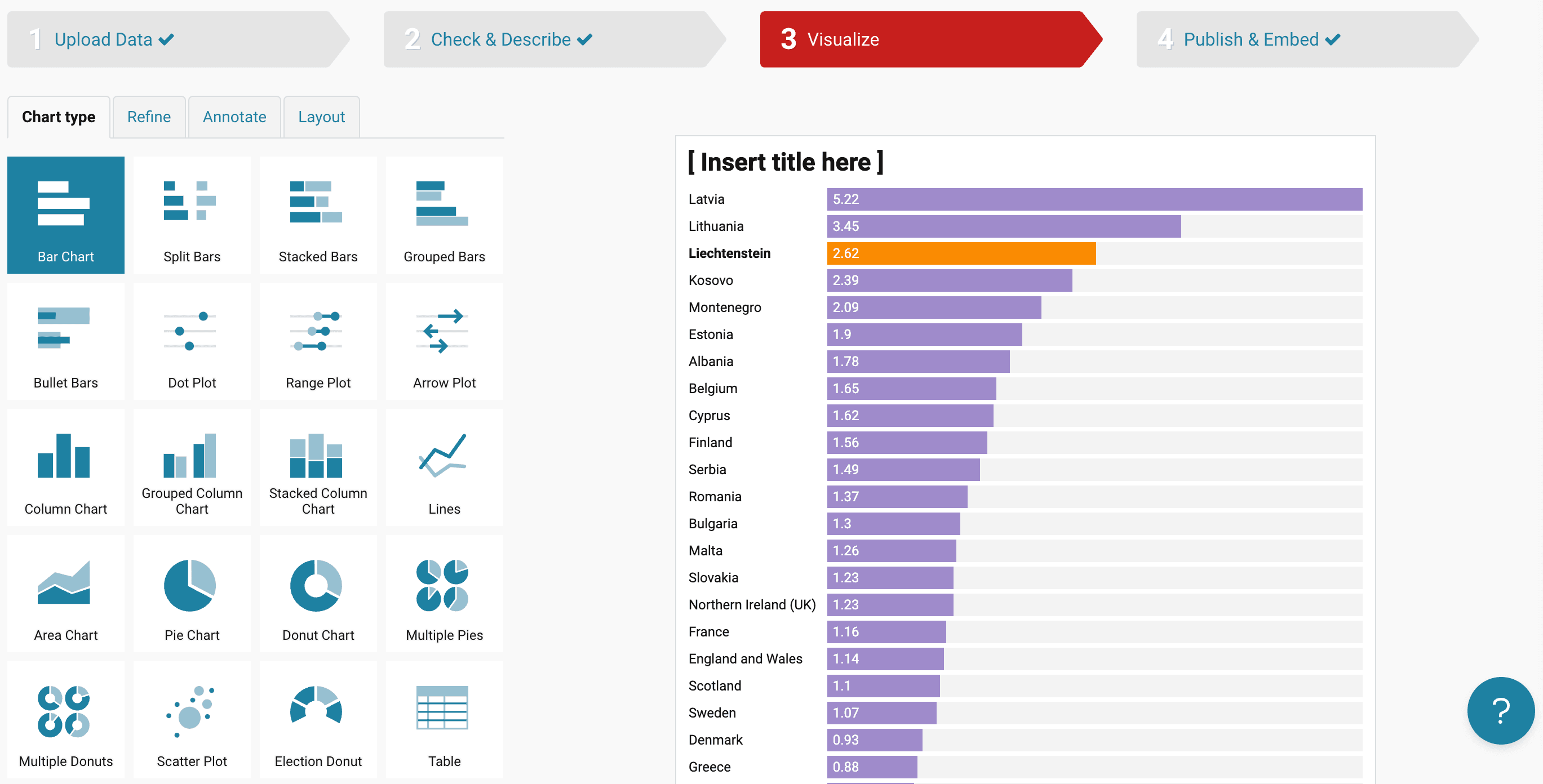
– Easy Online GIS Software for Maps and Charts
Datawrapper is a web-based GIS Software tool that helps you create simple and clean maps, charts, and graphs. It’s one of the easiest tools to use, especially if you’re new to data visualization. With just a few clicks, you can turn your data into beautiful visuals like bar charts, line graphs, or interactive maps—no coding or design skills needed.
This tool is perfect for journalists, students, teachers, or business users who want to quickly display data in a visual way. One of the best things about Datawrapper is that you don’t need to install anything. You just visit the website, upload your data, and start creating.
When it comes to free mapping GIS programs, Datawrapper stands out because it offers tools for creating choropleth maps (where areas are colored based on values), symbol maps, and locator maps. You can customize the colors, fonts, and sizes, and when you’re done, you can easily share the map online or download it for a presentation.
What Makes Datawrapper Great
Very easy to use with a simple and clean interface
No software installation required – everything works online
Great for creating maps and visual charts with just a spreadsheet
Used by media outlets and researchers for quick visual storytelling
Supports CSV, Excel, and Google Sheets file formats
What to Keep in Mind
Datawrapper is not made for deep GIS analysis like other full-featured GIS Software. It’s mainly focused on visual presentation. If you need complex spatial analysis, tools like QGIS or ArcGIS Pro may be better. Also, some advanced design options are only available in the paid version.
- Best For: Journalists, students, business users, and anyone needing simple maps
- Platform: Web-based (no download needed)
- Pricing: Free with optional paid upgrades
If you need a fast and user-friendly way to make smart-looking maps without learning complicated tools, Datawrapper is one of the best free mapping GIS programs available. It’s perfect for storytelling with maps and making your data easier to understand.
33. Google My Maps
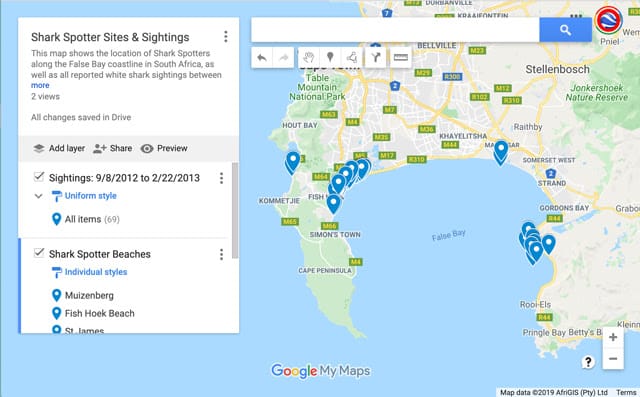
– Easy Online Mapping for Everyone
Google My Maps is one of the easiest GIS software tools you can use, especially if you’re just starting out or want something simple to create custom maps. It’s web-based, so you don’t need to install anything—just open it in your browser and you’re ready to go. You can add pins, draw lines, and create layers to organize your data visually on a map.
This tool is perfect for teachers, students, small businesses, or anyone who wants to build a custom map to share locations, plan a trip, or display simple spatial data. While it doesn’t have advanced analysis tools like some professional GIS software, it works great for basic mapping needs and is very easy to learn.
You can also import data from Google Sheets or upload CSV files, which means you can quickly turn your spreadsheet into an interactive map. Each marker or shape you add can be customized with icons, colors, and descriptions, and you can even add images or videos to make your maps more engaging.
What Makes Google My Maps Special
Very simple and intuitive interface
Works in your browser with your Google account
Supports layered mapping, letting you organize different types of information
Allows importing data from spreadsheets or CSV files
You can easily share maps with others or embed them on websites
Things You May Want to Consider
Google My Maps isn’t designed for deep GIS analysis. It lacks features like spatial analysis, complex data tools, or advanced geoprocessing. It’s more for visual storytelling than for professional GIS work. Also, you need to be online to use it, since it works entirely through your browser.
- Best For: Beginners, educators, content creators, and small teams
- Platform: Web (accessible via browser)
- Pricing: Free with a Google account
If you’re looking for free mapping GIS programs that are easy to use and require zero technical skills, Google My Maps is a great place to start. It’s a helpful and visual tool to create basic maps for work, study, or fun—and it’s all just a few clicks away.
Functionality and Benefits of GIS Software
GIS Software helps you understand places better by using maps, data, and location information. It’s like a smart tool that shows you where things are and how they are connected. Whether it’s tracking weather, building roads, or planning a city, GIS plays an important role.
You can use GIS to collect, store, manage, and study information about the earth’s surface. With this software, you can look at different types of data, such as roads, land, water, buildings, and even trees. It connects all of this with maps so you can see the bigger picture.
What Can You Do with GIS Software?
GIS software does more than just display maps. Here’s what it helps with:
Make Smart Decisions
Businesses and governments use GIS to choose the best places to build schools, hospitals, or stores. It shows what areas are growing fast or where people need more services.Understand the Environment
Scientists and farmers use GIS to study weather, soil, and plants. It helps track rainfall, floods, or where crops grow best.Plan Roads and Buildings
Engineers and city planners use GIS to plan roads, bridges, and homes. It shows what land is safe and what areas need to be protected.Emergency and Safety Planning
During floods, fires, or storms, GIS helps rescue teams by showing where help is needed the most. It helps plan faster routes and saves time.Track Changes Over Time
You can use GIS to see how forests, cities, or coastlines change over the years. This helps protect nature and plan for the future.
Benefits of Using GIS Software
Here are some of the biggest advantages of using GIS Software or free mapping GIS programs:
Better Decision Making
It shows real data on maps, which makes it easier to understand what’s happening and what actions to take.Saves Time and Money
Instead of guessing, GIS gives clear answers. This means fewer mistakes and better planning.Easy to Understand
Visual maps help explain things faster than plain data or numbers. This makes it useful for schools, companies, and even the government.Connects Data from Different Sources
GIS can combine weather data, population numbers, and traffic reports in one place. This gives a clear view of what’s going on.Works for Many Jobs
From farming and delivery services to wildlife tracking and city planning—GIS software fits almost every field.
GIS Software is not just about making maps. It’s about understanding the world better and solving real-life problems with simple tools. Whether you’re using advanced paid software or free mapping GIS programs, the value it brings is huge.
How to Choose the Best GIS Software for Different Purposes – Things to Consider
Choosing the right GIS software can feel confusing, especially with so many options available. Some are made for simple map-making, while others are built for deep analysis. The good news is—you don’t need to be a tech expert to make the right choice. You just need to know what you’re using it for.
Whether you want free mapping GIS programs for small projects or powerful tools for advanced work, here’s a simple guide to help you decide what fits your needs best.
1. Understand Your Purpose First
Before choosing a GIS tool, think about what you actually need it for. Are you making maps for school, planning city layouts, managing farmland, or analyzing wildlife patterns?
If you’re a beginner or student, you might only need basic tools and free options.
If you’re in city planning, environment tracking, or utility management, you may need advanced software with strong analysis features.
Knowing your goal makes it much easier to find the right match.
2. Check Your Budget
Not all GIS software costs money. In fact, many free mapping GIS programs are really powerful and work well for small to medium projects.
Free software like QGIS or Diva GIS is great if you’re starting out or have limited needs.
Paid software like ArcGIS Pro or Global Mapper comes with advanced features, better support, and tools for large teams or government-level tasks.
If you’re unsure, you can start with a free version and upgrade later when needed.
3. Ease of Use
It’s important that the software is easy to understand and simple to use, especially if you’re not a GIS expert. Look for a clean layout, simple menus, and good tutorials.
Some tools are built for professionals and can be tricky to learn.
Others are more user-friendly, perfect for students, researchers, and small businesses.
Look for something that feels comfortable and doesn’t slow you down.
4. Features You Need
Different GIS software comes with different features. So make sure you pick one that offers the tools you actually need.
Here are a few features to think about:
Map creation – Do you need to design custom maps?
Spatial analysis – Are you studying how things are spread out or related?
3D mapping – Do you need to view land and buildings in 3D?
Data import/export – Can it open your existing files or share results easily?
Mobile support – Will you be using it in the field?
Make a list of must-have features and compare them with what each software offers.
5. Support and Community
If you get stuck, it helps to have someone to turn to. Good software should have tutorials, help centers, or even online communities.
Free software like QGIS has a big community and lots of YouTube videos.
Paid software often comes with direct customer support, which can be very helpful in large projects.
Good support can save time and help you learn faster.
6. Device and System Compatibility
Before installing, check if the software runs on your system. Some tools only work on Windows, while others support Mac or Linux. If you prefer working on mobile, choose software that also works on tablets or smartphones.
Also, check if your device has enough space and speed to run the software smoothly.
7. Data Handling Capability
Some GIS programs are better at handling large data sets or multiple file types. If you work with big maps, satellite data, or need to use multiple layers, choose software that can manage all that without crashing or slowing down.
8. Security and Sharing
If you’re working on sensitive data, choose software that allows secure access and data protection. Also, if you plan to share your work online or with a team, make sure the software supports sharing and collaboration features.
Final Tip: Try Before You Decide
Many GIS tools offer free trials. Try them out first to see how they work. This gives you a feel for how easy they are to use, what features they have, and whether they’re the right fit for you.
Whether you’re just starting or working on a professional project, choosing the right GIS software depends on how you plan to use it. Keep it simple, stay focused on your needs, and you’ll find a perfect match—whether it’s one of the top paid tools or one of the powerful free mapping GIS programs available in 2026.
FAQs About GIS Software
1. What is GIS software used for?
GIS software is used to create, view, analyze, and manage maps and spatial data. People use it to see patterns, solve problems, and make better decisions about geography, land, transportation, environment, and more.
2. Can I use GIS software for free?
Yes, there are several free mapping GIS programs like QGIS and GRASS GIS. These programs offer many useful features and are great for beginners, students, and small projects.
3. What is the best free GIS software for beginners?
QGIS is often recommended as the best free GIS software for beginners. It’s easy to learn, works on Windows, Mac, and Linux, and offers many tools for mapping and data analysis.
4. Do I need a powerful computer to run GIS software?
Not always. Some GIS software like Diva GIS or Whitebox Tools are lightweight and can run on most basic computers. However, if you’re using software like ArcGIS Pro or doing 3D mapping, you may need a computer with more memory and processing power.
5. Can I make 3D maps with GIS software?
Yes, some GIS software like ArcGIS Pro and QGIS (with plugins) lets you create 3D maps. This helps you see elevation, buildings, or terrain in a more realistic way.
6. What are the industries that use GIS software?
Many industries use GIS software, including:
Urban planning
Environmental science
Transportation
Utilities and infrastructure
Public health
Emergency services
GIS helps them plan, track changes, and make data-driven decisions.
7. Can I use GIS software on mobile or tablet?
Yes, some GIS tools offer mobile apps. For example, ArcGIS Field Maps and QField for QGIS let users collect and view data in the field using smartphones or tablets.
8. What file types can GIS software open?
Most GIS software supports common file types like:
Shapefiles (.shp)
GeoTIFF (.tif)
KML/KMZ (Google Earth)
CSV files with location data
GeoJSON and more
These formats help you share, view, and analyze different kinds of spatial data.
9. Is GIS software hard to learn?
It depends on the software and what you want to do. Some tools are easier for beginners (like QGIS), while others (like ArcGIS Pro) have a steeper learning curve. But there are many tutorials and communities to help you learn step by step.
10. What should I consider when choosing GIS software?
Think about what you need it for, your budget, your skill level, and your computer system. Also check if the software supports the data formats you use and if it has good support or tutorials.