Quick Answer:
XYZ coordinates are a three-axis system that defines position in space. X is the horizontal axis (longitude or Easting), Y is the vertical axis (latitude or Northing), and Z is the third axis representing elevation, height, or depth. In satellite imagery and GIS, X and Y define where a pixel sits on the ground in 2D, and Z adds the elevation dimension for 3D terrain models, Digital Elevation Models, and 3D city models. In web mapping, Z is also used as the zoom level in map tile systems.
Intro
XYZ coordinates are the simplest way to describe where something is in space. X tells you how far left or right. Y tells you how far forward or back. Z tells you how far up or down. Together, three numbers place any point in 3D space with complete precision. In satellite imagery and GIS, XYZ is the foundation of everything from a flat map tile to a full 3D terrain model of a mountain range.
What Are XYZ Coordinates?
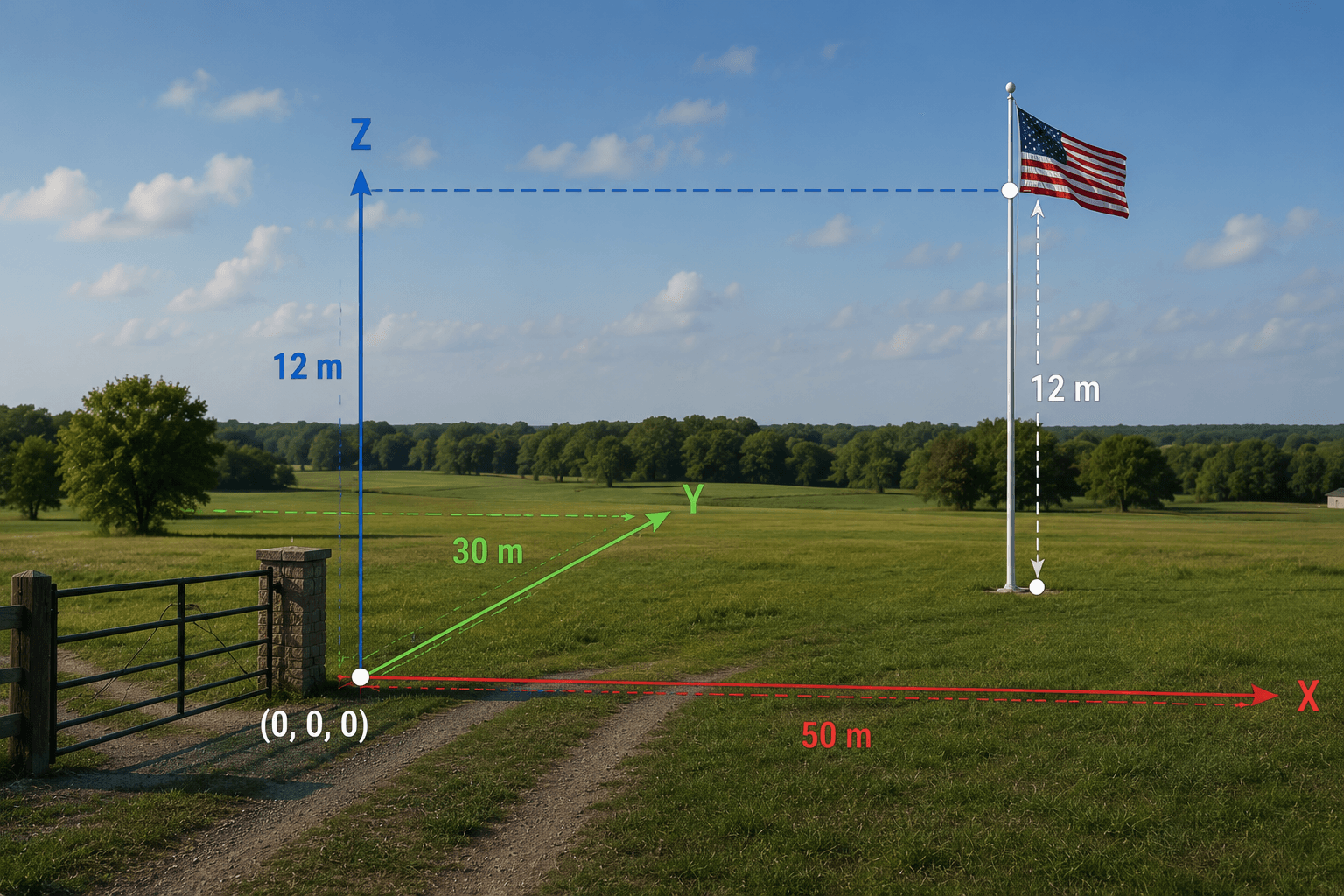
XYZ coordinates come from the Cartesian coordinate system. The system uses three perpendicular axes that all meet at a single point called the origin (0, 0, 0).
- X axis: Runs horizontally left and right. Positive X goes right. Negative X goes left.
- Y axis: Runs north and south in geographic systems. Positive Y goes north. Negative Y goes south.
- Z axis: Runs perpendicular to both X and Y. In physical space it represents height or depth. In geographic systems it represents elevation above or below sea level.
A Simple Real-World Example
Imagine a flagpole in an open field. You are standing at the entrance gate.
- The flagpole is 50 metres east of the gate: X = 50
- The flagpole is 30 metres north of the gate: Y = 30
- The flag at the top is 12 metres above the ground: Z = 12
The flag’s full position is (X: 50, Y: 30, Z: 12). Without the Z coordinate, you know where the pole is but not where the flag is. With Z, the position is fully defined in 3D space.
This is exactly how satellite imagery and GIS systems locate features on and above the Earth’s surface.
X and Y in Geographic and Projected Coordinate Systems
In geospatial work, X and Y coordinates take two forms depending on the coordinate reference system in use.
Geographic Coordinates (Latitude and Longitude)
In a geographic coordinate system like WGS84:
- X = Longitude: The angle east or west of the Prime Meridian in degrees. Ranges from -180 degrees to +180 degrees.
- Y = Latitude: The angle north or south of the equator in degrees. Ranges from -90 degrees to +90 degrees.
Longitude and latitude are angular measurements. One degree of longitude equals about 111km at the equator but only 55km at 60 degrees north. This makes distance and area calculations complex without spherical trigonometry.
Projected Coordinates (UTM and Others)
In a projected coordinate system like UTM WGS84:
- X = Easting: Distance in metres east of the zone’s central meridian, with a false easting of 500,000m to keep all values positive.
- Y = Northing: Distance in metres north of the equator in the northern hemisphere.
Projected coordinates are linear. One metre in X equals one metre in Y everywhere within the zone. Distance, area, and direction calculations are straightforward.
Coordinate X Y Z in Practice
| Coordinate | Geographic (WGS84) | Projected (UTM Zone 14N) |
|---|---|---|
| X | Longitude in degrees (e.g. -96.7969) | Easting in metres (e.g. 521,000m) |
| Y | Latitude in degrees (e.g. 32.7767) | Northing in metres (e.g. 3,625,000m) |
| Z | Elevation in metres above sea level | Elevation in metres above sea level |
The Z value is the same regardless of whether you use geographic or projected X and Y. It is always measured in metres above a defined vertical datum, most commonly Mean Sea Level or the WGS84 ellipsoid.
What Is the Z Coordinate?
Z is the dimension most people understand least because everyday navigation is mostly 2D. Maps, floor plans, and road networks work in X and Y. Elevation only matters when you need to know how high or how deep something is.
In satellite imagery and geospatial analysis, Z matters in four important ways.
Z as Elevation in Terrain Modelling
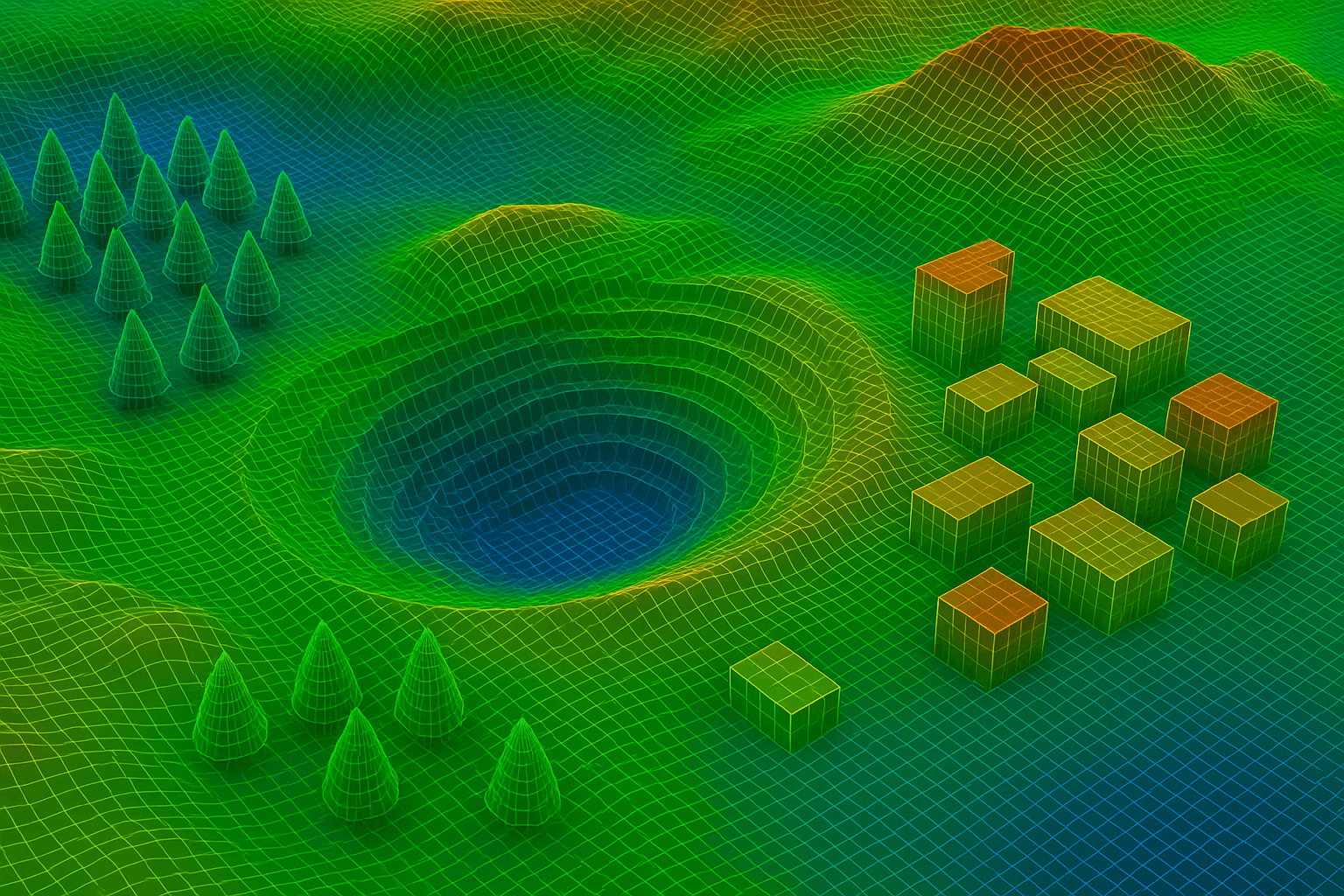
When a DEM is created from stereo satellite imagery, every pixel in the raster has an X position, a Y position, and a Z value representing the elevation of the ground at that point. A DEM of a mountain range stores X and Y to define where each measurement was taken, and Z to record the height at each point from valley floors to peaks.
From this XYZ surface data you can calculate slope, aspect, watershed boundaries, flood inundation extent, line of sight, and cut and fill volumes for construction.
Z as Building Height in 3D City Models
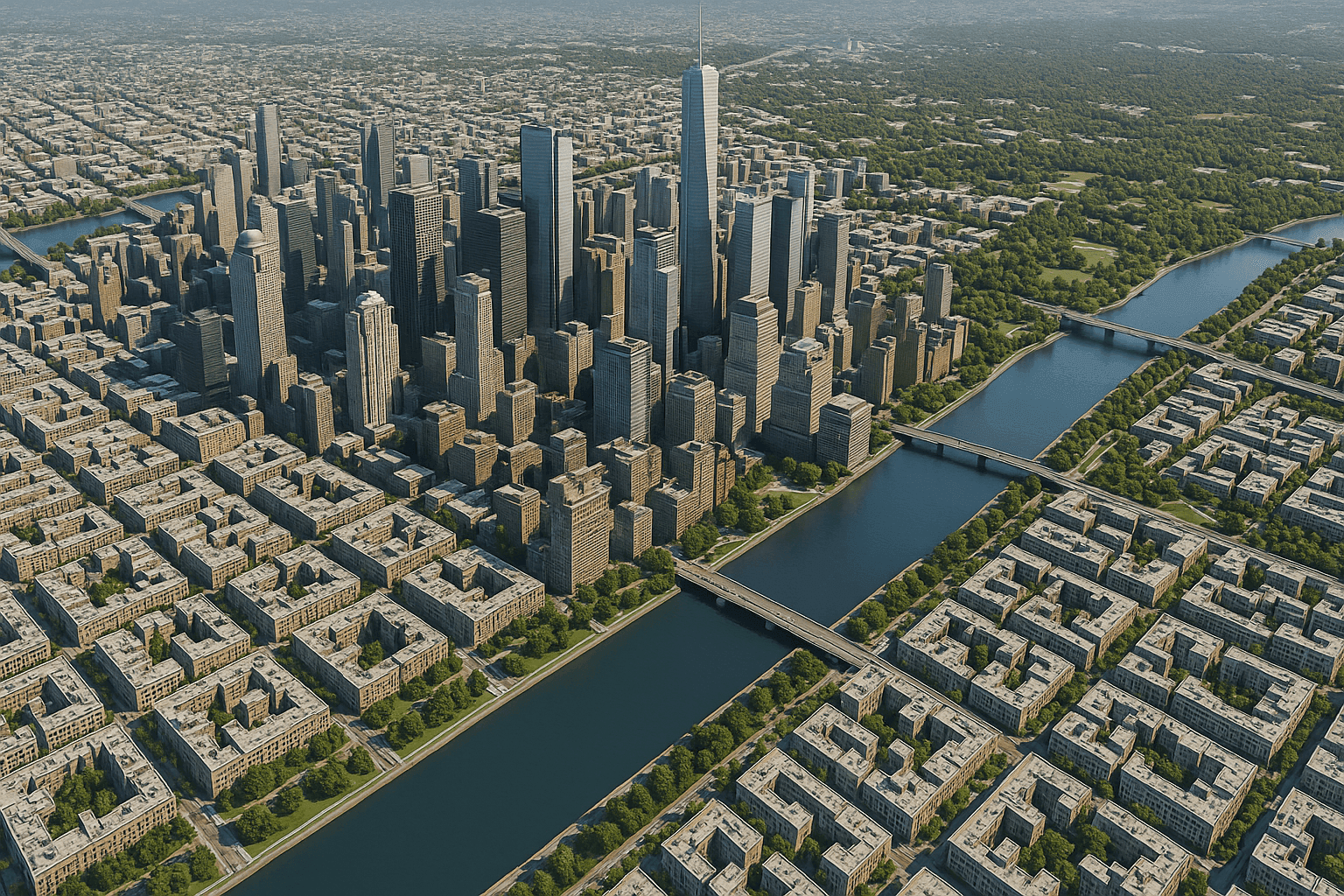
In a 3D city model built from tri-stereo VHR satellite data, every building has a base defined by X and Y and a height defined by Z. The Z difference between the roof surface and the street level is the building height. These XYZ models are used for urban planning, solar potential mapping, shadow analysis, and telecommunication signal propagation.
Z as Depth in Subsurface Mapping
In geological surveys, pipeline routing, and subsurface utility mapping, Z is used as depth below the surface rather than height above it. Negative Z values represent features below ground level.
Z as Deformation in InSAR Monitoring
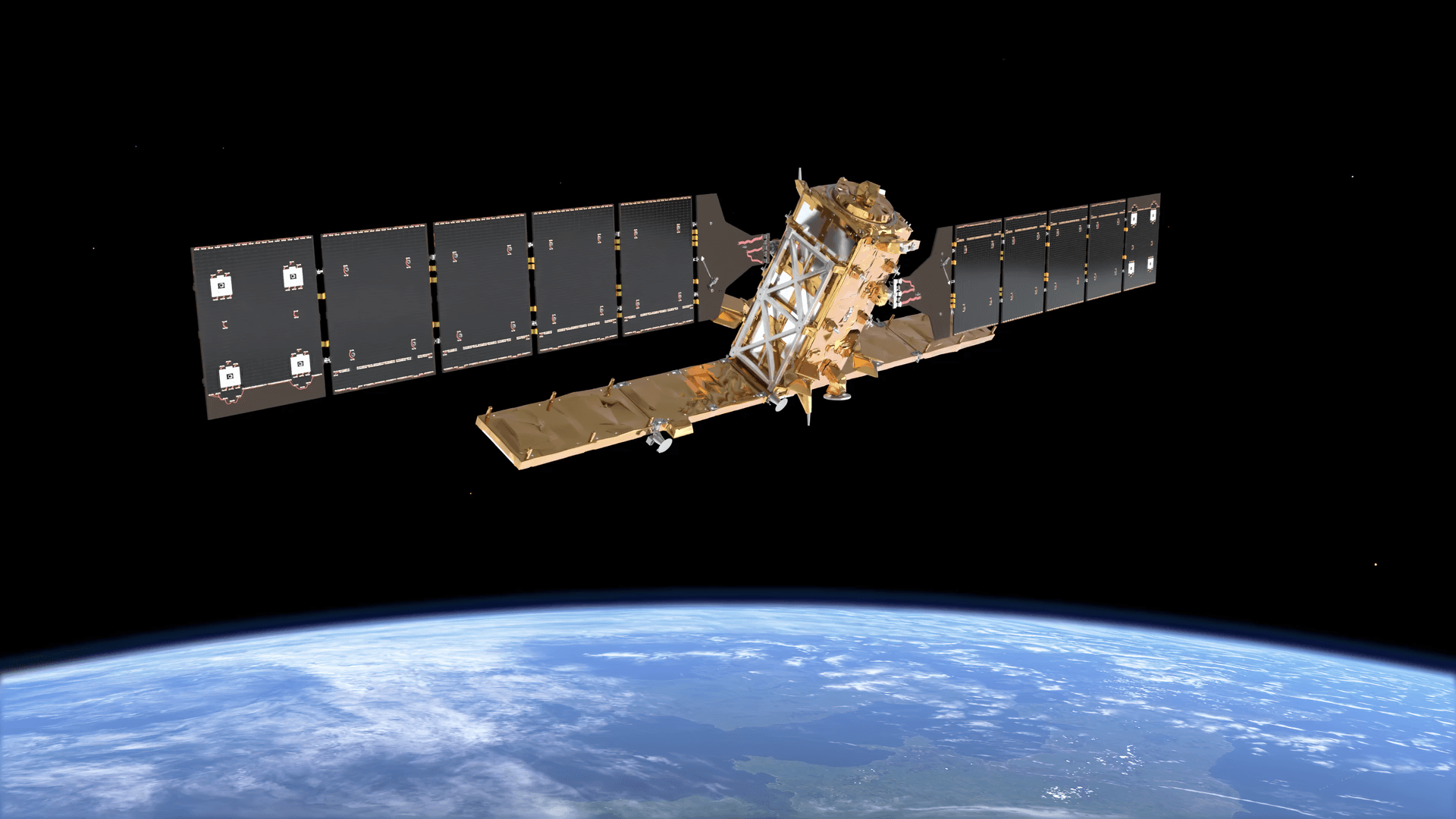
XRTech’s SAR satellites detect changes in the Z value of a surface over time using InSAR (Interferometric SAR). By comparing two radar images of the same area taken on different dates, InSAR measures how much the ground surface has moved in the Z direction between captures. Deformation as small as 1mm to 2mm is detectable.
This is used to monitor dam wall subsidence, bridge foundation settlement, pipeline corridor ground movement, and urban subsidence in areas of groundwater extraction.
XYZ Coordinates in Web Mapping Tile Systems
Web mapping platforms including Google Maps, Mapbox, OpenStreetMap, and Leaflet use an XYZ tile system where Z means something entirely different from elevation:
- Z = Zoom level: A number from 0 (entire Earth in one tile) to 22 (individual buildings visible). Each zoom level quadruples the number of tiles.
- X = Tile column: Horizontal position in the tile grid at zoom level Z.
- Y = Tile row: Vertical position in the tile grid at zoom level Z.
At zoom level 0, one tile covers the entire Earth. At zoom level 18, one tile covers roughly 150m x 150m on the ground. Most web map tile URLs follow the pattern:
https://tiles.example.com/{Z}/{X}/{Y}.png
This tile Z is a completely separate concept from elevation Z used in GIS and 3D modelling. Both use the same letter in different contexts. When you see XYZ tiles, Z is always zoom. When you see XYZ coordinates in GIS data, Z is always elevation or height.
Position XYZ in GPS and Satellite Positioning
GPS satellites calculate your position in 3D XYZ space before converting it to the latitude, longitude, and altitude your device displays. The GPS system uses Earth-Centred Earth-Fixed (ECEF) XYZ coordinates, with the origin at the Earth’s centre of mass.
Your receiver measures the distance to at least four satellites and uses trilateration to calculate your ECEF X, Y, and Z values. It then converts those three numbers to latitude, longitude, and altitude using the WGS84 ellipsoid model.
This matters for satellite imagery because orthorectification uses GPS-derived ground control points (GCPs) with known X, Y, and Z values to anchor images to real ground coordinates. The Z value of each GCP is critical: without accurate elevation at the control points, the geometric correction of the image is incomplete and horizontal accuracy degrades.
XYZ Coordinates in XRTech Satellite Products
XRTech delivers geospatial data with full XYZ coordinate support across all 2D and 3D product types.
GF-7 is the most capable satellite in the XRTech fleet for Z-axis accuracy. Its laser altimeter achieves under 0.5m RMSE vertically in plain terrain, making it the right choice for engineering-grade DEMs and topographic mapping at 1:10,000 scale.
What Is the Measure of XYZ in Satellite Imagery?
The units for each axis depend on the coordinate reference system in use.
| Axis | Geographic CRS (WGS84) | Projected CRS (UTM) |
|---|---|---|
| X (horizontal) | Degrees of longitude | Metres (Easting) |
| Y (vertical) | Degrees of latitude | Metres (Northing) |
| Z (elevation) | Metres above ellipsoid | Metres above ellipsoid or MSL |
All XRTech project deliveries use metres for all three axes in the delivered coordinate system. Geographic degrees are used for data exchange and archive preview only. Project delivery is always in UTM or a specified national projection with metres as the unit for X, Y, and Z.
2D vs 3D: When You Need All Three Axes
| Project Type | Axes Needed | Reason |
|---|---|---|
| Land cover mapping | X and Y | Visual classification does not need elevation |
| Change detection | X and Y | Comparing 2D surface conditions over time |
| Flood routing | X, Y, and Z | Water flows according to terrain elevation |
| Construction volume | X, Y, and Z | Cut and fill calculation requires surface elevation |
| Building height extraction | X, Y, and Z | Height is the Z difference between roof and ground |
| InSAR deformation monitoring | X, Y, and Z over time | Detecting Z movement between captures |
| Telecom signal propagation | X, Y, and Z | Signal path depends on terrain and building heights |
| Solar potential mapping | X, Y, and Z | Roof elevation and orientation affect sunlight exposure |
If your project involves any measurement in the vertical dimension, you need Z data. If your project is purely about identifying and classifying what is on the ground surface, X and Y from standard 2D satellite imagery are sufficient.
Order XYZ Geospatial Products From XRTech
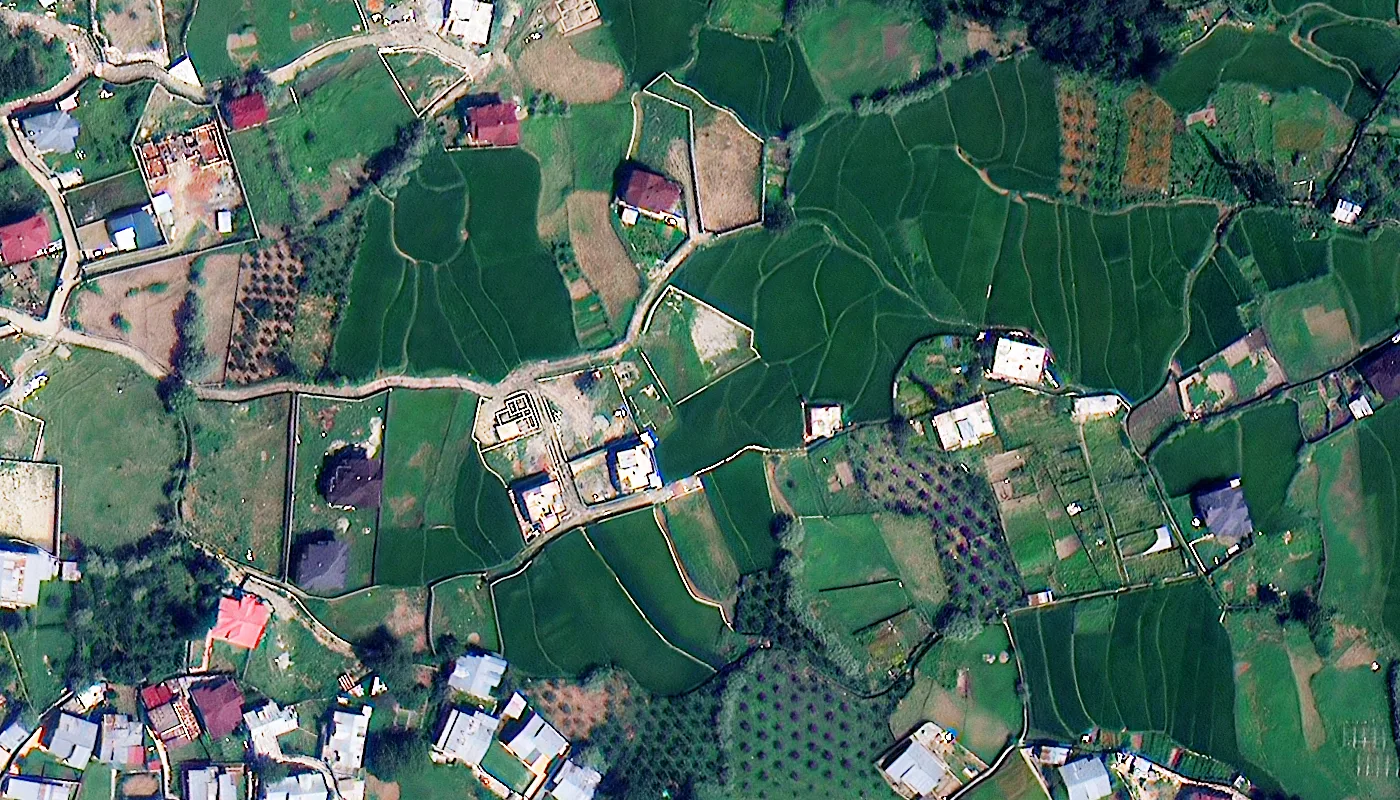
XRTech delivers 2D and 3D geospatial products with full XYZ coordinate support. Archive 2D imagery starts at $1/km2. Stereo DEMs and DSMs with full Z accuracy are available from GF-7 and other stereo-capable satellites. All products are delivered in GeoTIFF, IMG, SHP, or DWG format in WGS84 or UTM projection with full coordinate metadata. Buy Satellite Imagery
Contact XRTech with your AOI and tell us whether you need 2D imagery, elevation data, or a full 3D product. We will confirm the right product and deliver a free sample tile within 24 hours.
FAQs
What are XYZ coordinates?
XYZ coordinates are a three-axis system that defines position in space. X is the horizontal position (longitude or Easting), Y is the vertical position (latitude or Northing), and Z is elevation, height, or depth. Together, three numbers define any point in 3D space with complete precision.
What does coordinate X Y Z mean in GIS?
In GIS, X is the horizontal geographic position in longitude or Easting in metres, Y is the north-south position in latitude or Northing in metres, and Z is the elevation above sea level in metres. X and Y place a feature on the 2D ground surface. Z adds the third dimension for terrain and building height analysis.
What does the Z coordinate represent in satellite imagery?
Z represents elevation or height. In a Digital Elevation Model, the Z value of each pixel is the height of the ground surface above sea level. In a 3D city model, Z is the height of building rooftops. In InSAR monitoring, a change in Z between two captures reveals ground surface deformation down to 1mm to 2mm.
What is position XYZ in GPS?
GPS calculates your 3D position in Earth-Centred Earth-Fixed XYZ coordinates with the origin at the Earth’s centre of mass. Your device converts those raw XYZ values to latitude, longitude, and altitude using the WGS84 ellipsoid. The underlying GPS calculation is always in XYZ, even though the display shows degrees and metres altitude.
What is the measure of XYZ in geospatial data?
X and Y are measured in degrees (geographic) or metres (projected). Z is always measured in metres above the reference ellipsoid or Mean Sea Level. All XRTech project deliveries use metres for all three axes in the UTM or national projection coordinate system specified for the project.
What is the difference between 2D and 3D XYZ in satellite imagery?
2D satellite imagery has X and Y coordinates for every pixel but no Z value. It is a flat georeferenced photograph. 3D satellite data adds Z coordinates representing elevation, producing DEMs, DSMs, or 3D city models. 3D data requires stereo or tri-stereo satellite acquisition and photogrammetry processing to calculate Z from the parallax between captures.
What does Z mean in web map XYZ tiles?
In web map tile systems like Google Maps and Mapbox, Z is the zoom level, not elevation. Z ranges from 0 (the entire Earth in one tile) to 22 (individual buildings visible). X and Y are the tile column and row at that zoom level. Web mapping tile Z and GIS elevation Z use the same letter but are completely different concepts.
How accurate is the Z coordinate in XRTech elevation products?
Standard XRTech DEMs deliver plus or minus 3m RMSE vertically. GF-7 with its laser altimeter achieves under 0.5m RMSE in plain terrain and under 1m RMSE in rough terrain. InSAR deformation products from GF-3 and LT-1 SAR detect changes in Z as small as 1mm to 2mm between capture dates.
Can XYZ coordinate data be used in AutoCAD?
Yes. XRTech delivers elevation and 3D products in DWG format for AutoCAD and civil engineering software. All files include the X, Y coordinate reference system and Z vertical datum in the metadata so they load at the correct geographic position and elevation without manual coordinate input.
When do I need Z coordinates in a satellite imagery project?
You need Z when your project involves elevation measurement, terrain analysis, flood routing, earthwork volume calculation, building height extraction, structural deformation monitoring, or 3D urban modelling. For land cover mapping, 2D change detection, and visual inspection, X and Y from standard 2D satellite imagery are sufficient.
Summary
- X is the horizontal position: longitude in geographic coordinates, Easting in UTM projected coordinates
- Y is the vertical position: latitude in geographic coordinates, Northing in UTM projected coordinates
- Z is the third dimension: elevation above sea level, height above ground, or zoom level depending on context
- In 2D satellite imagery, every pixel has an X and Y coordinate tied to a real location on the Earth’s surface
- In 3D satellite products, every point has X, Y, and Z coordinates that together define a position on the Earth’s terrain surface
- Digital Elevation Models store Z values (elevation) for every X, Y position in the dataset
- InSAR radar technology detects millimetre-level changes in Z values over time, revealing surface deformation
- Web map tile systems use X, Y, and Z where Z is the zoom level and X, Y are the tile grid position at that zoom
- GPS receivers calculate position in 3D XYZ space before converting to latitude, longitude, and altitude for display
- XRTech delivers 3D geospatial products with full XYZ coordinates including DEMs, DSMs, and 3D city models from stereo satellite capture