Quick Answer:
Google Earth is blurry because it uses a mosaic of imagery from multiple satellites at different resolutions. Rural and remote areas often only have medium-resolution coverage at 2m to 8m per pixel, which looks blurry when zoomed in. Other causes include slow internet loading low-resolution placeholders, outdated archive data, intentional blurring of sensitive locations, and a known 3D buildings layer glitch that degrades image quality in 2D areas. The sharpest imagery on Google Earth is in major urban areas, which receive priority coverage at higher resolutions.
Intro –
Google Earth covers the entire planet. That is a remarkable thing. But covering the entire planet at high resolution is physically and commercially impossible for a free product. The blur you see in Google Earth is not a technical failure. It is the inevitable result of how free global mapping products work, who pays for them, and what physics allows.
Reason 1: Low Spatial Resolution in Rural and Remote Areas
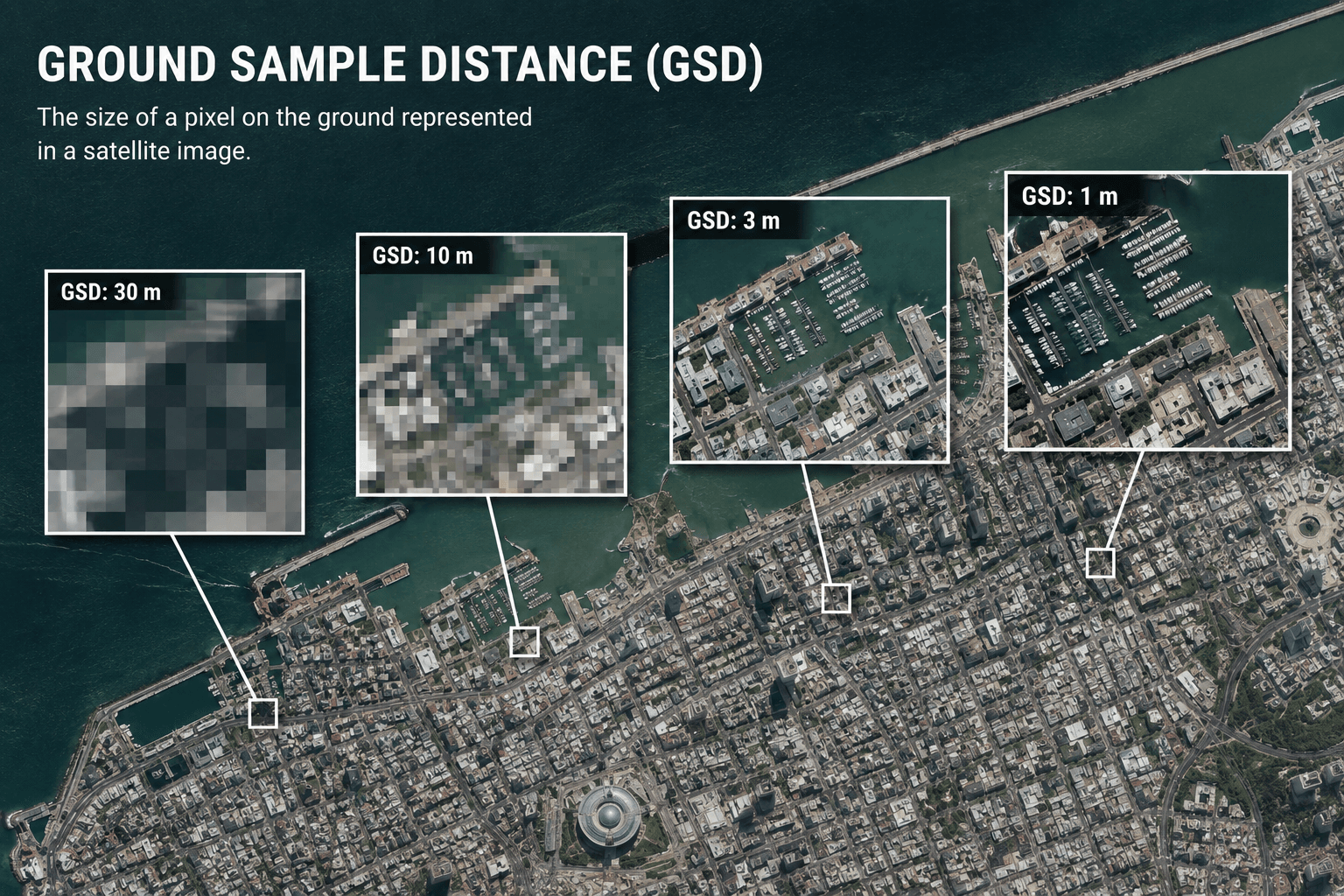
This is the primary cause of blurriness in Google Earth and the one most people never fully understand.
Each pixel in a satellite image represents a fixed area on the ground. This is called Ground Sample Distance (GSD). A 0.3m GSD means each pixel covers a 30cm x 30cm square. A 8m GSD means each pixel covers an 8m x 8m square. When you zoom into an 8m GSD image, you are stretching those large pixels across your screen, which is what blurriness looks like.
Google Earth is a mosaic. It combines imagery from multiple satellites and aerial cameras captured at different times and different resolutions. Major cities and heavily populated areas receive priority coverage from sub-metre satellites and are often sharp enough to see individual cars and rooftops. Remote regions, rural farmland, and less commercially relevant areas are covered by medium-resolution satellites where each pixel represents several metres of ground.
Resolution Coverage Tiers in Free Mapping Products
| Area Type | Typical GSD in Google Earth | What You Can See |
|---|---|---|
| Major metro areas | 15cm to 50cm | Individual vehicles, roof detail, road markings |
| Secondary cities and suburbs | 50cm to 1m | Buildings, roads, large structures |
| Small towns and rural areas | 1m to 5m | Building footprints, field boundaries |
| Remote and low-priority areas | 5m to 30m | Land cover, rivers, large features only |
| Very remote regions | 30m to 50m | Terrain and major geographical features only |
The drop in quality between a major city and a remote rural area is not gradual. It can be an immediate, visible jump in sharpness as you pan from a well-covered urban centre to surrounding countryside.
Reason 2: Archive Data Age
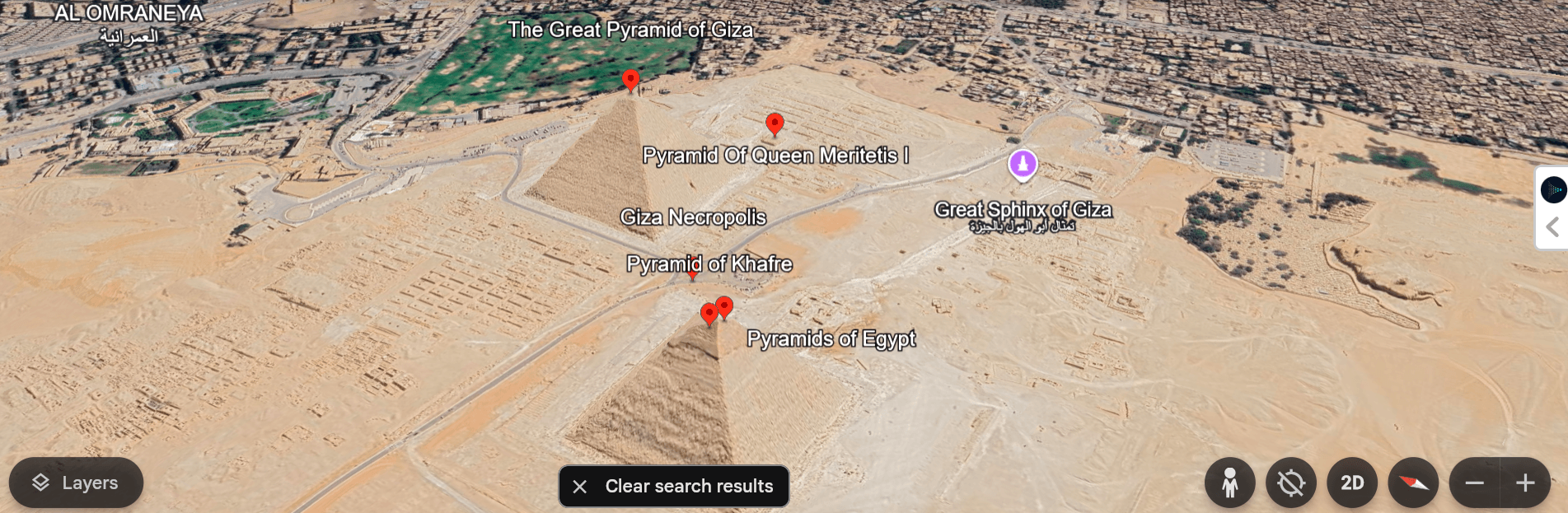
Free platforms display archived imagery. Archive data is the most affordable tier of satellite imagery, which is how Google can offer it without charge. But archive data can be months or years old, and its resolution is frequently lower than what current satellites can provide.
Areas that have changed significantly since the archive was captured may also appear inconsistent or blurry where newer imagery has been partially added alongside older data. This creates visible seam lines and resolution mismatches within the same map view.
Professional satellite tasking allows you to order fresh imagery of a specific location captured within the past 7 days. Archive imagery from XRTech goes back to 1999 and is available at resolutions from 0.3m, which is substantially sharper than what Google Earth shows in most areas.
Reason 3: Slow Internet and Loading Placeholders
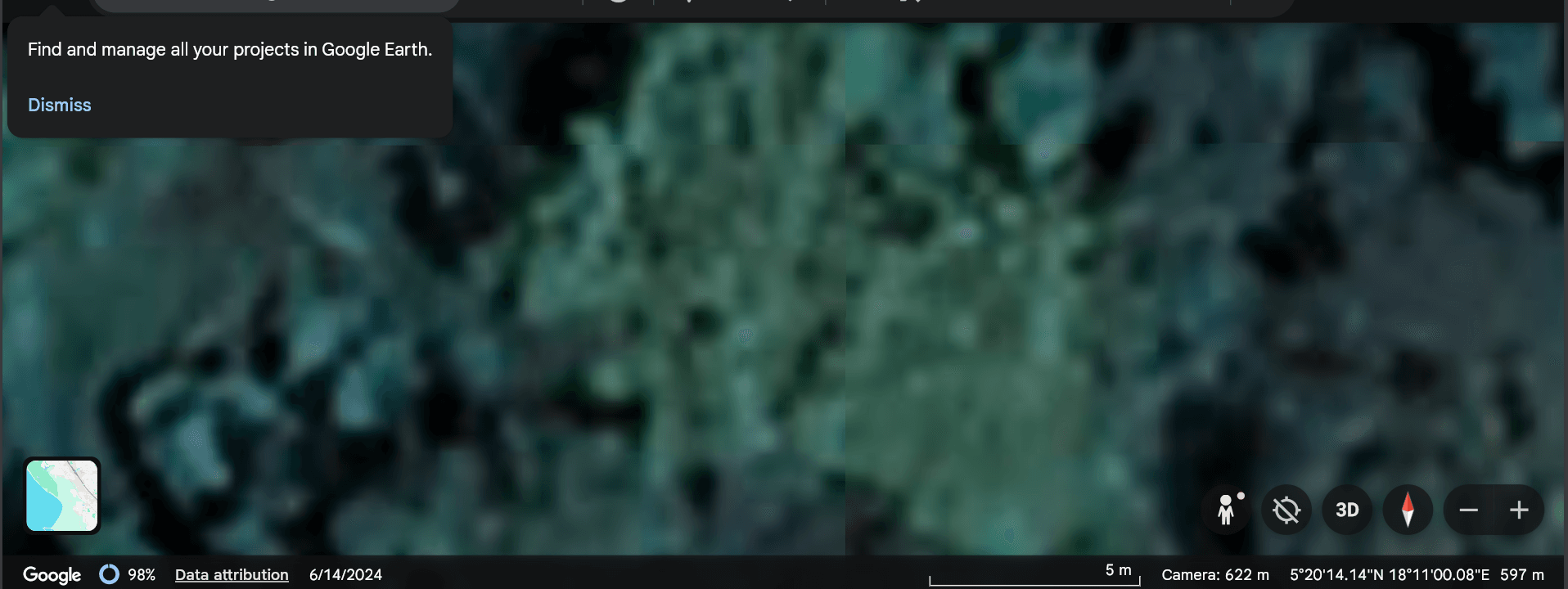
Google Earth streams high-definition imagery over the internet. When you zoom into a location, the platform initially loads a low-resolution placeholder tile while the full-quality image downloads in the background.
On a fast, stable connection this happens quickly and you may not notice it. On a slow or unstable connection, the placeholder never upgrades and the blurry tile stays on screen indefinitely.
How to Fix This
On desktop, wait a few seconds after zooming in before concluding the image is low resolution. Switch to a stronger connection if images consistently fail to sharpen. In Google Earth Pro, go to Tools, then Options, then Cache, and clear the disk cache. Corrupted cache files can prevent high-resolution tiles from loading correctly.
On mobile, ensure your Google Maps app is fully updated. Outdated versions sometimes have rendering issues that produce blurry tiles regardless of connection speed.
Reason 4: Intentional Blurring for Privacy and Security
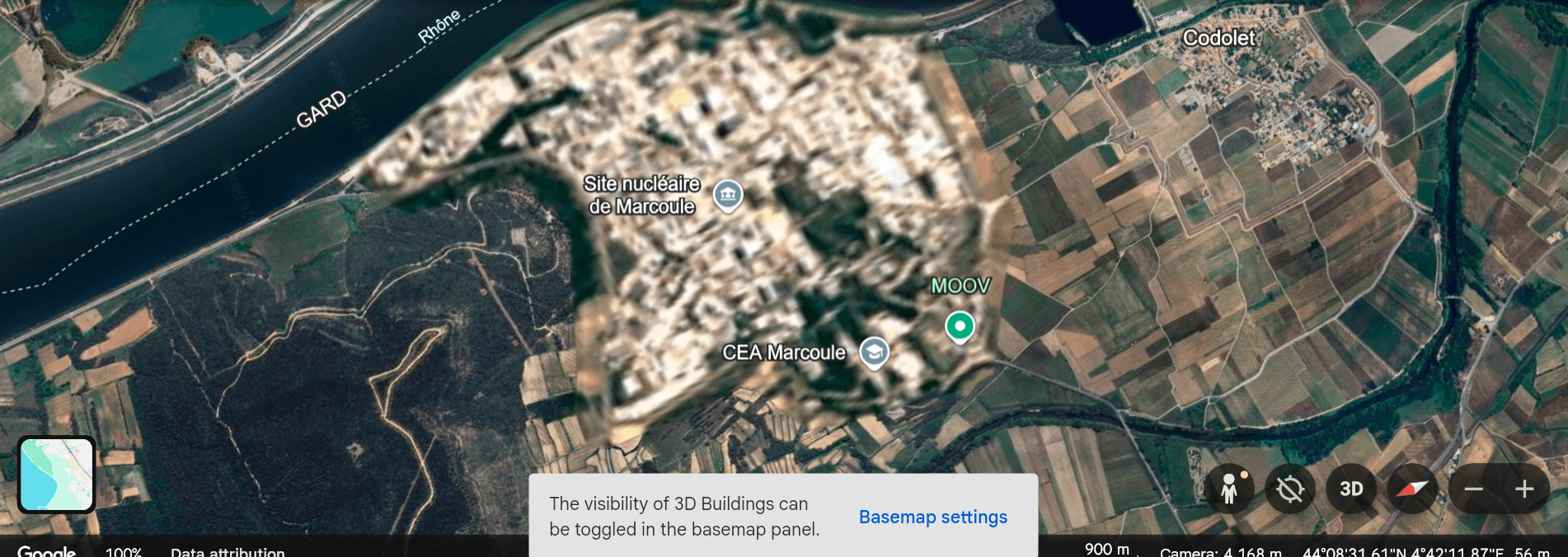
Some locations in Google Earth are deliberately blurred. This is intentional and permanent for certain categories of sensitive sites.
Military and government facilities: Bases, intelligence facilities, and defence infrastructure in many countries are blurred at the request of governments. The level of blurring varies by country and changes over time as geopolitical sensitivities shift.
Private residences: Homeowners in some countries can request that their home be blurred in Street View. This applies to the ground-level Street View layer, not the satellite view.
Faces and licence plates in Street View: Google’s automated systems blur faces and vehicle registration plates in Street View imagery to protect privacy. This is applied consistently and is separate from the satellite view.
If you are looking at a specific site and find it conspicuously blurred relative to its surroundings, it is likely on a government or corporate restricted list rather than being a data quality issue.
Reason 5: The 3D Buildings Layer Glitch
Google Earth has a known bug that causes blurriness when the 3D buildings layer is enabled in areas that only have 2D flat imagery. The 3D layer attempts to apply depth rendering to a flat image, which degrades the visual quality of the underlying imagery.
How to Fix This
Turn off the 3D buildings layer in the sidebar. The imagery underneath will return to its native quality. This is one of the fastest and most effective fixes for blurriness in Google Earth and is often overlooked.
Reason 6: Atmospheric Interference at Time of Capture
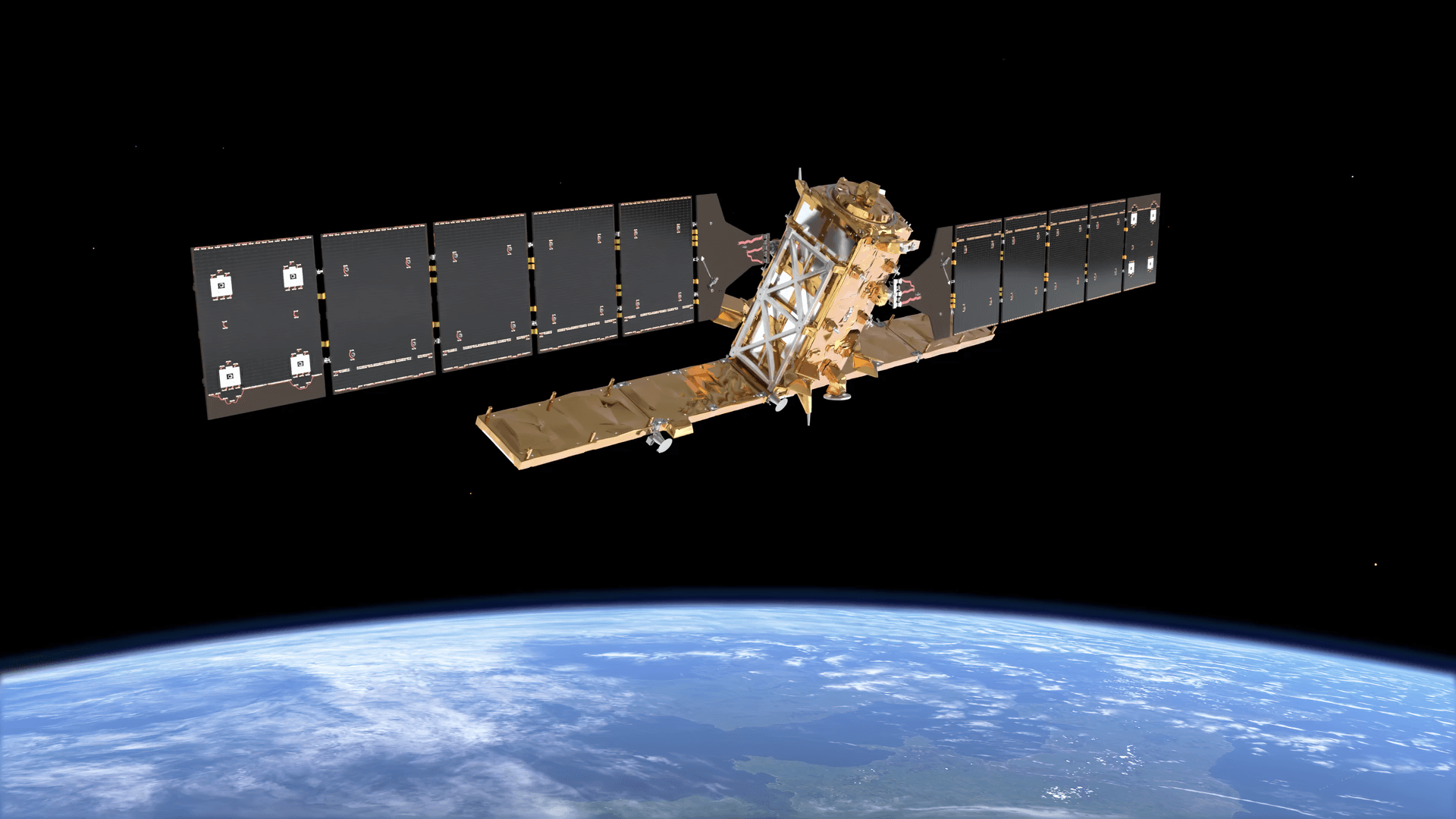
Satellite images are captured from 400km to 600km above the Earth. At that altitude, the atmosphere itself affects image quality. Cloud cover, haze, smog, dust, and water vapour can all soften and obscure imagery even when the satellite sensor itself is performing perfectly.
Professional-grade satellite imagery undergoes atmospheric correction during processing to remove haze and restore true surface reflectance. This is part of the orthorectification and preprocessing workflow that produces Level 3 analysis-ready data.
Free consumer mapping products use less intensive processing pipelines. Some imagery in Google Earth has visible haze across entire regions, particularly in areas with persistent atmospheric pollution or seasonal smoke from agricultural burning.
Reason 7: The Physical Resolution Tradeoff
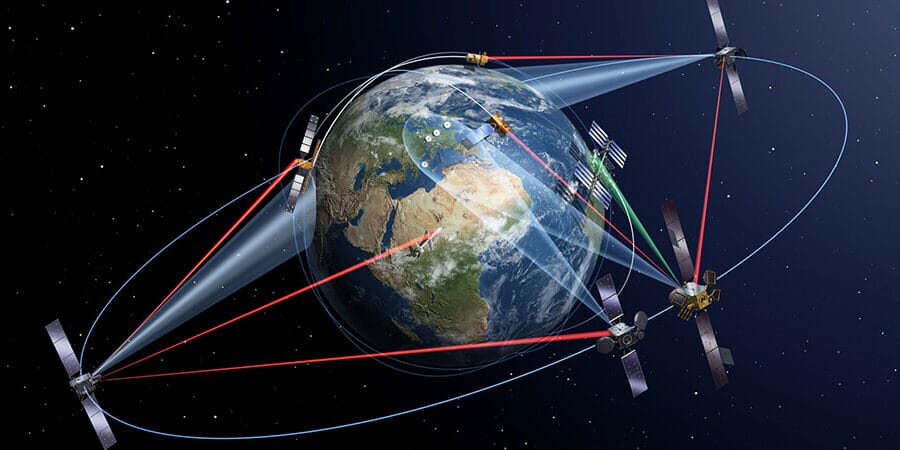
Satellite engineers cannot maximize spatial resolution, temporal resolution, and coverage area simultaneously. To cover the entire planet frequently enough to keep a global map current, satellites use wide swath widths, which means each pixel covers a larger area on the ground. This is the fundamental physics behind why free global maps are blurry in many regions.
A satellite like GF-1 covers an 830km swath in a single pass at 16m GSD. This lets it revisit the entire Earth’s land surface every few days, which is why it is used for wide-area monitoring and global basemap coverage. But at 16m GSD, individual buildings are not visible.
A satellite like SuperView Neo-1 covers a 12km swath at 0.3m GSD. It can show individual vehicles and road markings, but it takes much longer to accumulate global coverage at that resolution.
Google Earth uses a combination of both: sharp imagery where commercial demand justifies the cost, and wide-area medium-resolution data everywhere else.
Reason 8: Image Compression
To manage the enormous data volume of global satellite coverage and keep load times fast for billions of users, Google compresses its imagery using formats like JPEG 2000 and MrSID (SID). Compression reduces file size by discarding some image data. The more aggressively an image is compressed, the more visual detail is lost.
This is particularly noticeable in areas where the original imagery was already moderate resolution. Compression on top of a 5m GSD image pushes it further toward blurriness. In contrast, a 0.3m image compressed at the same ratio still retains far more usable detail because it started with so much more.
Buy professional satellite imagery from XRTech, it is delivered in GeoTIFF format, which supports lossless compression. This preserves full radiometric and spatial detail for analysis. Consumer maps prioritize fast loading over analytical fidelity, which is the right trade-off for navigation but the wrong one for technical work.
Reason 9: Zoom Level Restrictions
Google Earth and Google Maps cap the resolution available at certain zoom levels. When you zoom in past a specific threshold, the platform may not have higher-resolution tiles to display and instead stretches the existing lower-resolution image to fill the screen. This pixel stretching is what looks blurry at maximum zoom.
Some areas are intentionally capped at a lower resolution regardless of zoom level. This can be because higher-resolution data is not available for that location, or because the resolution cap is part of a licensing or security restriction on the dataset.
How to Fix This
Try zooming in gradually rather than jumping to maximum zoom. Some areas do have higher-resolution tiles available at intermediate zoom levels that are not visible at the widest view. If the imagery does not sharpen as you zoom, the area is capped and no fix exists within Google Earth.
Reason 10: Timelapse and Historical Imagery
Google Earth’s Timelapse feature lets you step through years of imagery to see how a location has changed over time. To make this fast enough to animate across decades of data, the feature uses lower-resolution image files than the current view layer.
If you are using Timelapse or browsing historical captures and notice blurriness, this is the cause. It is a deliberate compression trade-off to make the feature load in seconds rather than minutes.
Why Professional Satellite Imagery Is Sharper Than Google Earth
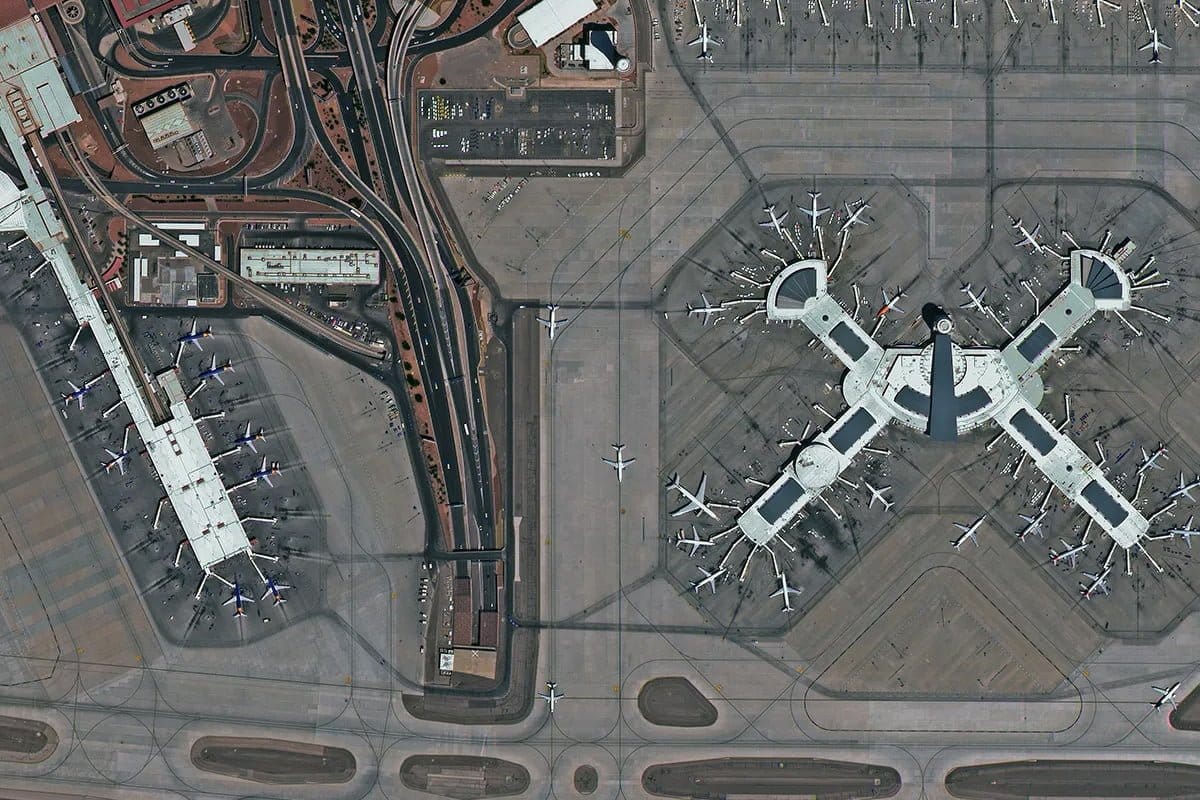
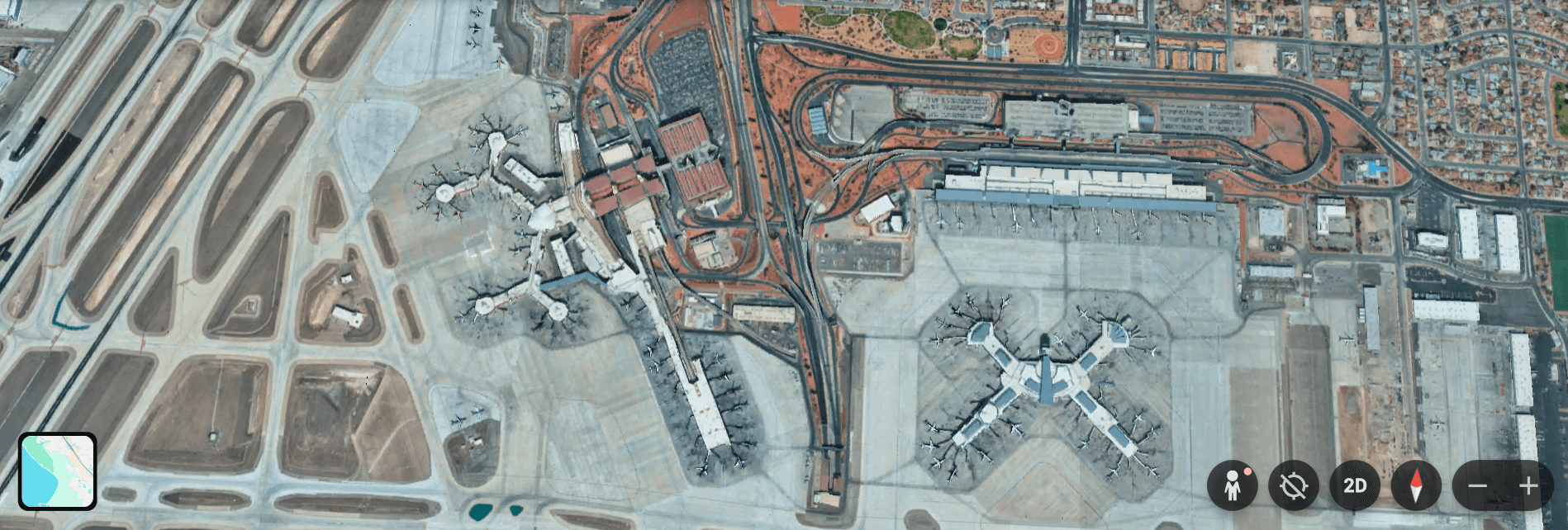
The difference between Google Earth and professional satellite imagery is not primarily about the sensors. The sensors that supply data to Google Earth include some of the same commercial satellites used by professional providers. The difference is in resolution tier selection, processing quality, and geographic prioritisation.
| Factor | Google Earth (Free) | XRTech Professional Imagery |
|---|---|---|
| Best available resolution | 15cm in select cities | 0.3m globally, any AOI |
| Rural and remote coverage | 2m to 30m typical | 0.3m to 2m on demand |
| Data age | Archive, often 1 to 3 years old | Archive from 1999 or fresh tasking in 7 days |
| Processing level | Variable, consumer-grade | Orthorectified Level 3 with atmospheric correction |
| Cloud cover | Present in many areas | Specified cloud cover limit at time of tasking |
| Geometric accuracy | Variable | 5m to 8m CE90 at nadir, improvable with GCPs |
| Spectral data | RGB only | Multispectral, hyperspectral, SAR |
| Use case | Navigation and reference | Analysis, engineering, monitoring, compliance |
What Resolution Do You Actually Need?
Google Earth is sufficient for getting a general sense of a location, planning a visit, or understanding the rough layout of an area. It is not sufficient for:
- Identifying individual vehicles or counting assets in a facility
- Measuring building footprints or road widths accurately
- Detecting changes in vegetation health or surface conditions
- Supporting engineering decisions or regulatory compliance
- Monitoring active construction or infrastructure development
For any of these applications, professional satellite imagery at 0.3m to 1m resolution is the standard. XRTech archive imagery at 0.3m starts at $20/km2. A fresh capture on a specific date starts at $30/km2. The step up from Google Earth blurriness to professional clarity costs less than most people expect for a targeted AOI.
Get Satellite Imagery Sharper Than Google Earth
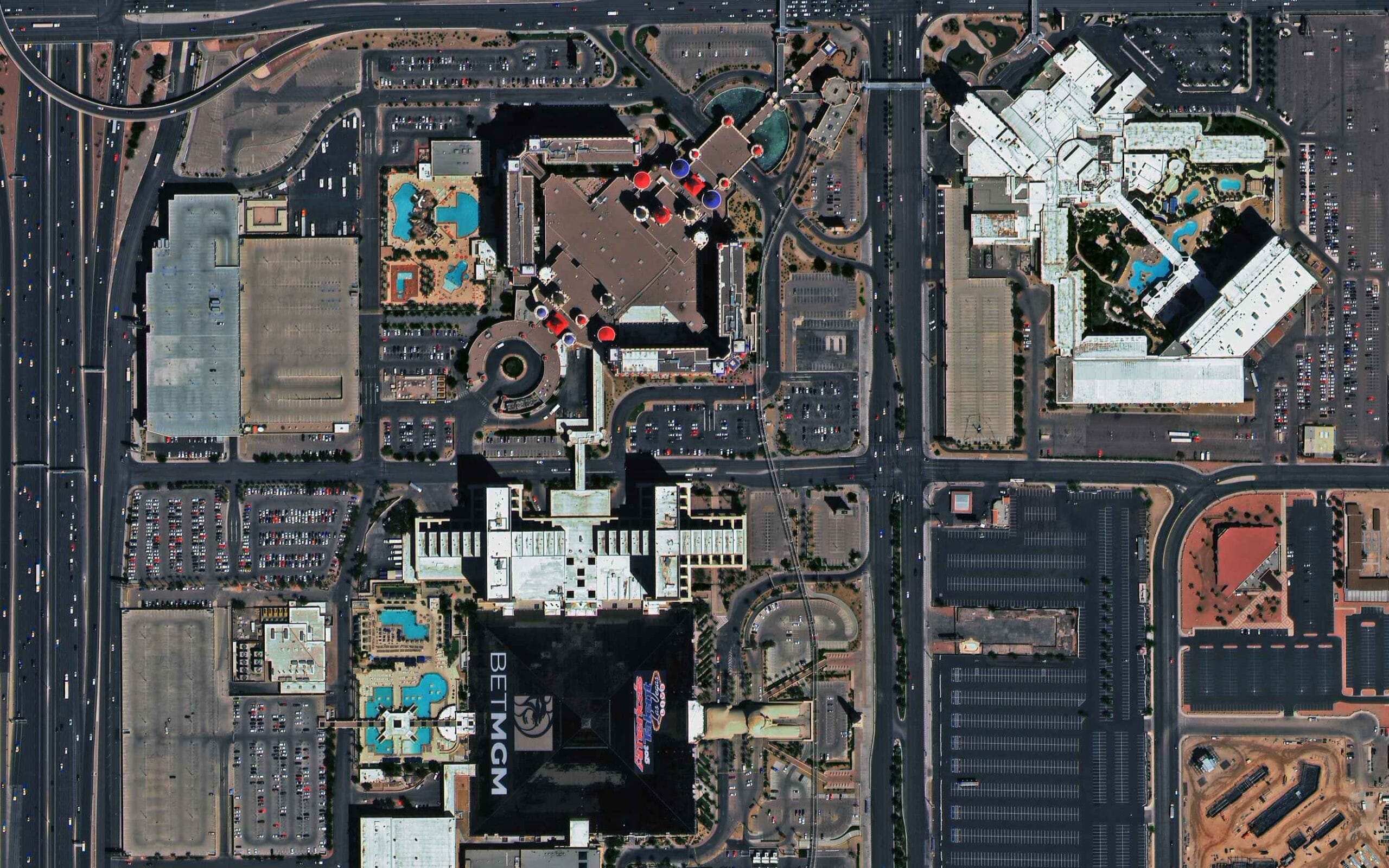
XRTech provides satellite imagery at 0.3m to 2m resolution for any location on Earth. Archive orders are delivered within 48 hours from $1/km2. New tasking is available from $8/km2 with a specified cloud cover limit and off-nadir angle.
If Google Earth’s blurriness is affecting your project decisions, contact XRTech with your AOI. We will confirm the best resolution tier and deliver a free sample tile within 24 hours.
Quick Fix Guide: Google Earth Blurry Images
| Cause | Fix |
|---|---|
| Slow internet loading placeholder | Wait for tiles to load, or switch to faster connection |
| Corrupted disk cache | Tools, Options, Cache, Clear disk cache (Google Earth Pro) |
| 3D buildings layer bug | Turn off 3D buildings in the sidebar |
| Low resolution area | No fix in Google Earth: order professional imagery |
| Outdated archive data | No fix in Google Earth: order fresh tasking from XRTech |
| Intentional security blurring | No fix: area is restricted |
| Atmospheric haze in original capture | No fix in Google Earth: professional imagery uses atmospheric correction |
| Image compression artefacts | No fix in Google Earth: professional GeoTIFF delivery uses lossless compression |
| Zoom level restriction | Zoom in gradually; if it does not sharpen the area is capped |
| Timelapse mode | Exit Timelapse and return to current imagery layer |
| Browser zoom not at 100% | Press Ctrl + 0 on PC or Cmd + 0 on Mac |
FAQs
Why is Google Earth blurry in my area?
The most common reason is that Google Earth does not have high-resolution coverage for your location. Rural, remote, and less commercially prioritised areas use medium-resolution satellite data at 2m to 30m per pixel, which looks blurry when zoomed in. Other causes include slow internet, outdated archive data, and the 3D buildings layer bug.
Why is Google Maps blurry on my phone?
Blurry Google Maps on mobile is usually caused by a slow internet connection loading a low-resolution placeholder, or an outdated app version with rendering issues. Ensure your app is fully updated and you are on a strong connection. If the area itself has low-resolution coverage, the imagery will remain blurry regardless of connection speed.
Why are some images blurred on Google Maps?
Some areas are intentionally blurred by Google for security and privacy reasons. Military bases, intelligence facilities, and government sites in many countries are permanently blurred at government request. Private homeowners can also request blurring of their property in Street View. These blurs are deliberate and cannot be removed.
Why does Google Earth look worse than it used to?
This is often caused by a corrupted disk cache showing outdated low-resolution tiles instead of the current imagery. In Google Earth Pro, go to Tools, Options, Cache, and clear the disk cache. Also check that the 3D buildings layer is turned off if you are in an area with only 2D coverage.
How do I fix blurry Google Maps on desktop?
Reset your browser zoom to exactly 100% by pressing Ctrl + 0 on PC or Cmd + 0 on Mac. Clear your browser cache or open Google Maps in an incognito window. If the blurriness persists, the area may simply not have high-resolution coverage in Google’s dataset.
Is there a better alternative to Google Earth for high-resolution imagery?
Yes. Professional satellite imagery providers including XRTech supply imagery at 0.3m resolution globally, sharper than what Google Earth shows in most areas. XRTech archive imagery starts at $1/km2 and new tasking starts at $8/km2 for any location on Earth, with delivery in 48 hours for archive and 7 days for fresh capture.
Why is Google Earth clear in cities but blurry in rural areas?
High-resolution satellite coverage is commercially prioritised for urban areas where demand is highest. Major cities receive sub-metre imagery that shows individual vehicles and building details. Rural and remote areas are covered by wider-swath medium-resolution satellites where each pixel covers several metres. The difference can be dramatic when you pan from a city to its surrounding countryside.
What resolution does Google Earth use?
Google Earth uses a mosaic of imagery at different resolutions depending on location. Major urban areas can reach 15cm to 50cm resolution from aerial surveys. Most cities are 50cm to 1m. Rural areas typically range from 1m to 5m. Remote regions may be 10m to 30m or coarser. There is no single resolution: it varies by location and the imagery available to Google for that area.
Does weather affect Google Earth image quality?
Yes. Satellite images are captured from orbit and atmospheric conditions at the time of capture affect image quality. Cloud cover, haze, smog, and dust soften imagery. Professional imagery vendors allow you to specify a maximum cloud cover limit when tasking new imagery. Free consumer maps use whatever imagery is available and may include cloud-affected captures.
Can I get sharper satellite imagery than Google Earth for my specific location?
Yes. XRTech provides imagery at 0.3m resolution for any location on Earth, which is sharper than what Google Earth shows in almost all areas outside major cities. Archive imagery is available from $1/km2 and includes full metadata on capture date, cloud cover, and off-nadir angle. Contact XRTech with your coordinates for a free sample tile.
Blog Summary
- Google Earth is blurry in many areas because it uses wide-area satellite imagery at 2m to 8m resolution where sub-metre data is not available
- Rural and remote locations get lower resolution coverage because high-resolution tasking is expensive and commercially prioritised for urban areas
- Slow or unstable internet causes Google Earth to load low-resolution placeholders that never sharpen if the connection drops
- Archive imagery can be several years old and may not reflect the current state of rapidly developing or changing areas
- Sensitive locations including military bases, government facilities, and some international borders are intentionally blurred for security reasons
- The 3D buildings layer causes a known blurriness bug in areas that only have 2D imagery data
- Atmospheric interference including cloud cover, haze, and smog at the time of capture can make imagery appear soft or washed out
- Image compression in formats like JPEG 2000 reduces file size for fast loading but discards visual detail in the process
- Zoom level restrictions cap resolution in certain areas so zooming in stretches existing pixels rather than loading sharper tiles
- The Timelapse feature uses lower-resolution compressed files to enable fast animation across decades of data