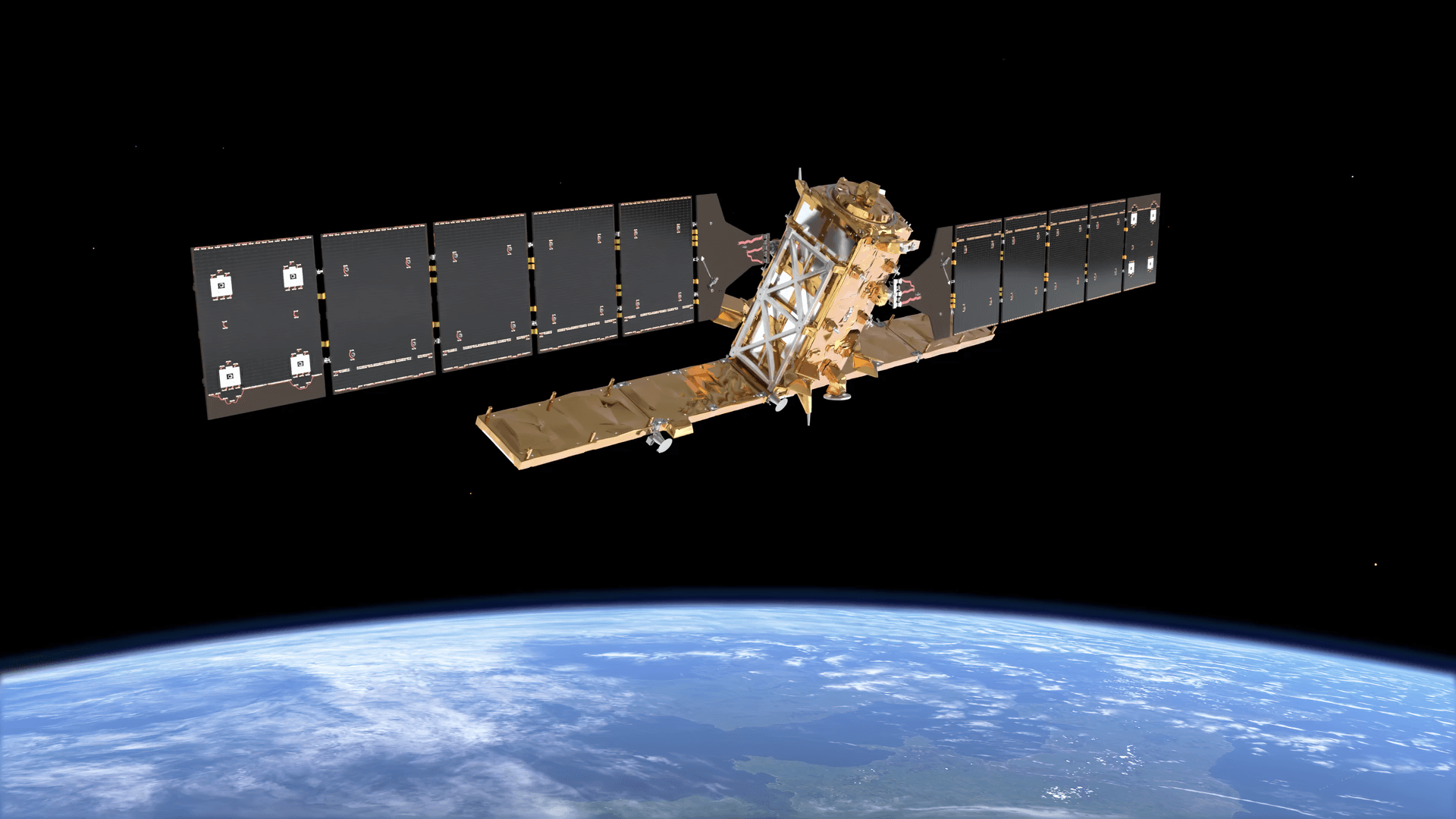
Quick Answer: Before purchasing high resolution satellite imagery, define your Area of Interest (AOI), then evaluate spatial resolution (pixel size on the ground), sensor type (optical or SAR), spectral bands, revisit frequency, radiometric bit depth, archive vs new tasking, geolocation accuracy, preprocessing level, file format compatibility, licensing rights, and price per km2. Getting even one of these wrong means data that cannot answer your question or a budget that does not match the output.
Intro
Satellite imagery is not a single product. It is a set of technical specifications, and every one of them affects what your data can do. Ordering the wrong sensor type, the wrong resolution tier, or the wrong processing level means you get data that looks right but cannot answer the question your project depends on.
This guide covers every factor you need to check before committing to a purchase, using XRTech’s constellation of over 130 satellites as the reference point throughout. If you want to buy satellite imagery visit here.
1. Define Your Area of Interest (AOI) First
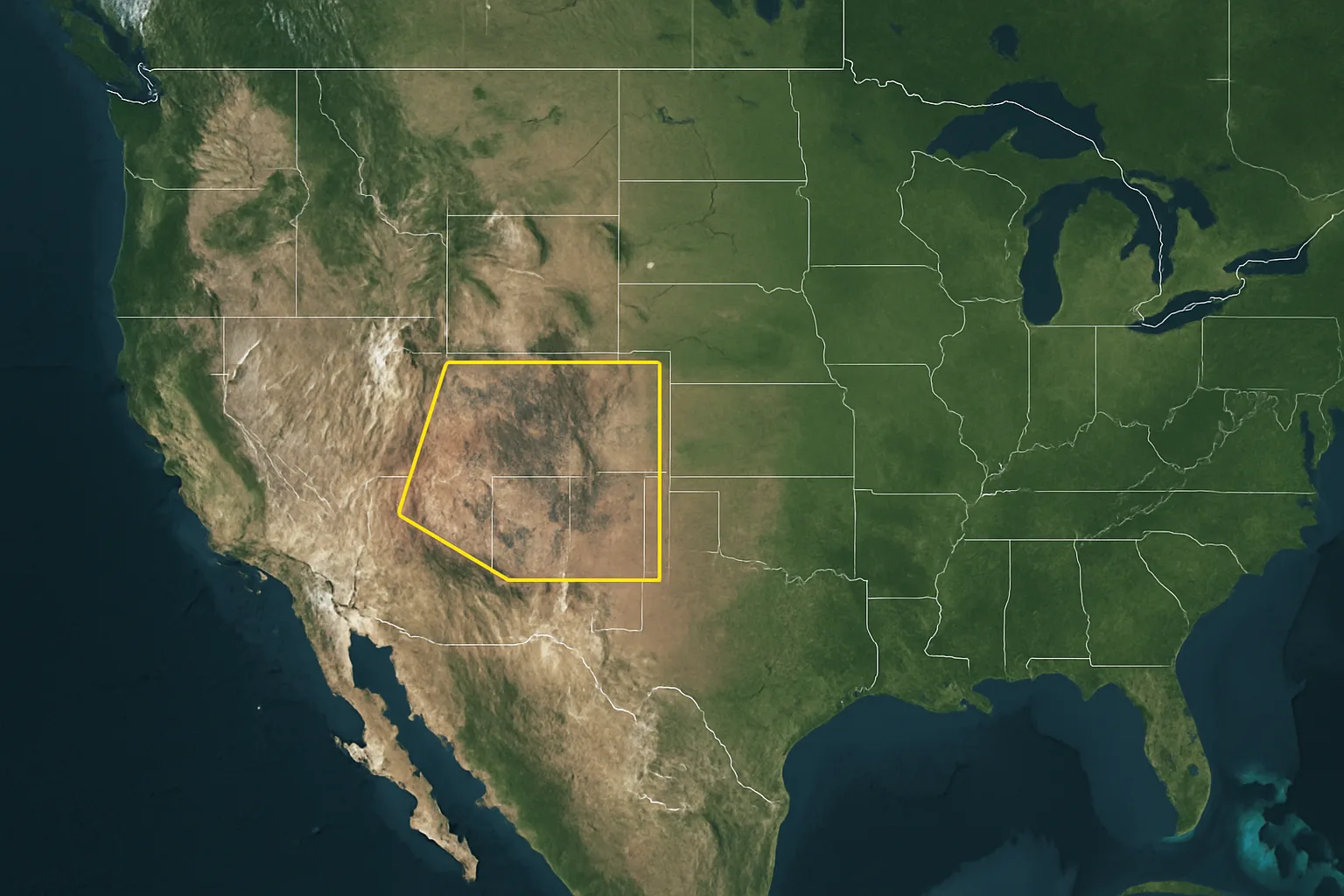
Before you look at any sensor specification, define your AOI precisely. The AOI determines the minimum order size, the cost per km2, the available archive footprints, and the tasking feasibility for your location.
XRTech requires a minimum of 25 km2 for archive orders and 100 km2 for new tasking. Knowing your exact AOI coordinates before you contact a provider saves time and gives you an accurate quote immediately.
AOI size also affects which resolution tier is cost-effective. A 0.3m VHR order over 5,000 km2 is a very different budget conversation than a 2m order over the same area.
2. Spatial Resolution and GSD
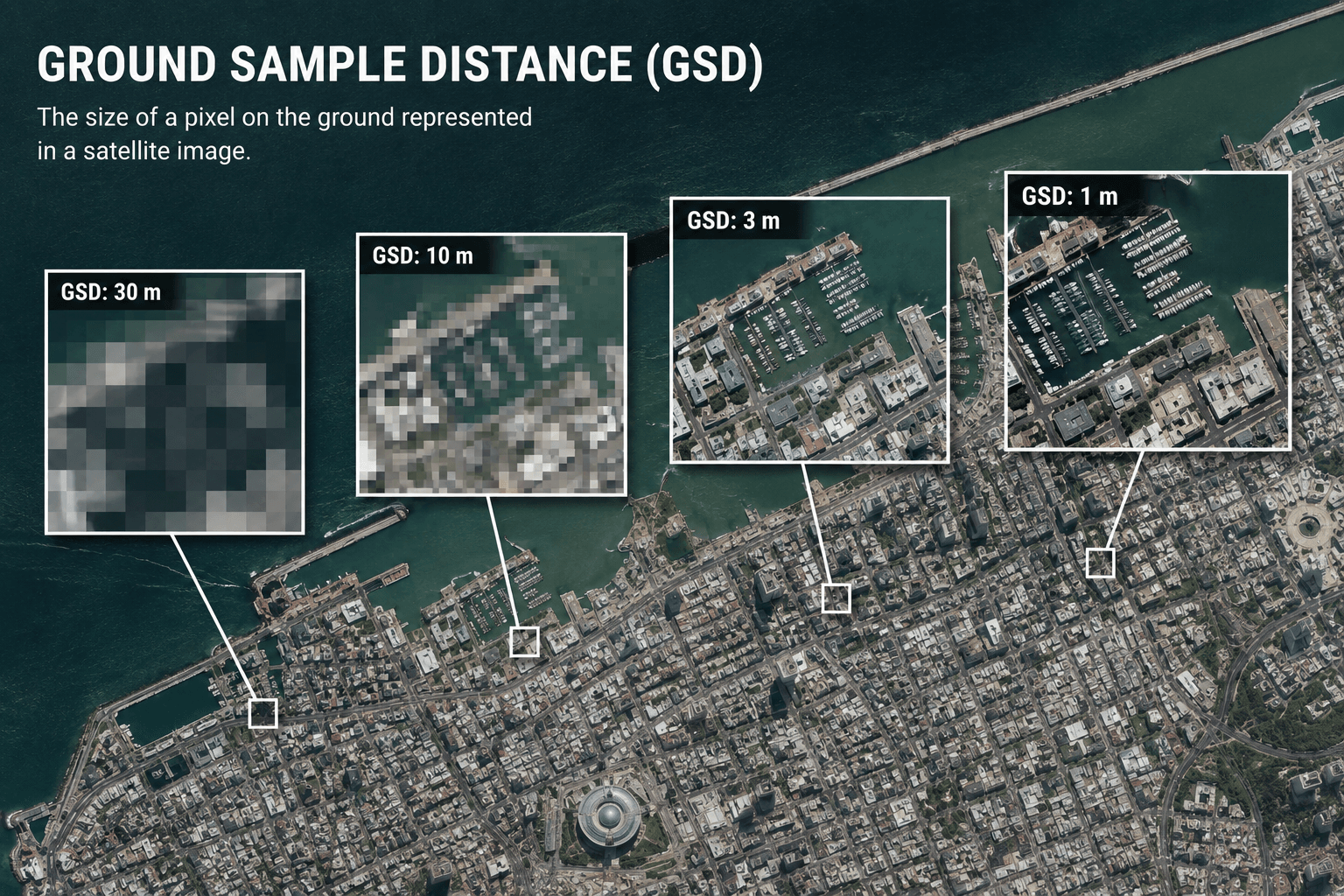
Spatial resolution is defined by Ground Sampling Distance (GSD): the real-world size of one pixel in the image. A 0.3m GSD means each pixel covers a 30cm x 30cm square on the ground. The smaller the GSD, the more detail you can detect and measure.
Resolution Tiers and What They Reveal
Choosing the Right Tier
For urban planning and infrastructure inspection, 0.25m to 0.5m is the standard. For precision agriculture and vegetation monitoring, 2m to 10m with the right spectral bands is more cost-effective and analytically richer than a VHR image with limited bands. For national land cover surveys, 8m to 16m covers large areas at a fraction of the cost.
The rule is simple: identify the smallest feature you need to detect, divide its size by 4, and that gives you the maximum acceptable GSD. Do not pay for resolution your application does not need.
3. Sensor Type: Optical vs SAR
Choosing between optical and SAR is one of the most important decisions in the purchase process. It is not a question of quality. It is a question of what conditions you are working in and what you need to measure.
Optical Imagery
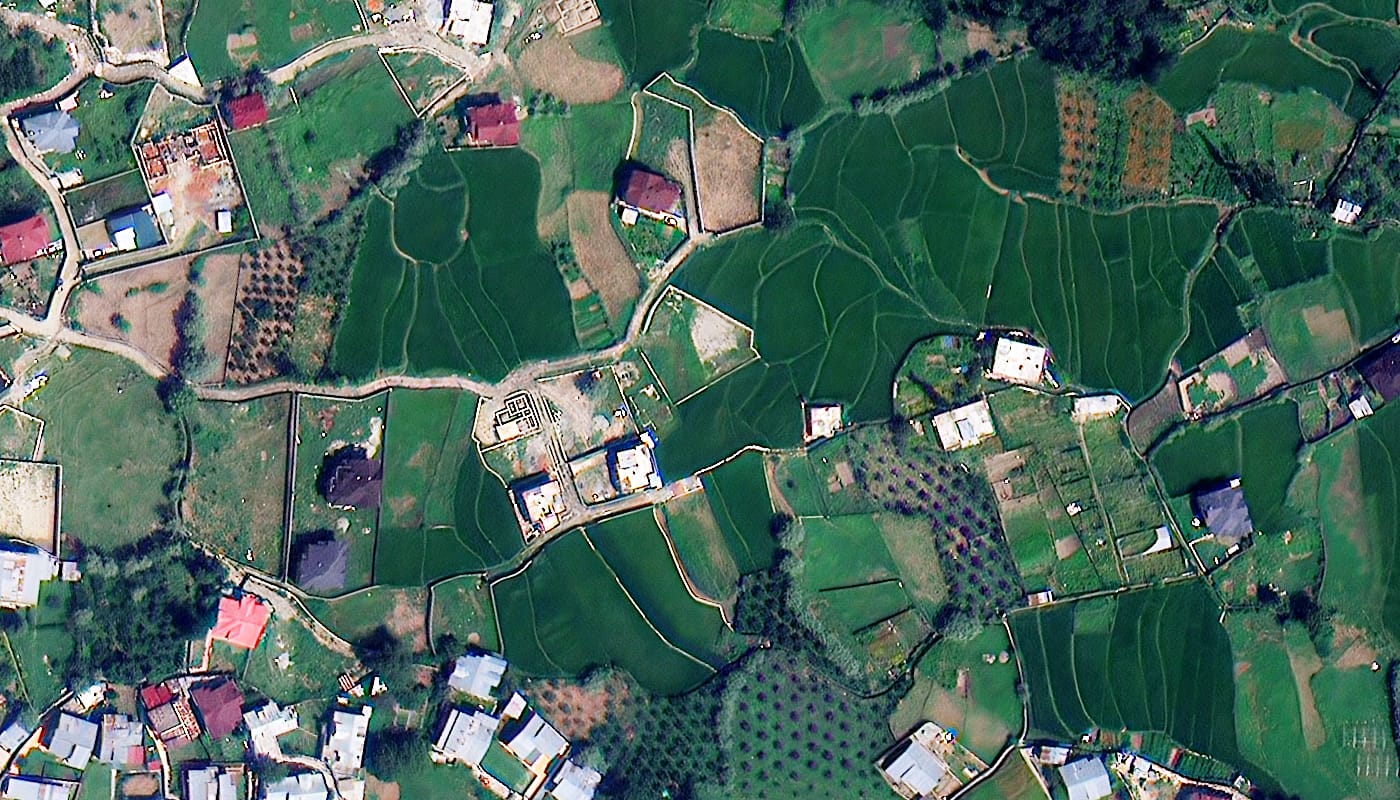
Optical sensors capture reflected sunlight, similar to a high-altitude photograph. They produce natural colour and multispectral images that are easy to interpret visually and compatible with standard GIS workflows.
Optical imagery is ideal for land use classification, vegetation health monitoring, urban mapping, and visual site inspection. The limitation is that optical sensors cannot see through cloud, smoke, fog, or darkness.
SAR Imagery
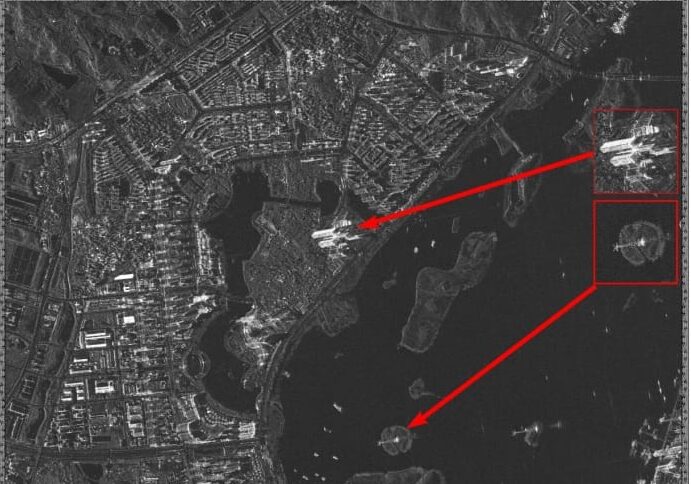
Synthetic Aperture Radar is an active technology that generates its own microwave pulses and records the reflected signal. Because it creates its own illumination, SAR works day and night, in any weather, through cloud, smoke, and haze.
SAR is essential for flood mapping, disaster response in cloud-covered regions, ice monitoring, maritime surveillance, and deformation monitoring. Using Interferometric SAR (InSAR), ground surface movements as small as 1mm to 2mm can be detected. This is critical for monitoring dam integrity, pipeline stability, and subsidence in mining areas.
XRTech SAR Options
| Satellite | GSD | Bands | Best For |
|---|---|---|---|
| GF-3 SAR | 1.0m | C-band | All-weather infrastructure, flood extent |
| LT-1 SAR | 3.0m | L-band | Wide area monitoring, ocean surveillance |
For projects in tropical regions, monsoon-affected areas, or any environment where optical imagery cannot guarantee a cloud-free capture, SAR should be your primary or backup data source.
4. Spectral Resolution: What Bands Do You Need?
Spectral resolution determines what surface properties your imagery can reveal. Two images can have identical spatial resolution but completely different analytical capability depending on the bands they capture.
Spectral Types and Their Uses
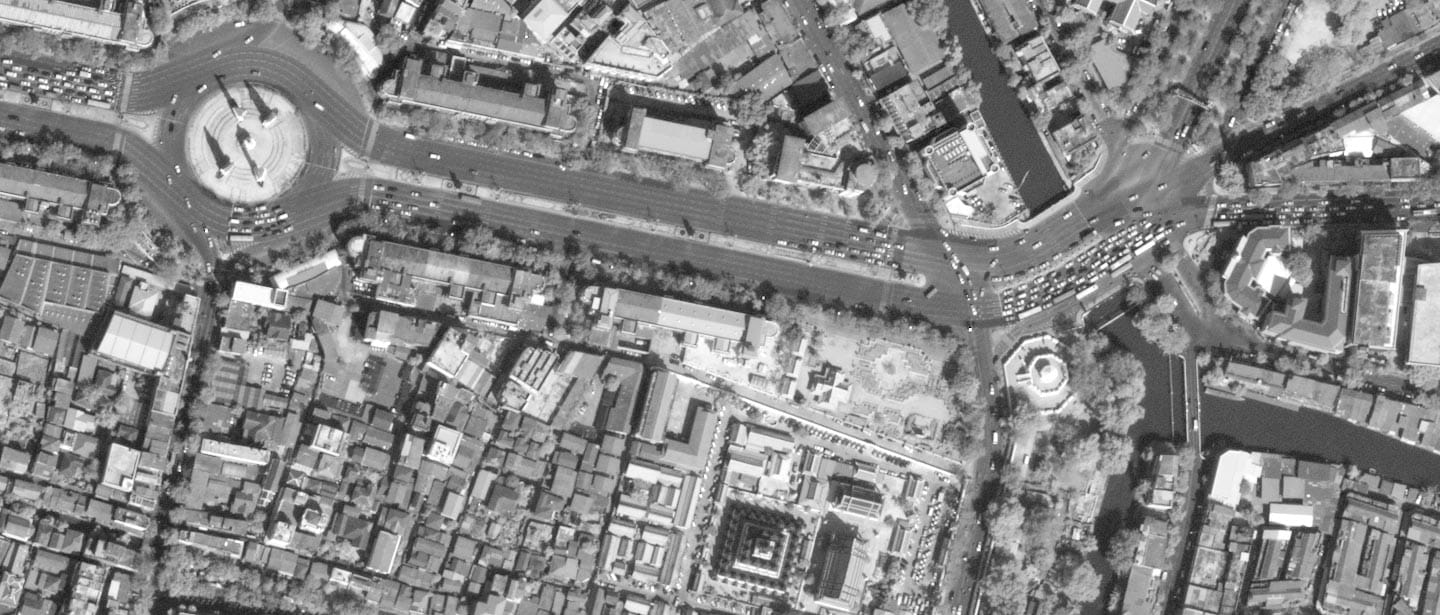
Panchromatic A single broad band capturing visible light in black and white. It offers the highest spatial resolution from a given sensor because all available light energy goes into one channel. Used for fine structural detail and feature identification.
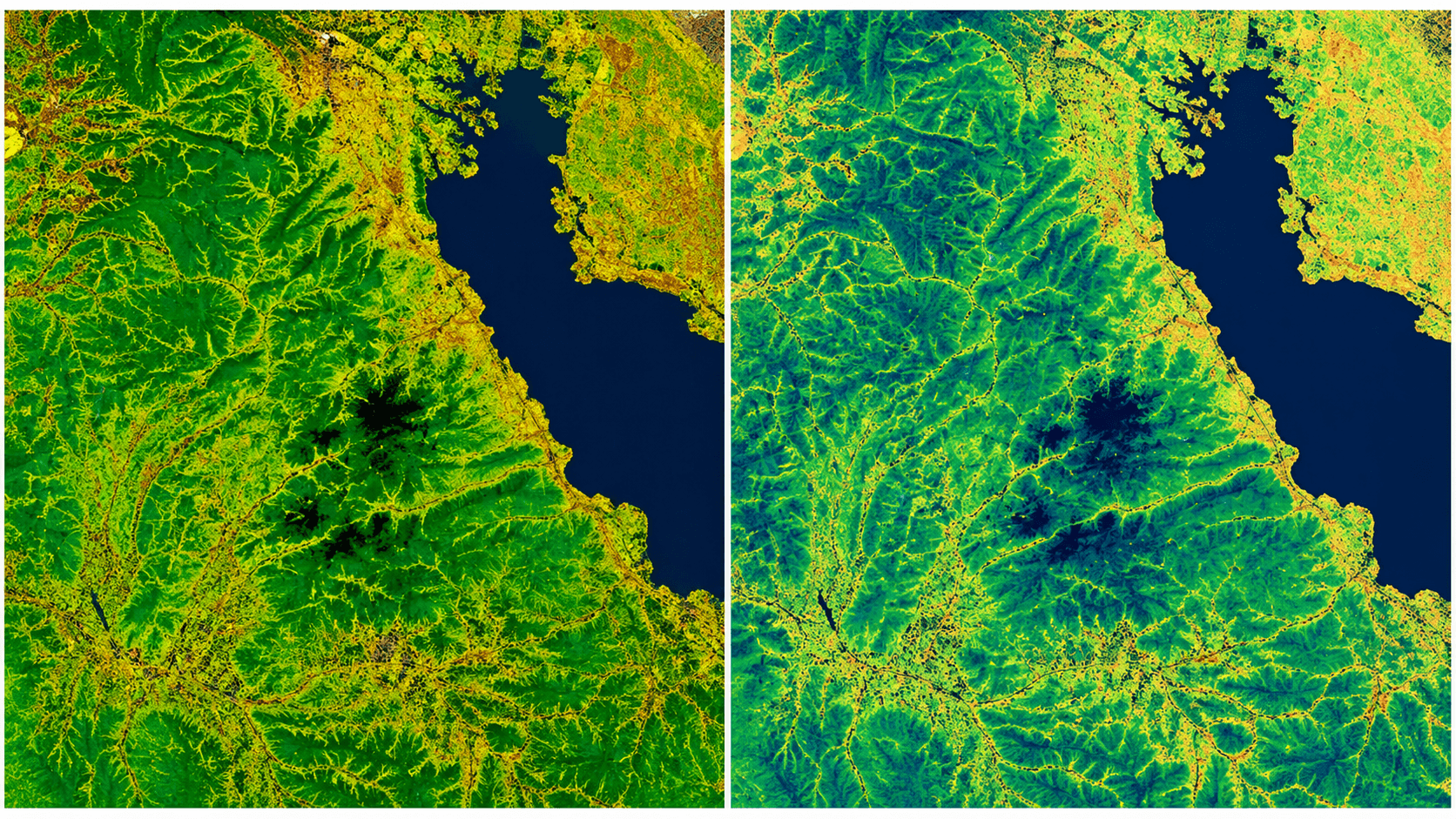
Multispectral Captures 4 to 8 specific bands across visible, near-infrared, red edge, and shortwave infrared wavelengths. This is the standard for precision agriculture, vegetation monitoring, land cover classification, and water body mapping.
Key indices that require multispectral data include NDVI for crop health, NDWI for water extent, and NBR for burn severity assessment.
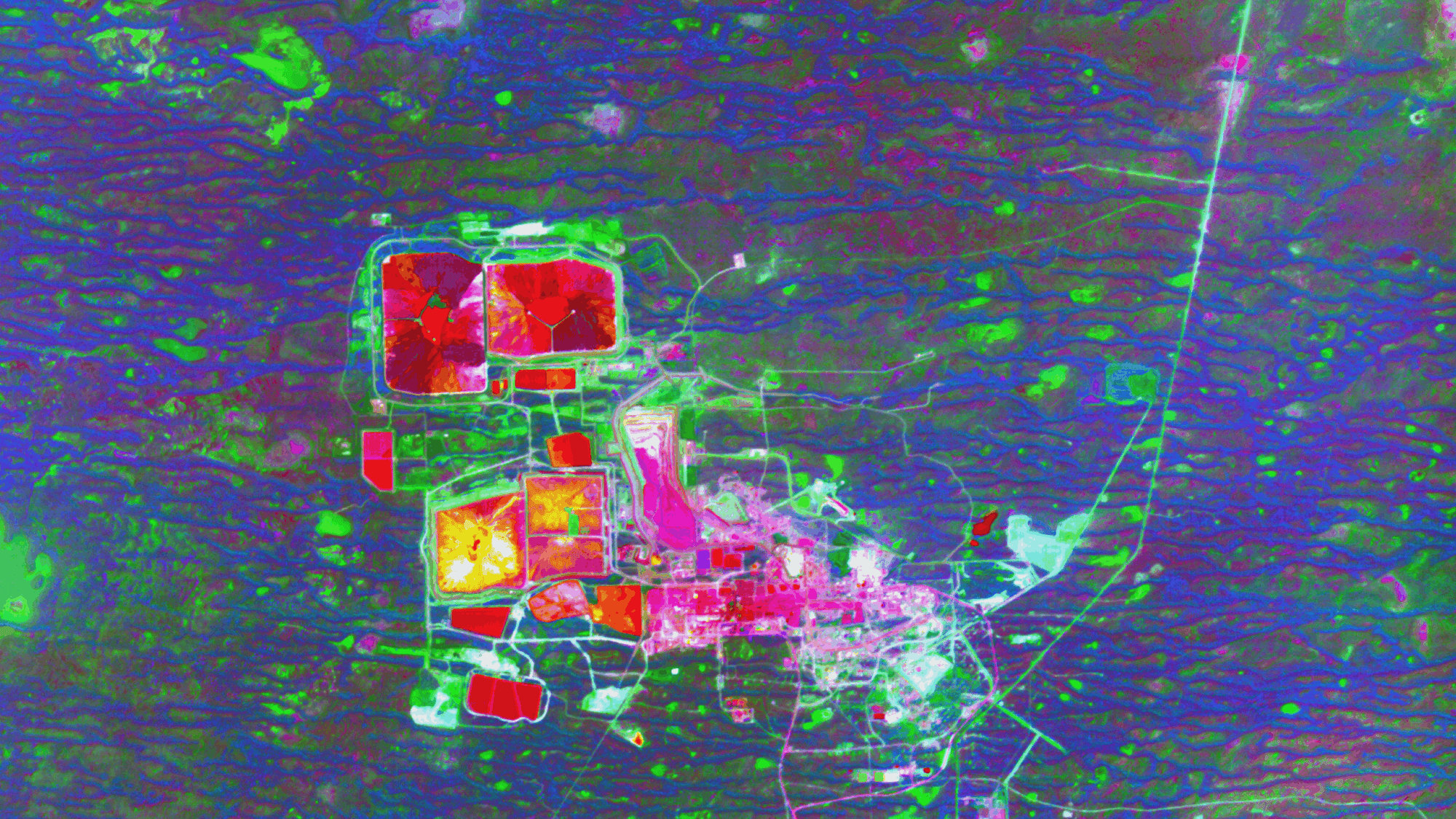
Hyperspectral Captures hundreds of narrow, contiguous bands from 400nm to 2500nm. This enables chemical fingerprinting of surface materials, allowing geologists to identify specific mineral compositions including clays, oxides, and lithium deposits. It also detects chemical leaks, pollution plumes, and vegetation species at a level no multispectral sensor can match.
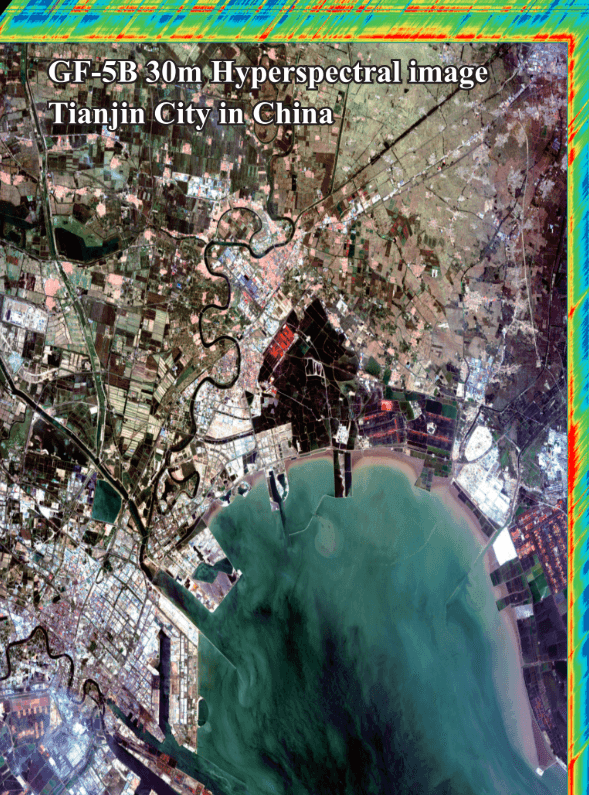
SWIR (Shortwave Infrared) SWIR bands cut through atmospheric haze and reveal mineral alterations, soil moisture, and burn severity that are invisible in standard visible and NIR bands. Essential for geological surveys and fire damage assessment.
XRTech Spectral Options
5. Temporal Resolution: Revisit Rate

Temporal resolution is how often the satellite captures your AOI. For a single baseline image, revisit rate is irrelevant. For monitoring projects, it is often the most critical specification.
Low vs High Temporal Resolution
High temporal resolution (daily to weekly revisit) is needed for active construction monitoring, disaster response, crop growth stage tracking, and security surveillance. Missing a critical observation window can make an entire dataset unusable.
Low temporal resolution (biweekly to monthly) is acceptable for historical change analysis, annual land cover surveys, and geological mapping where ground conditions change slowly.
XRTech Revisit Capabilities
| Satellite | Revisit Rate | Notes |
|---|---|---|
| SuperView Neo-1 | Daily, up to 25x per day | 30 million km2 covered daily |
| SuperView-2 | Daily | Wide swath 8-band coverage |
| GF-4 | Every 20 seconds | Geosynchronous staring capability at 50m GSD |
| GF-3 SAR | 3 to 6 days | All-weather, reliable in cloud cover |
| Sentinel-2 (archive reference) | 5 days | Free, 10m, useful for context layers |
The GF-4 satellite is a unique capability in the XRTech fleet. Because it sits in a geosynchronous orbit at 35,786km, it stares at the same region continuously and can deliver updates every 20 seconds. This is unmatched for disaster monitoring, and tracking fast-moving events. The tradeoff is a 50m GSD, so it complements rather than replaces VHR tasking.
6. Radiometric Resolution: Bit Depth
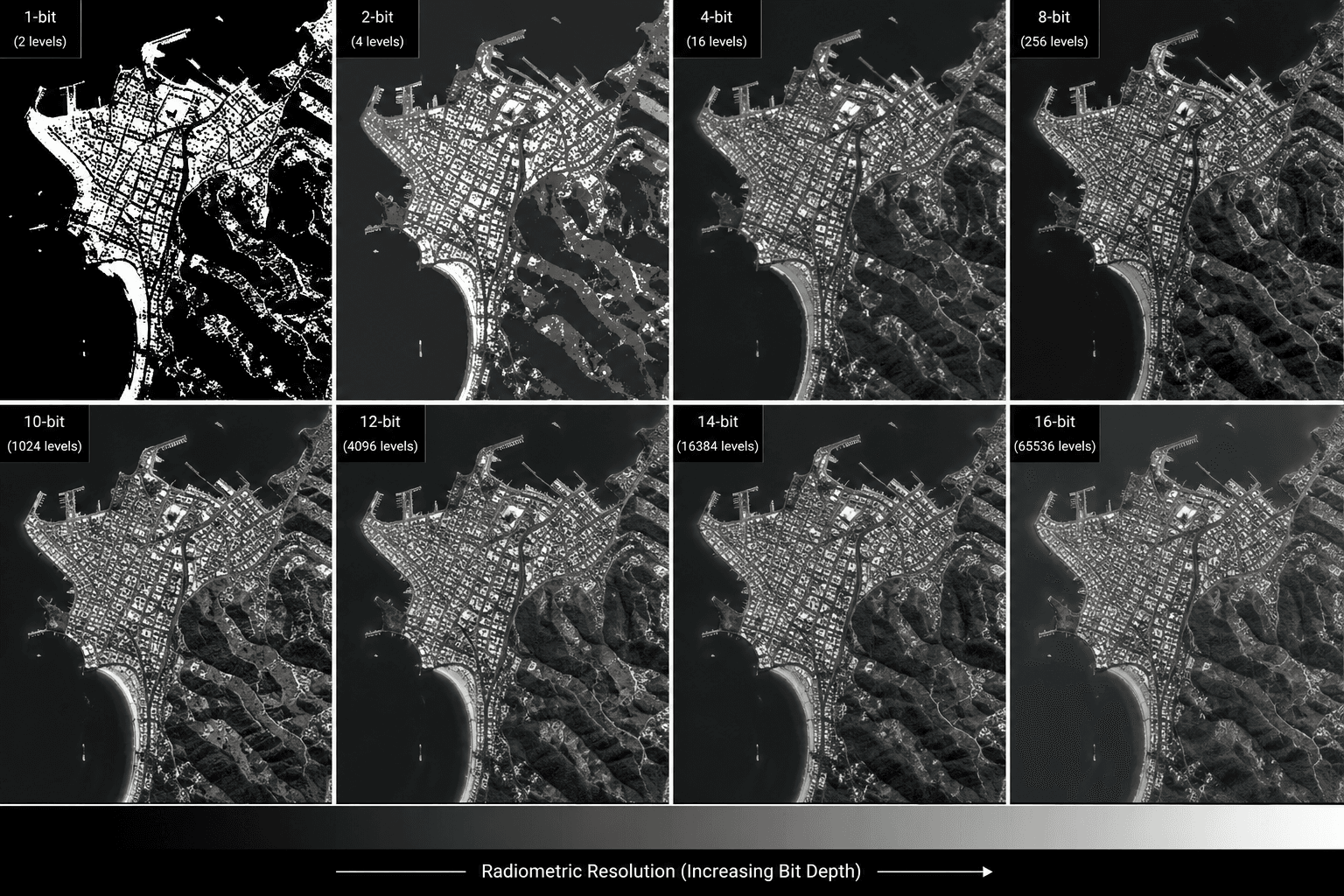
Radiometric resolution is the number of brightness levels the sensor records per pixel. It is measured in bits.
| Bit Depth | Brightness Levels | Best For |
|---|---|---|
| 8-bit | 256 | Visual inspection, general mapping |
| 11-bit | 2,048 | Intermediate analysis, change detection |
| 16-bit | 65,536 | Scientific modelling, TOA correction, radiometric analysis |
For visual identification and standard mapping, 8-bit delivery is sufficient and results in smaller file sizes that are faster to process. For scientific analysis, atmospheric correction, Top of Atmosphere (TOA) reflectance calculations, or any application that requires precise radiometric values, 16-bit data preserves the full analytical fidelity of the sensor.
Always confirm the bit depth of your delivery format before ordering, particularly for agriculture, environmental monitoring, and mineral exploration where quantitative analysis drives decisions.
7. Archive Imagery vs New Satellite Tasking
Satellite Tasking vs Archived Imagery, this decision affects cost, delivery time, and how current your data is.
Archive Imagery
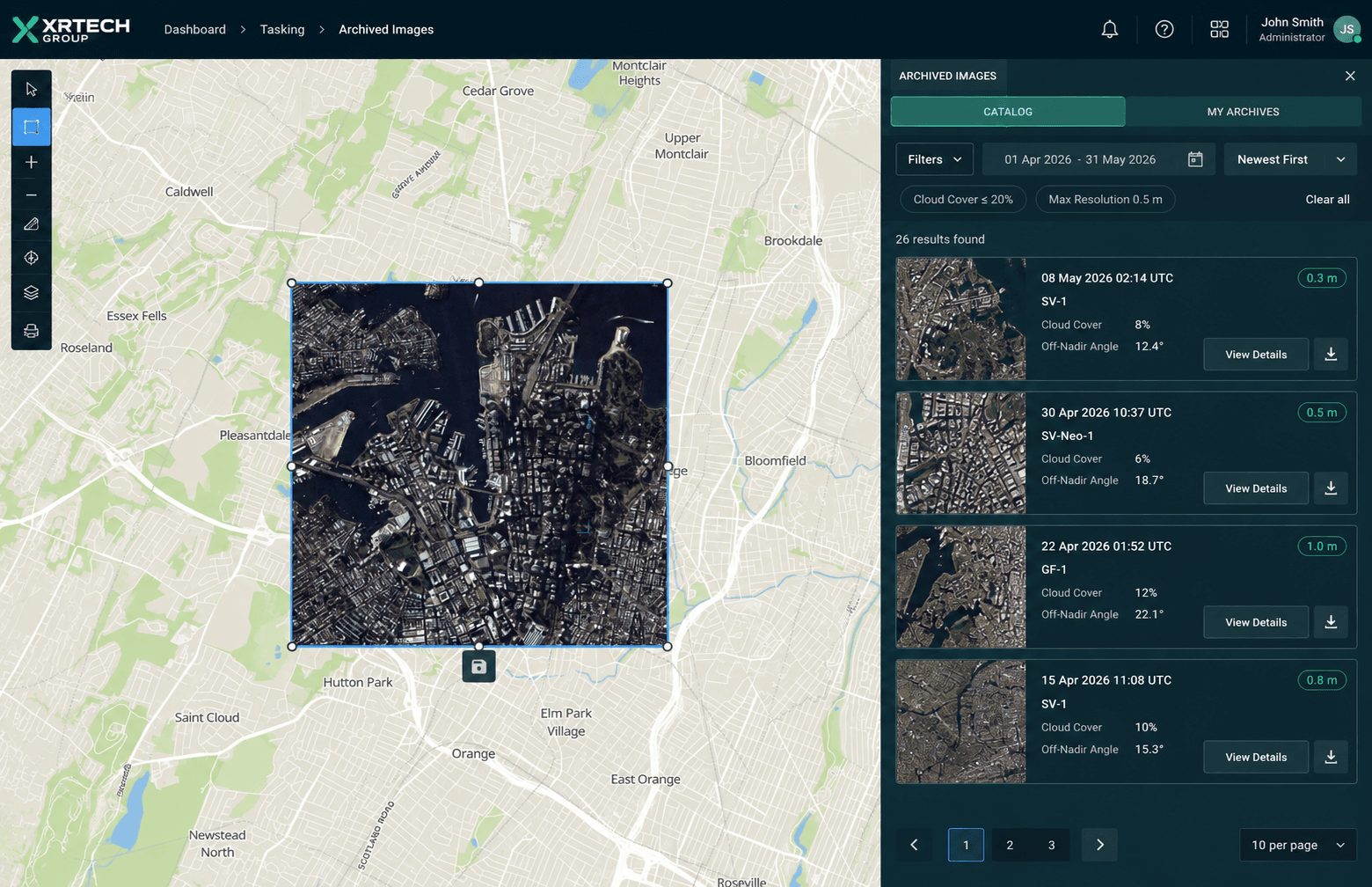
Archive imagery is data already captured by the satellite. For XRTech, archive goes back to 1999 across the fleet. It is the fastest and most affordable option for most projects.
Archive is ideal for historical change analysis, basemap creation, static object identification, and any project where ground conditions from the past are relevant. XRTech archive imagery starts at $1/km2 for 2m resolution and $20/km2 for 0.3m.
The limitation is that you have no control over capture date, cloud cover, or off-nadir angle. You are selecting from what exists.
New Satellite Tasking
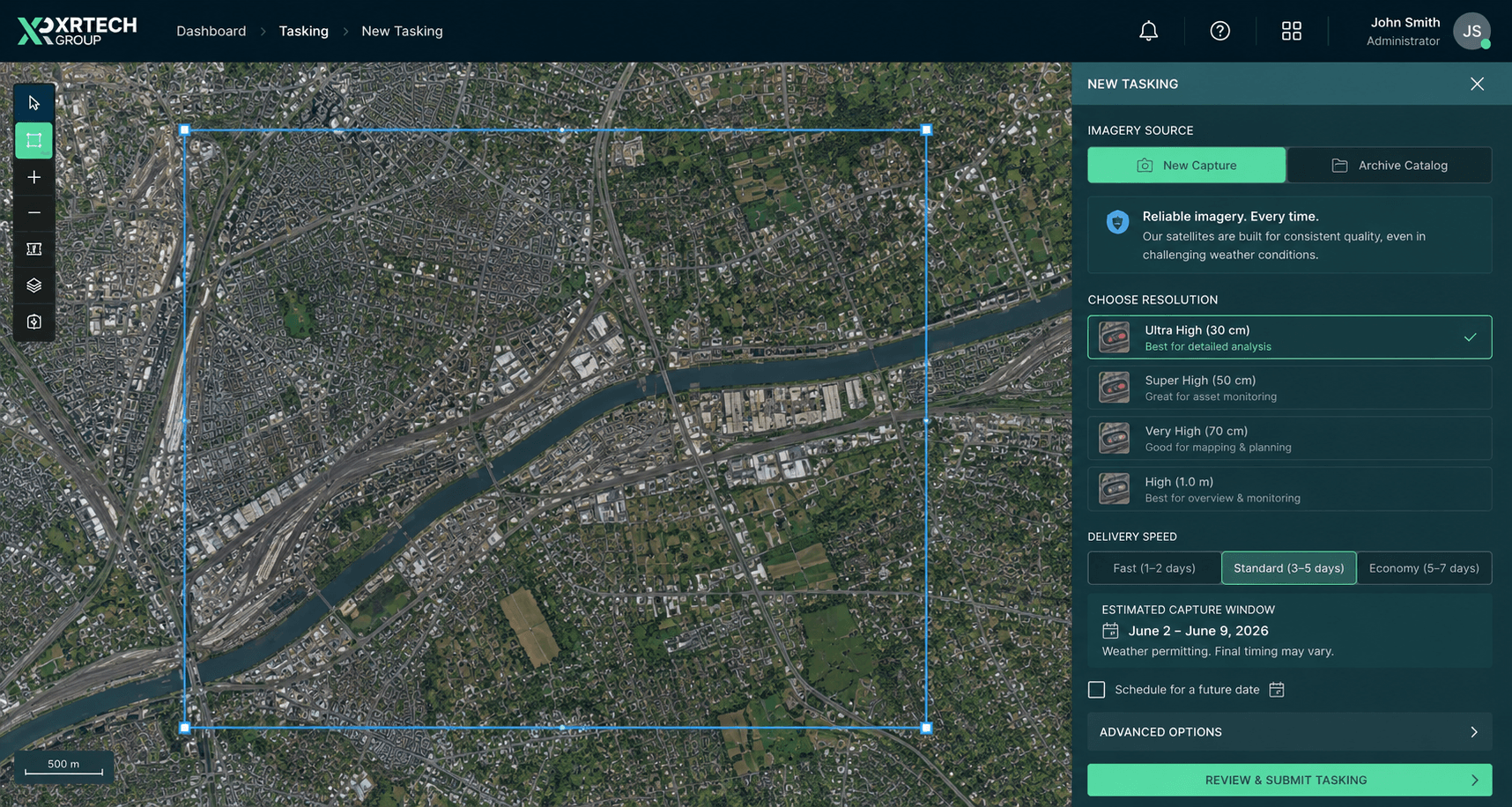
New tasking directs a satellite to capture your specific AOI on a future date. You can specify cloud cover requirements, off-nadir angle limits, and timing relative to a project event.
New tasking is essential for disaster response, active construction monitoring, and any project where current ground conditions are required. XRTech new tasking starts at $2/km2 for 2m resolution and $30/km2 for 0.3m.
For urgent projects, priority and emergency collection options are available:
| Priority Level | Price (0.3m GSD) |
|---|---|
| Standard tasking | $30/km2 |
| Priority collection | $45/km2 |
| Emergency collection | $80/km2 |
8. Image Acquisition Conditions
Even after selecting your sensor and tasking type, you need to verify the specific conditions under which the image was or will be captured.
Cloud Cover
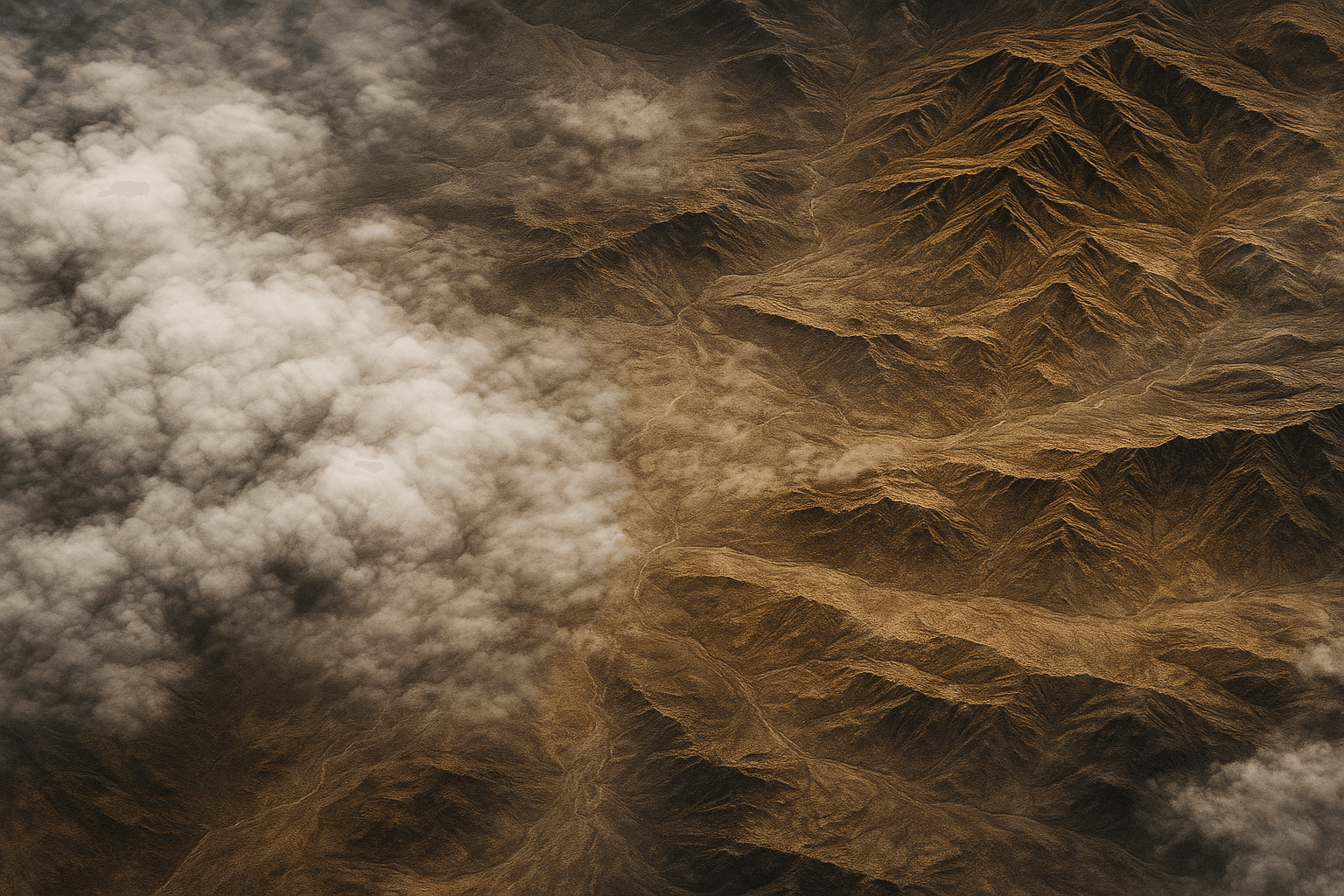
Always check cloud cover percentage for archive imagery before purchasing. Most providers filter for under 10% total scene cloud cover, but cloud can still sit directly over your AOI while the rest of the scene is clear. Request a preview and check your specific AOI before confirming.
For new tasking, you can specify a maximum acceptable cloud cover as part of the acquisition parameters.
Off-Nadir Angle
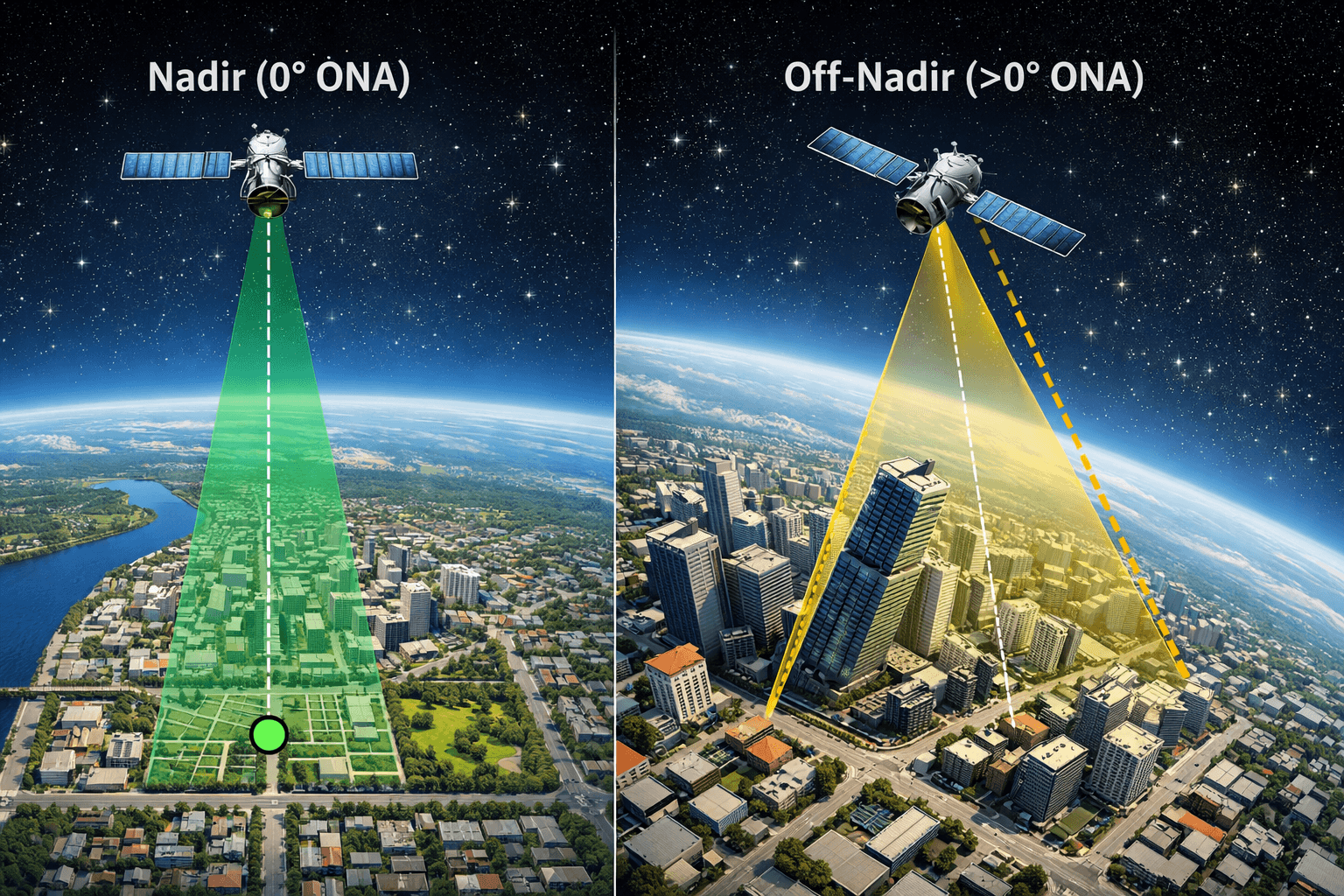
Satellites do not always image directly below them. They can tilt to capture off-nadir images, which increases revisit frequency but introduces geometric distortion. At high off-nadir angles, tall buildings lean away from nadir, hiding the bases of structures and streets between buildings. This is called building lean or occlusion.
For urban mapping, infrastructure inspection, or any project where precise ground-level features matter, request low off-nadir angles, ideally under 15 degrees. SuperView-1 has a CE90 horizontal accuracy of 5m to 8m at nadir, which degrades as the off-nadir angle increases.
9. Geolocation Accuracy
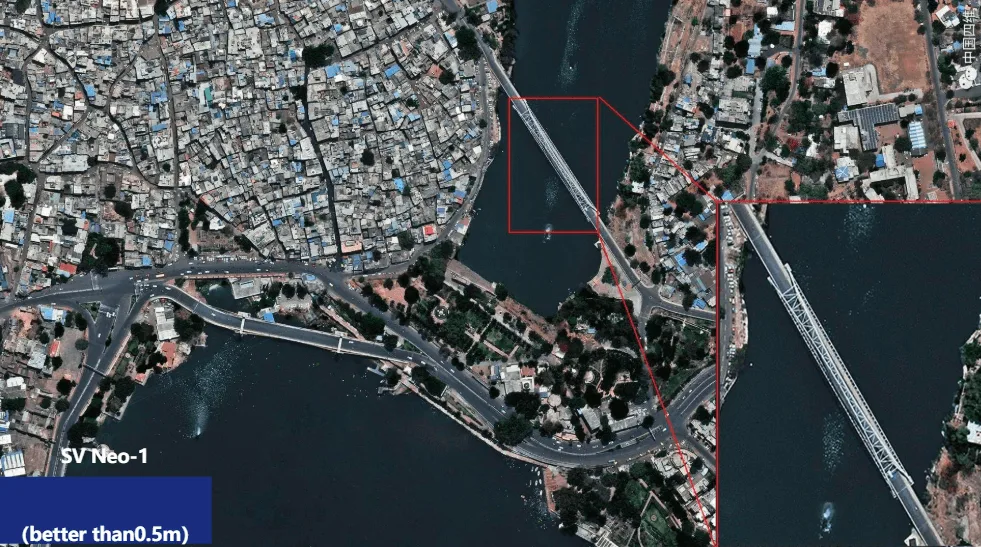
Geolocation accuracy tells you how precisely a pixel in the image corresponds to a real coordinate on the ground. For engineering, construction, and GIS overlay work, this is as important as spatial resolution.
Accuracy Standards
CE90 (Horizontal Accuracy) CE90 means 90% of measured points fall within a given radius of their true position. SuperView-1 delivers 5m to 8m CE90 at nadir. For projects requiring tighter horizontal accuracy, ground control points (GCPs) can be used to improve positional accuracy to under 1m.

RMSE (Vertical Accuracy) Vertical accuracy matters for 3D modelling, DEM generation, and volume calculations. XRTech Digital Elevation Models deliver vertical accuracy of plus or minus 3m RMSE, which is engineering grade for most civil and infrastructure applications.
10. Preprocessing Level: Is Your Data Map-Ready?
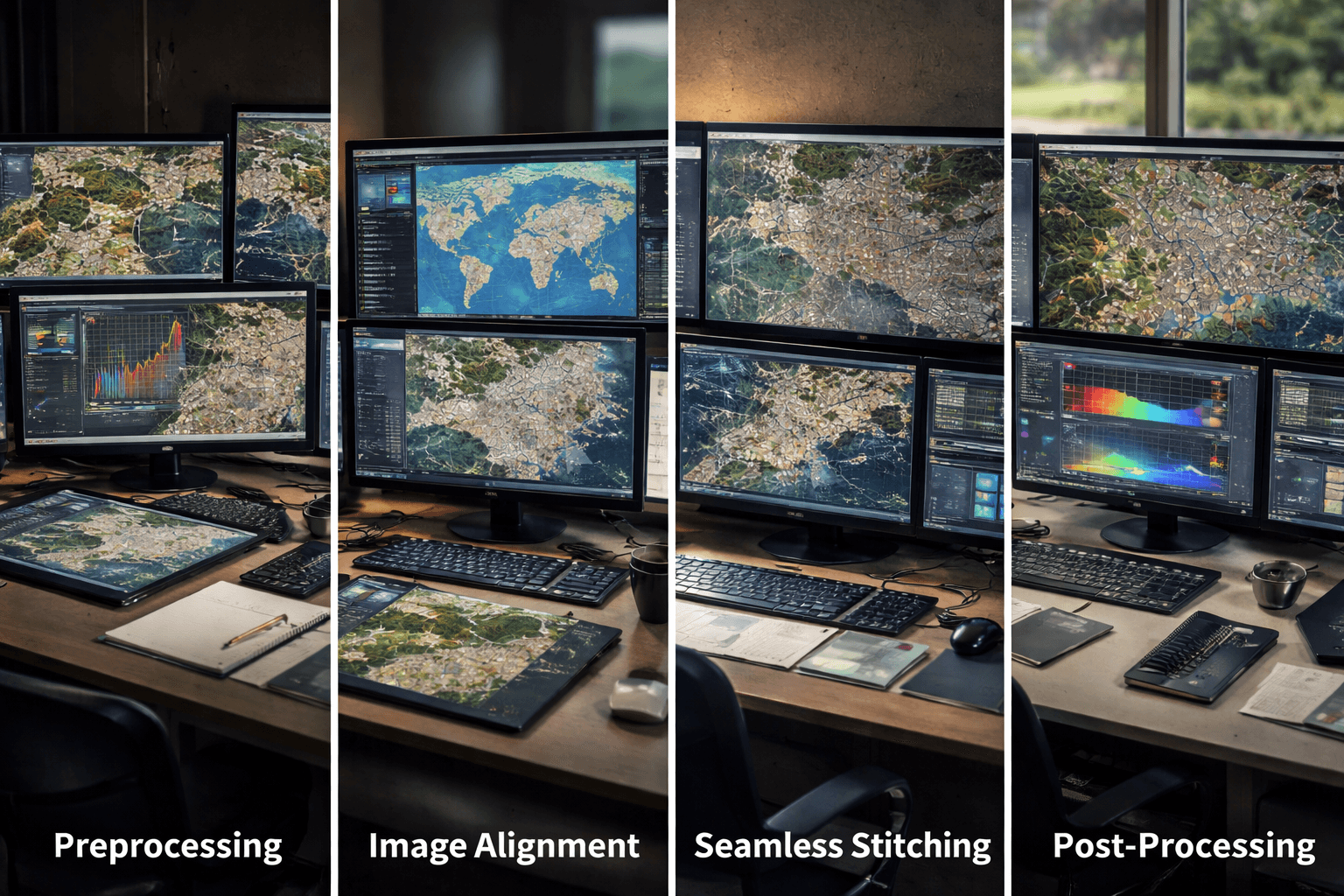
Raw satellite imagery is not map-ready. It requires processing corrections before it can be used in GIS, CAD, or analytical workflows. Always confirm what preprocessing level your delivery includes.
| Processing Level | What It Includes | Ready For |
|---|---|---|
| Level 1A (Basic/Raw) | Radiometric and sensor corrections only | Further processing only |
| Level 1B | Sensor corrections plus basic geometric alignment | Specialised processing workflows |
| Level 2A (Georeferenced) | Projected to a map coordinate system | GIS viewing but lacks terrain correction |
| Level 3 (Orthorectified) | Terrain-corrected, distortion-removed, scale-consistent | GIS analysis, vector overlays, measurements |
For any project involving precise measurement, vector overlays, or integration with engineering drawings, Level 3 orthorectified data is the minimum requirement. Ordering Level 1 or 2 data without the processing capability to correct it yourself means you cannot use the imagery for spatial analysis. We provide processed and analytics satellite imagery, directly integrated with your workflow.
11. Value-Added Products (VAPs)
Raw imagery is often just the starting point. Depending on your project, you may need processed derivatives rather than just image files. Here is what we do for you:
- Digital Elevation Model (DEM) A bare-earth surface model with buildings and vegetation removed. Used for hydrology, flood routing, earthwork volume calculation, and terrain analysis.
- Digital Surface Model (DSM) Captures the top surface including all features above ground such as buildings and tree canopy. Used for urban planning, line-of-sight analysis, and solar potential mapping.
- Digital Orthophoto Map (DOM) An orthorectified, georeferenced image with 8m CE90 precision that serves as a pixel-perfect basemap for GIS and CAD integration.
- 3D City Models High-resolution digital twins of urban environments built from stereo VHR imagery. Used for smart city planning, zoning, and scenario modelling. GF-7 stereo data at 0.65m is an XRTech option for 3D model generation.
12. Industry-Specific Requirements
Each industry has specific sensor and format requirements that go beyond general specifications.
| Industry | Key Requirements | Recommended XRTech Option |
|---|---|---|
| Agriculture | Red Edge and NIR bands for NDVI, daily monitoring during growing season | GF-6, SuperView-2 8-band |
| Mining | Hyperspectral for mineral ID, InSAR for tailings dam stability | Wyvern, GF-5B, LT-1 SAR |
| Construction | 0.3m GSD for foundation and trench detail, DSM for cut-and-fill volume | SuperView Neo-1, GF-7 stereo |
| Disaster management | SAR for cloud-covered areas, rapid delivery in 24 hours for flood mapping | GF-3 SAR, GF-4 geosynchronous |
| Urban planning | 0.3m to 0.5m optical plus 3D models for smart city applications | SuperView-1, SuperView Neo-1 |
| Geology | SWIR and hyperspectral for mineral alteration mapping | GF-5B AHSI, Wyvern |
13. File Formats and GIS Compatibility
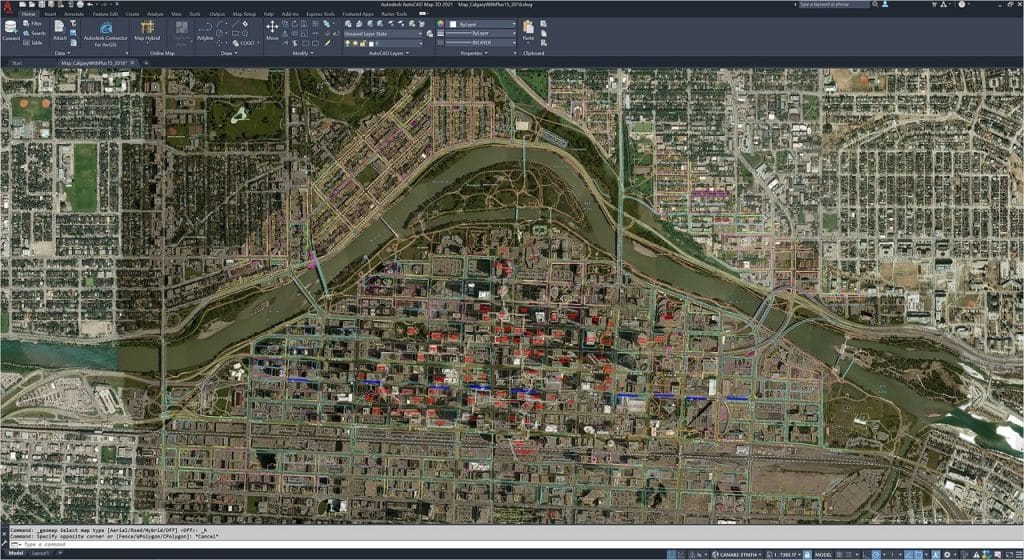
Data that cannot load into your workflow is useless regardless of its technical quality. Confirm format compatibility before ordering.
| Data Type | Standard Formats |
|---|---|
| Imagery | GeoTIFF, IMG |
| Vectors and models | SHP (Shapefile), DWG, UTM |
| Elevation data | GeoTIFF DEM, ASCII grid |
XRTech also provides access to the our cloud platform, which allows one-click ordering, AOI browsing across the full archive, and delivery within 1 hour of processing for archive products.
14. Pricing Structure
Satellite imagery pricing is set per km2 and varies by resolution tier and acquisition type.
| Resolution Tier | Archive Price (USD/km2) | New Tasking Price (USD/km2) |
|---|---|---|
| Super High (0.25m-0.3m) | $20 | $30 |
| Very High (0.5m) | $14 | $22 |
| High (under 1m) | $5 | $10 |
| Wide Area (2m) | $1 | $2 |
Minimum order sizes apply: 25 km2 for archive, 100 km2 for new tasking.
15. Licensing and Data Rights
Satellite imagery licensing controls what you are legally allowed to do with the data after purchase. This is separate from the technical specification and is often overlooked until it becomes a problem.
- Internal use licence Permits viewing, analysis, and processing within your organisation. Does not allow sharing outside your team or publishing in reports visible to third parties.
- Project-wide licence Allows the data to be shared across all teams and contractors working on a defined project.
- Redistribution and publication rights If you plan to publish imagery in reports, media releases, or integrate it into a commercial platform, you need redistribution rights. This is negotiated separately and increases the licence cost. Always clarify this before purchase if public-facing use is part of your project scope.
Satellite Images Pre-Purchase Checklist
Use this before placing any satellite imagery order:
- AOI coordinates defined and area in km2 calculated
- Smallest target feature identified and minimum GSD calculated
- Sensor type confirmed: optical or SAR based on cloud cover risk
- Spectral bands confirmed: panchromatic, multispectral, or hyperspectral
- Revisit rate matched to monitoring frequency requirement
- Bit depth confirmed: 8-bit for visual, 16-bit for scientific analysis
- Archive vs tasking decision made based on date requirements
- Cloud cover percentage checked for archive, specified for tasking
- Off-nadir angle limit set for urban or engineering projects
- Geolocation accuracy (CE90) confirmed against project tolerances
- Preprocessing level confirmed as Level 3 orthorectified for GIS use
- VAPs identified: DEM, DSM, DOM, or 3D model if needed
- File format confirmed as compatible with your GIS or CAD platform
- Licensing type confirmed: internal, project-wide, or redistribution
Order Satellite Imagery From XRTech
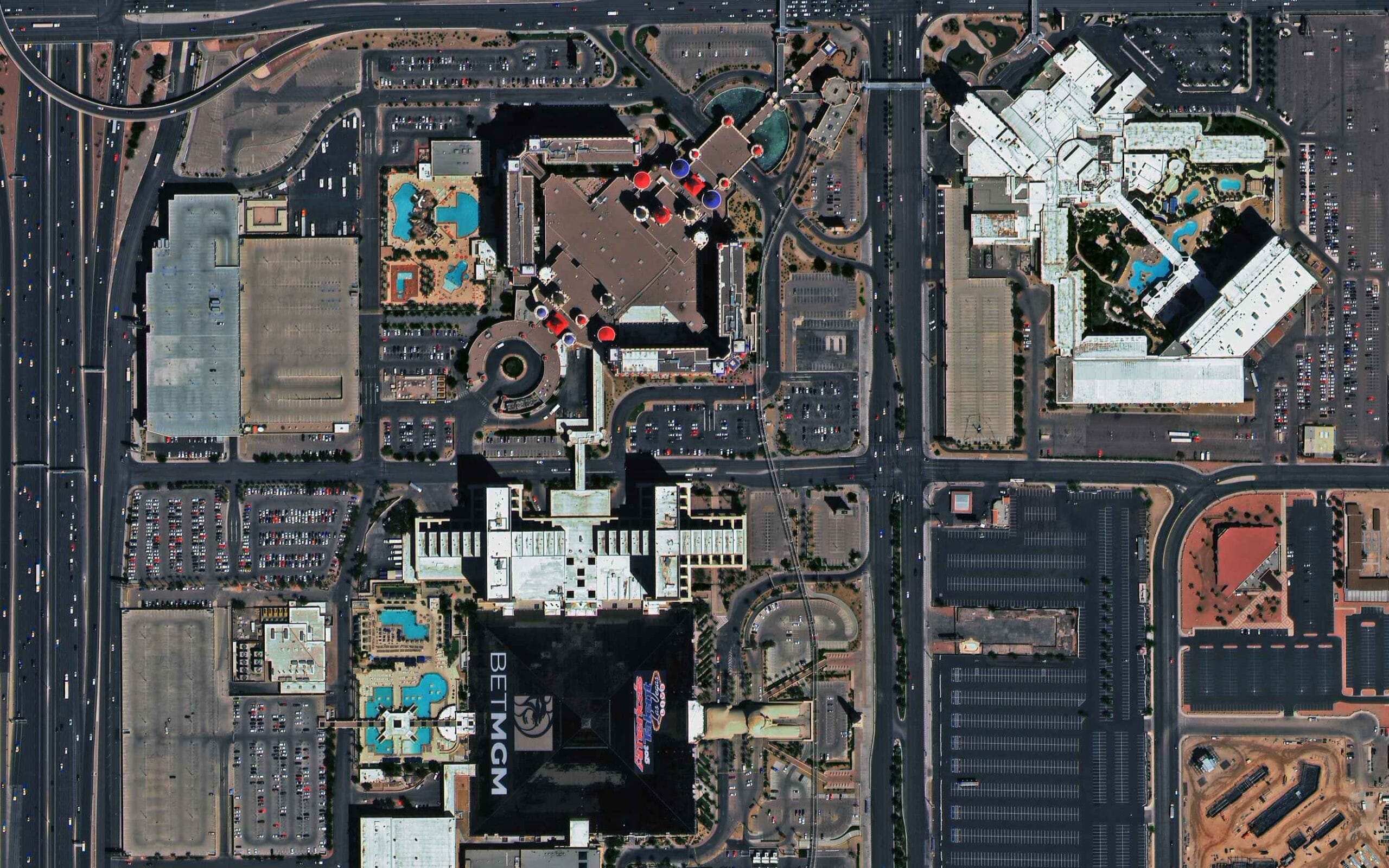
XRTech provides access to over 130 satellites with archive from $1/km2 and new tasking from $2/km2 for any location on Earth. Archive orders are delivered within 48 hours. New tasking is completed in under 7 days for standard priority.
Contact XRTech with your AOI, resolution requirement, and delivery timeline and we will confirm availability, provide a sample tile, and return a quote within 24 hours.
FAQs
What is the most important factor when buying satellite imagery?
Spatial resolution is the most commonly considered factor, but sensor type is equally important. If your project area has frequent cloud cover, ordering optical imagery at 0.3m GSD will not help if the satellite cannot see through cloud. Confirm both the resolution tier and the sensor technology before committing to a purchase.
What is the difference between archive imagery and new tasking?
Archive imagery is data already captured by the satellite and available for immediate download. It is cheaper and faster but you cannot control the capture date or cloud cover. New tasking directs a satellite to capture your AOI on a future date with your specified parameters. It costs more but gives you full control over timing and acquisition conditions.
What GSD do I need for vehicle detection?
Vehicle detection requires a GSD of 0.3m to 0.5m. At 0.3m, individual vehicles are clearly visible and vehicle type can often be distinguished. At 0.5m, vehicles are detectable but type identification becomes difficult. Anything above 1m GSD makes individual vehicle detection unreliable.
What is the difference between optical and SAR satellite imagery?
Optical imagery captures reflected sunlight and produces natural colour images. It cannot see through cloud, smoke, or darkness. SAR is an active sensor that generates its own microwave signal and records the reflection. SAR works day and night in any weather, making it essential for tropical monitoring, disaster response, and flood mapping.
What does orthorectified mean and do I need it?
Orthorectification is the process of removing distortions caused by terrain elevation and satellite viewing angle, making the image scale-consistent across its entire extent. If you plan to overlay vectors, take measurements, or integrate the imagery into GIS or CAD, you need Level 3 orthorectified data. Raw Level 1 imagery is not suitable for spatial analysis.
What is CE90 accuracy in satellite imagery?
CE90 is the radius within which 90% of measured ground points fall relative to their true position. SuperView-1 achieves 5m to 8m CE90 at nadir. For engineering-grade work requiring sub-metre positional accuracy, ground control points (GCPs) are used to improve CE90 to under 1m after orthorectification.
What spectral bands do I need for crop health monitoring?
Crop health monitoring requires at minimum NIR (near-infrared) for NDVI calculation. Red Edge bands are needed for early stress detection before visible symptoms appear. SWIR is useful for soil moisture and water stress analysis. XRTech’s SuperView-2 with 8 spectral bands including Red Edge and SWIR is the most capable option for precision agriculture.
Can I publish satellite imagery I purchase?
Standard internal use licences do not permit publication or redistribution. If you plan to use imagery in reports, presentations, media releases, or commercial platforms, you need to negotiate redistribution rights before purchase.
What is the minimum order size for satellite imagery?
XRTech requires a minimum of 25 km2 for archive orders and 100 km2 for new tasking. Pricing is per km2 and varies by resolution tier, from $1/km2 for 2m archive to $30/km2 for 0.3m new tasking.
How fast can I get satellite imagery after ordering?
Archive imagery from XRTech is typically delivered within 48 hours of order confirmation. New tasking at standard priority is completed within 7 days. Emergency collection is available for disaster response with a premium pricing tier, and the Our cloud platform delivers processed archive data within 1 hour for registered users.
Blog Summary
- Spatial resolution (GSD) is the starting point: 0.3m for vehicle and building detail, 2m to 8m for regional surveys
- Sensor type determines weather reliability: optical needs clear skies, SAR works through cloud, smoke, and darkness
- Spectral bands control what you can analyse: panchromatic for detail, multispectral for vegetation, hyperspectral for minerals
- Temporal resolution sets how current your data is and how often you can monitor change
- Radiometric bit depth matters for scientific analysis: 8-bit is fine for visuals, 16-bit is needed for modelling
- Archive imagery is cheaper and faster; new tasking gives you control over date, angle, and cloud cover
- Geolocation accuracy (CE90) is critical for engineering, construction, and GIS overlays
- Always confirm the preprocessing level: orthorectified Level 3 data is map-ready, raw Level 1 is not
- File format must match your GIS or CAD workflow before you order
- Licensing terms control whether you can share, publish, or redistribute the imagery